Higgsfield has changed enough that an early-2026 review can now give the wrong answer. Supercomputer is a hosted creative agent, but Higgsfield also publishes its own MCP connector and CLI. The old framing—Higgsfield is browser-only while a local CLI is the alternative—is no longer true.
The current choice is more useful: do you want Higgsfield's hosted orchestration layer, with memory, skills, connectors, schedules, project files, and app-building products, or a narrower local generation tool that your existing coding agent can call? This review answers that question and keeps one dated first-hand credit screenshot within its actual evidentiary limits.
Review verdict
- Higgsfield is the stronger fit when you want a hosted creative operating system: browser chat, many media models, reusable skills, persistent project context, connectors, schedules, shared history, and no-code generative app building.
- Masonry CLI is the stronger fit when the job is narrower: generate image or video files from a local terminal or coding agent, choose the route explicitly, and keep outputs beside the rest of the project.
- Higgsfield is not browser-only. Its current MCP and CLI pages directly support agent-driven image and video generation.
- The products are not equivalent. A local generation command does not reproduce Higgsfield's hosted memory, connectors, schedules, application builder, or full editing suite.
What Higgsfield Supercomputer includes now
Higgsfield describes Supercomputer as a chat that takes a plain-language brief, plans the work, selects models and presets, and returns finished creative assets. The current product page lists a much broader system around that chat:
- persistent memory and imported context;
- reusable and shareable skills;
- project files and generation history;
- scheduled tasks;
- connectors for products such as Slack, Drive, Notion, Gmail, and Figma;
- current frontier language, image, and video models;
- hosted products for creative work, research, sites, and longer-form media.
Higgsfield Apps extends the product beyond media generation. It can build and publish generative applications from chat, connect Higgsfield models, and let the eventual app users spend their own generation credits. That is a materially different product from a command that creates a file.
Higgsfield now has MCP and a CLI
This is the most important correction to the previous article. Higgsfield's official MCP page provides a hosted connector URL and says compatible agents can generate images and videos, train characters, and browse prior generations. Its CLI page currently instructs users to install @higgsfield/cli, authenticate in the browser, and add companion skills.
Higgsfield says the MCP workflow uses the same platform credit system, with generation cost varying by model and resolution. It also advertises automatic model selection or an explicit model choice. That makes Higgsfield a legitimate option for Claude Code and other compatible agents—not merely a browser alternative to them.
How the credit model should be evaluated
Higgsfield plan prices and credit allocations vary by region and change frequently, so use the live pricing page instead of a copied plan table. The more durable billing facts come from Higgsfield's own product and legal pages:
- the MCP page says each generation costs credits based on model and resolution;
- the Supercomputer page says a proposed plan shows its credit cost before rendering and requires approval;
- the July 2026 terms say Supercomputer credits may be applied to designated capabilities including agent tasks, persistent memory, and storage;
- the terms also say Higgsfield can change which capabilities are credit-eligible and their rates prospectively.
Those facts do not prove that every thought, tool call, retry, or stored byte has a fixed charge today. The only reliable way to price a workflow is to inspect the current pre-spend estimate and the account's usage record for the exact task.
What one recorded run showed—and did not show
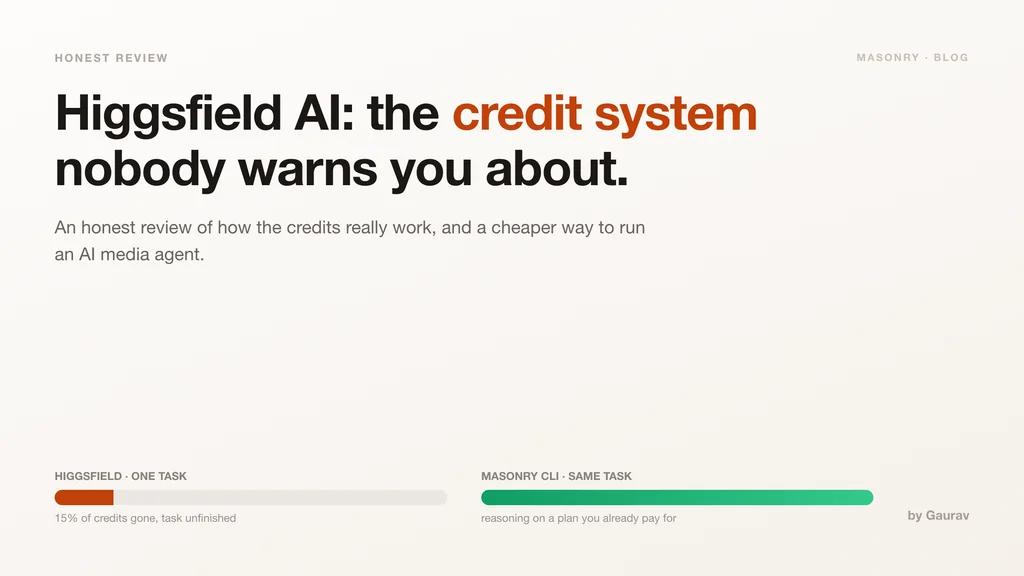
In May 2026, we recorded one unfinished Higgsfield task whose usage screen showed 154 text credits and 7 image credits, with the interface reporting 15% of that account's monthly pool consumed. The screenshot is first-hand evidence for that run and interface state.
The run does not prove a current plan price, average task cost, present-day failure rate, or that every Supercomputer workflow spends credits in the same proportions. It is also not a controlled comparison with Masonry: the products did not execute identical plans, models, seeds, or candidate counts.
What the run does justify is a test requirement: before committing to a large agentic workflow, confirm whether planning, memory, tool use, retries, and media outputs appear as separate usage categories, then set a candidate and spend cap.
Where Higgsfield is the better fit
Choose Higgsfield when the hosted orchestration is the product you need. Its current advantages are not limited to media model access:
- A unified creative workspace. Briefs, files, prior generations, skills, and revisions live together.
- Hosted automation. Connectors and scheduled tasks can move work across services without a local machine staying active.
- High-level creative products. Supercomputer, Apps, Marketing Studio, Canvas, and other purpose-built surfaces cover workflows a basic CLI does not.
- Agent access without abandoning the suite. MCP and CLI let an external agent call Higgsfield while retaining the platform's model catalog and history.
The tradeoff is system breadth. More orchestration, storage, models, and hosted features create more billing and workflow variables to inspect. That is not automatically bad; it simply means a one-number “credits per video” comparison is incomplete.
Where a Masonry CLI workflow is the better fit
Masonry CLI is a generation component rather than a hosted creative operating system. It fits when an existing coding agent already owns planning and file orchestration and only needs to create an image or video in the local project.
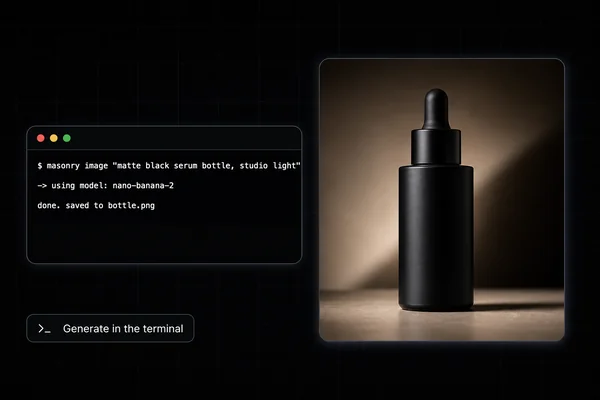
npx @masonryai/cli masonry login masonry image "cozy developer workspace at golden hour, editorial photo" \ --model flux-2-pro \ --aspect 16:9 \ --output workspace.png
The output below was generated from the article's original workspace brief. It demonstrates that the command produced a usable image; it does not establish a quality or cost win over Higgsfield.
This path is easier to reason about when the deliverable must land beside code or campaign files and the operator wants the model slug and output path in shell history. It is not a replacement for Higgsfield's memory, connectors, schedules, hosted projects, character training, app builder, or end-to-end creative products.
Higgsfield vs a lean local workflow
| Decision | Higgsfield Supercomputer, MCP, and CLI | Existing coding agent plus Masonry CLI |
|---|---|---|
| Scope | Hosted creative agent and broader production suite | Local image and video generation component |
| Context | Platform memory, projects, files, skills, and history | Context stays in the coding-agent session and local project |
| Automation | Hosted schedules and connectors | Local scripts and whatever integrations the coding agent can access |
| Agent access | Native MCP and Higgsfield CLI | Masonry shell commands callable by agents with terminal access |
| Billing question | Plan, credit-eligible features, selected models, and proposed task spend | Coding-agent plan or usage plus Masonry generation credits |
| Best evaluation metric | Cost and time per accepted end-to-end deliverable | Cost and time per accepted local asset |
Run a fair test before choosing
Use one real project with a fixed acceptance sheet:
- Give both workflows the same source files, output dimensions, displayed copy, duration, and identity or product constraints.
- Cap both at the same number of image and video candidates.
- Record planning time, generation time, revisions, total credits or subscription usage, downloads, and handoff work.
- Reject any asset that changes required identity, product geometry, claims, text, or framing.
- Divide total spend and elapsed time by accepted deliverables.
Also test the feature that motivates the purchase. If that is scheduled multi-service work, a local generation command is not a meaningful substitute. If that is simply creating files from a coding agent, do not pay for a larger suite without measuring whether its extra orchestration improves the accepted result.
The bottom line
Higgsfield Supercomputer is now a broad hosted creative-agent platform with real MCP and CLI access. It is strongest when memory, skills, connectors, schedules, shared projects, and higher-level creative products are part of the job. The dated credit screenshot is a useful warning to inspect task-level usage, but it is not enough to call the current product universally expensive or unpredictable.
Masonry CLI is the leaner alternative when an existing coding agent already handles the plan and only needs explicit local image or video generation. Run the same bounded brief in both and choose on accepted deliverables, total workflow time, and actual usage—not the outdated assumption that only one product works with agents.