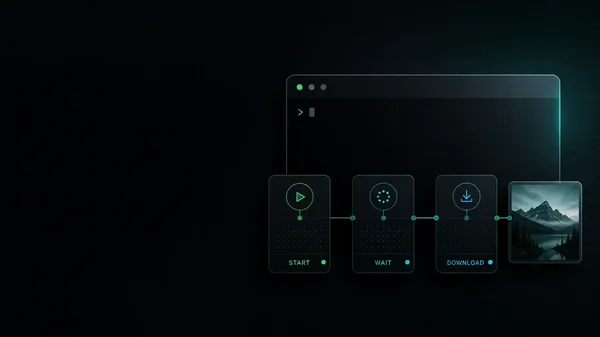
Claude Code does not expose a native raster-image generator. It can inspect images, write code-based graphics, and call tools, but a generated PNG or video still comes from an external model route. In practice there are three integration patterns: a normal command-line program, an agent skill that teaches Claude how to run one, or an MCP server that exposes structured media tools.
Those labels are not interchangeable. A skill is instructions; it usually calls a CLI or script. MCP is a protocol connection and may be local or hosted. A CLI is an executable with arguments, files, stdout, and exit codes. The useful comparison is therefore not “CLI versus MCP” in the abstract. It is what gets installed, where credentials live, which models are reachable, what file contract comes back, and who operates the service.
This guide was re-checked on 4 August 2026 against the current Claude Code skills documentation, Claude Code MCP documentation, and each tool’s primary repository or pricing page.
Quick answer: which tool for which job
- One hosted account across image and video models: use the Masonry CLI. The live catalog returned 30 image and 29 video routes when checked, and
masonry init claude-codeinstalls three project-local commands. It is a paid hosted service. - Open-source shell pipelines and the broadest gateway catalog: use Vercel AI CLI. It supports image, video, text, speech, and transcription, including multi-model calls. It needs Node.js 22+ and an AI Gateway or supported provider key.
- A self-managed Gemini and GPT Image integration: evaluate claude-image-gen. Its skill calls a bundled CLI; its optional local MCP server supports Gemini image models and OpenAI
gpt-image-2. You supply at least one provider key. - Hosted FLUX generation and editing through MCP: connect the official FLUX MCP server. It is a remote, OAuth-only service with FLUX.2 generation, editing, variations, history, and multi-reference workflows. Billing goes to the selected Black Forest Labs organization.
What changed since older comparisons
Three changes make many existing lists stale.
First, Anthropic merged custom slash commands into skills. A .claude/commands/deploy.md file and a .claude/skills/deploy/SKILL.md skill can both create /deploy; existing command files still work, but Anthropic now recommends skills because they can carry supporting files. Masonry’s current initializer still writes .claude/commands/, so describe it as a supported command integration rather than a current skill package.
Second, claude-image-gen is no longer Gemini-only. Its current repository supports either a Gemini key or an OpenAI key, routes gpt-image* and dall-e* names to OpenAI, and uses gpt-image-2 as its OpenAI default.
Third, the official FLUX MCP is now a hosted HTTP endpoint. Claude Code connects to it at https://mcp.bfl.ai; the first use opens a browser OAuth flow. That is a different trust and maintenance model from cloning a local MCP server and placing a FLUX key in its environment.
The tools: current setup contracts
Masonry CLI
The Masonry CLI is a hosted media CLI with a single login and separate image and video commands. The installed CLI and authenticated live catalog were checked for this update. The catalog returned 30 image routes and 29 video routes, including generation, editing, upscaling, reference-image, lip-sync, and video-editing capabilities. Routes change, so use the CLI rather than this article as the inventory source.
npx @masonryai/cli
masonry login
masonry models list
masonry init claude-code
The initializer currently creates:
.claude/commands/generate-image-masonry.md.claude/commands/models-masonry.md.claude/commands/jobs-masonry.md
Claude Code can also call the executable directly:
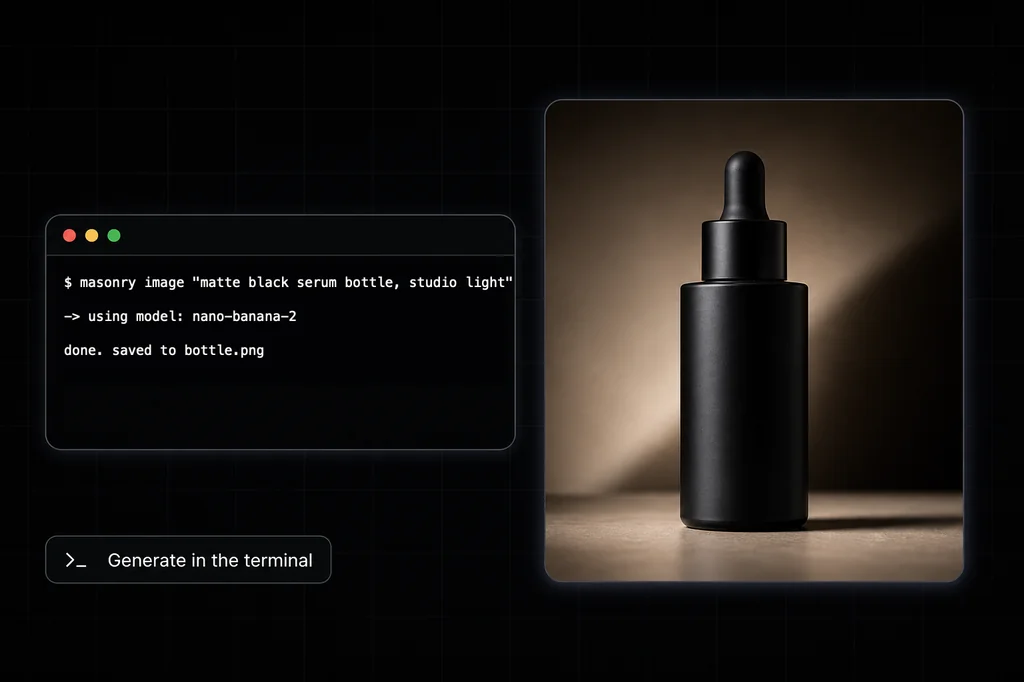
masonry image "matte-black serum bottle, soft studio light" \ --model gemini-3.1-flash-image-preview \ --output ./serum-bottle.png
Use this route when one hosted account, image-plus-video coverage, and explicit output files matter more than managing provider keys yourself. The tradeoff is vendor account and credit dependence. The full first-run and asynchronous job flow is in the Masonry CLI setup guide.
Vercel AI CLI
Vercel AI CLI is an Apache-2.0 command-line program built on Vercel AI SDK and AI Gateway. Its current README requires Node.js 22+ and either an AI Gateway key or a supported provider-specific key.
npm install -g ai-cli ai models --type image ai image "matte-black serum bottle, soft studio light" \ --model bfl/flux-2-pro \ --output ./serum-bottle.png
It has unusually strong Unix ergonomics for media: stdin, explicit output paths, JSON metadata, concurrency, timeouts, reference images, and comma-separated model IDs for multi-model runs. The Gateway catalog covers hundreds of models across modalities; not every model supports every flag, so inspect the live model metadata before assuming that size, reference images, or editing are portable.
Vercel’s current Gateway pricing includes a $5 monthly free-tier credit until a team purchases credits. After that the team is on the paid tier. Bring-your-own-key can change who bills the request, but it does not make provider compute free.
claude-image-gen
claude-image-gen is a community-maintained dual-provider project. Its default skill path is:
Claude → skill instructions → Bash → bundled CLI → Gemini or OpenAI API
It also ships an optional local stdio MCP server. At least one of GEMINI_API_KEY or OPENAI_API_KEY is required. The model name selects the provider automatically, and the documented OpenAI default is gpt-image-2.
Choose it when you want inspectable integration code, direct provider billing, and a narrow image-only setup you operate yourself. Read the repository before installing: the local process receives provider credentials and writes generated assets to a configured output directory, so pinning a reviewed revision is more defensible than piping an unreviewed moving branch into a production environment.
Official FLUX MCP
The official FLUX MCP is the cleanest MCP-native option in this set. Add the hosted server to Claude Code:
claude mcp add --transport http FLUX https://mcp.bfl.ai
claude mcp list
The first FLUX call opens OAuth in a browser so you can sign in and choose the Black Forest Labs organization to bill. The server exposes FLUX.2 generation, editing, multi-reference composition, virtual try-on, variations, and saved history. There is no local MCP process to maintain and no API key to paste into the conversation.
The tradeoff is deliberate focus: this is a FLUX workflow, not a general image-and-video catalog. It also places generation history and billing inside BFL’s hosted service, which may be a benefit or a procurement constraint depending on the team.
Honest comparison
| Tool | Integration Claude calls | Authentication | Current breadth | Best fit |
|---|---|---|---|---|
| Masonry CLI | Hosted CLI + project command files | Masonry browser login | 30 image + 29 video routes checked Aug. 2026 | One account for commercial image/video output |
| Vercel AI CLI | Open-source CLI + optional skill | Gateway key or supported provider key | Hundreds of Gateway models across modalities | Shell pipelines and multi-model automation |
| claude-image-gen | Skill + bundled CLI, or local MCP | Gemini and/or OpenAI API key | Gemini image + OpenAI GPT Image | Self-managed dual-provider image generation |
| Official FLUX MCP | Hosted HTTP MCP | BFL browser OAuth | FLUX.2 generation, editing, and history | Structured FLUX creative work inside Claude |
“Open source” describes the integration code, not the inference bill. “MCP” describes how the tool is exposed, not whether it is hosted. “Hundreds of models” describes a catalog, not whether every image route supports the same controls. Those distinctions matter more than a generic feature checkmark.
A five-minute acceptance test
Do not choose from the marketing pages alone. Install the candidate in a disposable project and test the integration contract before judging image quality.
| Check | Pass condition |
|---|---|
| Credential boundary | Secrets stay outside the repository, command history, prompts, and output logs |
| Output contract | You can choose a deterministic file path and Claude can verify the file exists |
| Failure behavior | Invalid input exits clearly instead of returning a plausible success message |
| Reference input | A local reference path works for a model that documents image input |
| Cost traceability | The request can be tied to a provider, model, account, and bill |
| Cleanup | You know how to revoke auth, remove config, and delete generated history |
Use one harmless prompt and one disposable reference image. This test evaluates the integration—not the model. If two tools call different models, their output quality is not a fair comparison. For model quality, run the same model, prompt, source image, dimensions, and candidate count wherever the routes overlap.
How to choose
- Choose by operations first. A CLI is usually easier to script in CI; a hosted OAuth MCP is usually easier to connect interactively; a local MCP or skill gives you more code ownership but also more maintenance.
- Choose by credential boundary. Hosted login avoids provider keys on the machine. Bring-your-own-key makes provider billing explicit but gives the local integration access to that secret.
- Choose by output contract. For repository work, explicit paths, machine-readable metadata, nonzero failure exits, and timeouts are more valuable than an attractive inline preview.
- Choose by catalog only after defining the job. Broad access helps when one model is good at text, another at product fidelity, and another at video. A focused provider tool is simpler when the team has already standardized on that model family.
- Choose by evidence, not generated examples. A beautiful sample proves that one output was selected. Track failed attempts, latency, spend, and accepted files to compare tools honestly.
If the goal is product work rather than integration selection, the image model roundup and video model roundup compare model behavior on controlled jobs.
The bottom line
There is no single best Claude Code image tool. Masonry is the simplest route here for one hosted account across a curated image-and-video catalog. Vercel AI CLI is the strongest general shell interface and Gateway option. claude-image-gen is useful when you want to operate a dual-provider Gemini/OpenAI integration yourself. The official FLUX MCP is the cleanest hosted, structured FLUX workflow.
Pick the trust, billing, and output contract first. Then run the five-minute acceptance test and compare actual model quality only on equivalent routes. That keeps an integration decision from being disguised as a model leaderboard.
If the decision is between a broad hosted creative agent and a lean terminal workflow, the Higgsfield AI review covers its connectors, schedules, MCP and CLI access, credits, and an equivalent evaluation protocol.