




- Listened to your video and found the three points
- Cut a vertical short for each point
- Added word-by-word captions
Here's your video

theo-short-1-slow-down.mp4Vertical video, saved to your workspaceReels, shorts and ads from one line. Masonry writes, shoots, voices and edits in the chat
Here's your video
livia-amalfi.mp4Vertical video, saved to your workspaceHere's your video
animal-podcast.mp4Vertical video, saved to your workspaceHere's your video
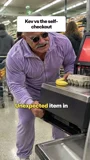
kev-self-checkout.mp4Vertical video, saved to your workspaceEvery template is a slash command. Type it, answer a question or two, and the finished video comes back in the chat
Your story told by a narrator over still scenes, with camera moves, music and captions. Free to make.
Needs: a story, script or pitch
One unforgettable face, a new situation every post. The AI character people follow.
Needs: a situation
A realistic 35-second creator video that turns your beauty product into a story people watch.
Needs: product photo, its benefits
They had a plan for everything. Except Grandma. A slapstick versus short in one card.
Needs: who attacks (optional)
Two animals that should never be friends, five quiet beats, one warm ending.
Needs: two animals (optional)
A noir story told to 'you' that ends on A or B. The comments write part 2.
Needs: a situation
You're in the scene. One trope, one catchphrase, a new episode every post.
Needs: a trope
The friend who swears he's broke... A comedy skit in your own slang, characters talking on camera.
Needs: a situation or script
What if gravity disappeared for 5 seconds? A cinematic, narrated what-if, stage by stage.
Needs: a what-if question or script
POV: you're a turnip farmer in 1347. A selfie vlog from any time in history.
Needs: a who and a when
A warm storybook fable with a narrator and a lesson that lands, from your idea.
Needs: a lesson or a story
Two animal hosts at the mics turn your topic into a funny back-and-forth.
Needs: a topic
A short 3D ad where a mascot acts out your customer's problem and your fix.
Needs: your business and offer, logo (optional)
A 3D cartoon episode with recurring characters, voices and a cliffhanger.
Needs: a story idea
A bright 3D sing-along, story or lesson for little ones, starring a friendly character.
Needs: a topic
Pick your app, follow the steps, select Allow on masonry.so, then start with one line
Add Masonry from ChatGPT's plugin directory
Add to ChatGPT(opens in a new tab)Server URL
https://masonry.so/mcp
Add to ChatGPT and add the Masonry plugin@Masonry and ask for a videoPlugin not showing for you? In ChatGPT plugins select Add, then Add custom MCP server, name it Masonry, paste the server URL and create it
claude.ai and Claude Desktop: add Masonry as a custom connector
Add to Claude(opens in a new tab)Server URL
https://masonry.so/mcp
No form opened? In Claude's connectors select + Add, then Add custom connector, and paste the server URL. On a Team or Enterprise plan an owner adds it once under Organization settings, Connectors
Add the Masonry server from your terminal
Run in your terminal
codex mcp add masonry --url https://masonry.so/mcp
No browser window? Run codex mcp login masonry
mcpServers in ~/.cursor/mcp.json, add "masonry": { "url": "https://masonry.so/mcp" }Install the CLI, sign in, and add the Masonry skill to your coding agent
Run in your terminal
npm install -g @masonryai/cli
Or copy and send this to your agent
Install the Masonry CLI with npm install -g @masonryai/cli, run masonry login and help me complete the browser authorization, then run masonry skill install --host <your agent>, replacing <your agent> with claude, codex, cursor, openclaw or hermes to match this agent. Claude Code is the default when --host is omitted. When setup is complete, ask me what I want to make.
masonry login and select Allow on masonry.somasonry skill install --host <your agent> (claude, codex, cursor, openclaw or hermes) so your agent knows the commandsAdd a custom app
Open Gemini Connected Apps(opens in a new tab)Server URL
https://masonry.so/mcp
On the web for now: personal Google accounts in the US, in English, with Keep Activity on
On Grok Business and Enterprise, a team admin adds the connector first
One command installs the Masonry plugin: the server and its skills
Run in your terminal
claude plugin marketplace add sushilk1991/claude-plugins && claude plugin install masonry@masonry
/reload-plugins in the one that is open/mcp, choose masonry and sign in. Select Allow on masonry.soThe skills are /masonry:get-started and /masonry:product-shoot. Only want the server? Run claude mcp add --transport http masonry https://masonry.so/mcp
GitHub Copilot agent mode
Add to VS Code(opens in a new tab)Or run in a terminal
code --add-mcp '{"name":"masonry","type":"http","url":"https://masonry.so/mcp"}'
One terminal command
Run in your terminal
hermes mcp add masonry --url https://masonry.so/mcp --auth oauth
hermes mcp login masonryOne terminal command
Run in your terminal
openclaw mcp add masonry --url https://masonry.so/mcp --transport streamable-http --auth oauth && openclaw mcp login masonry
One-click install
Add to VS Code Insiders(opens in a new tab)Server URL
https://masonry.so/mcp
One settings entry
Settings entry
"masonry": { "url": "https://masonry.so/mcp" }
zed: open settings filecontext_servers and saveAdd a remote server
Server URL
https://masonry.so/mcp
One terminal command
Run in your terminal
gemini mcp add --scope user --transport http masonry https://masonry.so/mcp
/mcp auth masonry. Select Allow on masonry.soOne terminal command
Run in your terminal
copilot mcp add --transport http masonry https://masonry.so/mcp
/mcp auth masonry. Select Allow on masonry.soShares Cursor's servers
Run in your terminal
agent mcp login masonry
One terminal command
Run in your terminal
grok mcp add --transport http masonry https://masonry.so/mcp
grokOne terminal command
Run in your terminal
amp mcp add masonry https://masonry.so/mcp
Guided terminal setup
Run in your terminal
opencode mcp add
https://masonry.so/mcpopencode mcp auth masonry. Select Allow on masonry.soOne terminal command
Run in your terminal
kimi mcp add --transport http --auth oauth masonry https://masonry.so/mcp && kimi mcp auth masonry
One terminal command
Run in your terminal
droid mcp add masonry https://masonry.so/mcp --type http
/mcp, choose masonry and sign in. Select Allow on masonry.soPaste one settings entry
Settings entry
{ "masonry": { "url": "https://masonry.so/mcp" } }
No MCP needed
Run in your terminal
npm install -g @masonryai/cli
masonry login. Select Allow on masonry.soAdd a custom connector
Server URL
https://masonry.so/mcp
On an organization account, an admin must allow members to add custom connectors
goose configure, then Add Extension, Remote Extension (Streamable HTTP)Add an HTTP server
Server URL
https://masonry.so/mcp
Any other app that supports MCP works with the Masonry server URL
https://masonry.so/mcp
An AI app from the list above and a free Masonry account. The first time the app uses Masonry it opens masonry.so, where you sign in and select Allow, with no API key or code to paste
Connecting is free. A free account can make images and the Narrated story video template (new accounts get 50 credits), and every other video needs a paid plan
See what each plan includesImages usually arrive in the same reply. A video can take a few minutes: if it is still rendering after the wait, your assistant says so and checks back for the finished clip instead of starting a new one
They show up in the chat, videos as a player or a link, and every one is saved to your Masonry workspace. Open it there, or ask your assistant to list what you made
You sign in on masonry.so, never inside the other app, and the app only gets the workspace you pick, never your password. None of its tools can delete anything; disconnect any time under Settings, Connected apps in Masonry, and an app unused for 90 days signs out on its own
It might: Masonry works with apps that can add a remote MCP server and sign in through the browser. Add https://masonry.so/mcp in the app's MCP settings, and if the masonry.so Allow step never opens, the app isn't supported yet
Ask supportConnecting is free. Add Masonry to your app, select Allow on masonry.so, then ask for the video you want