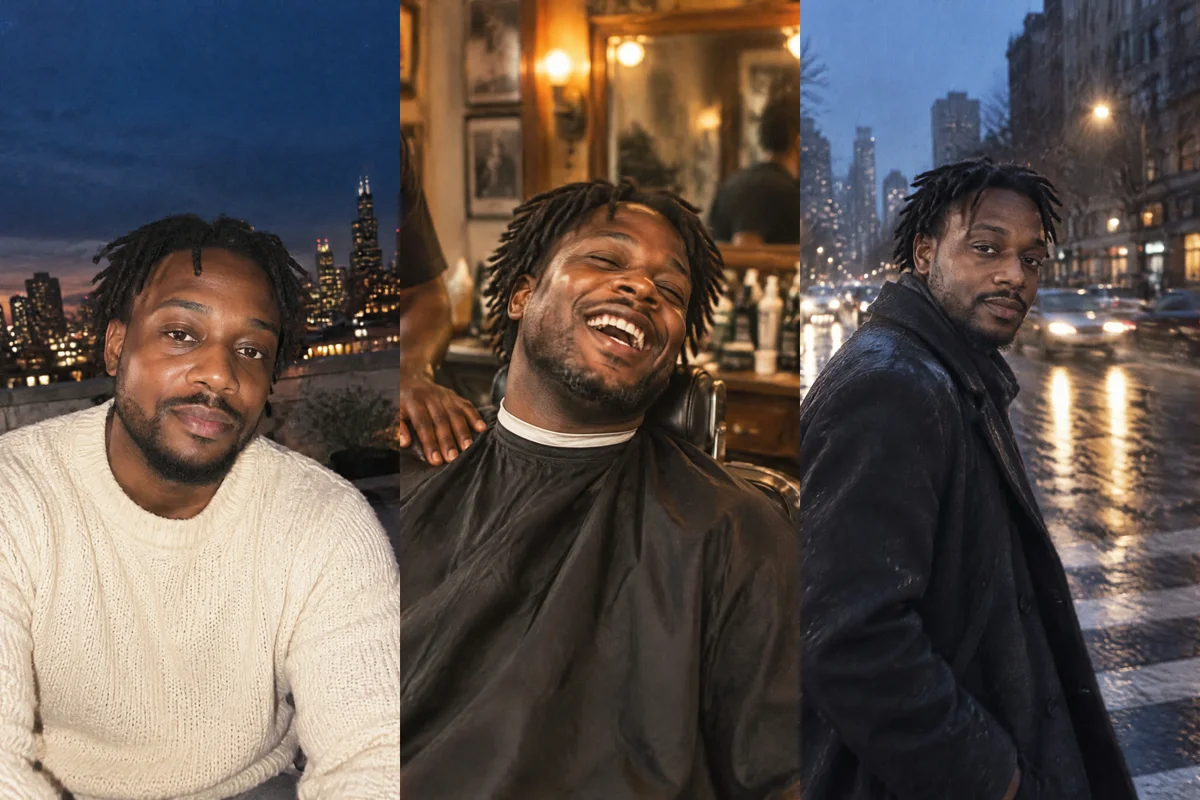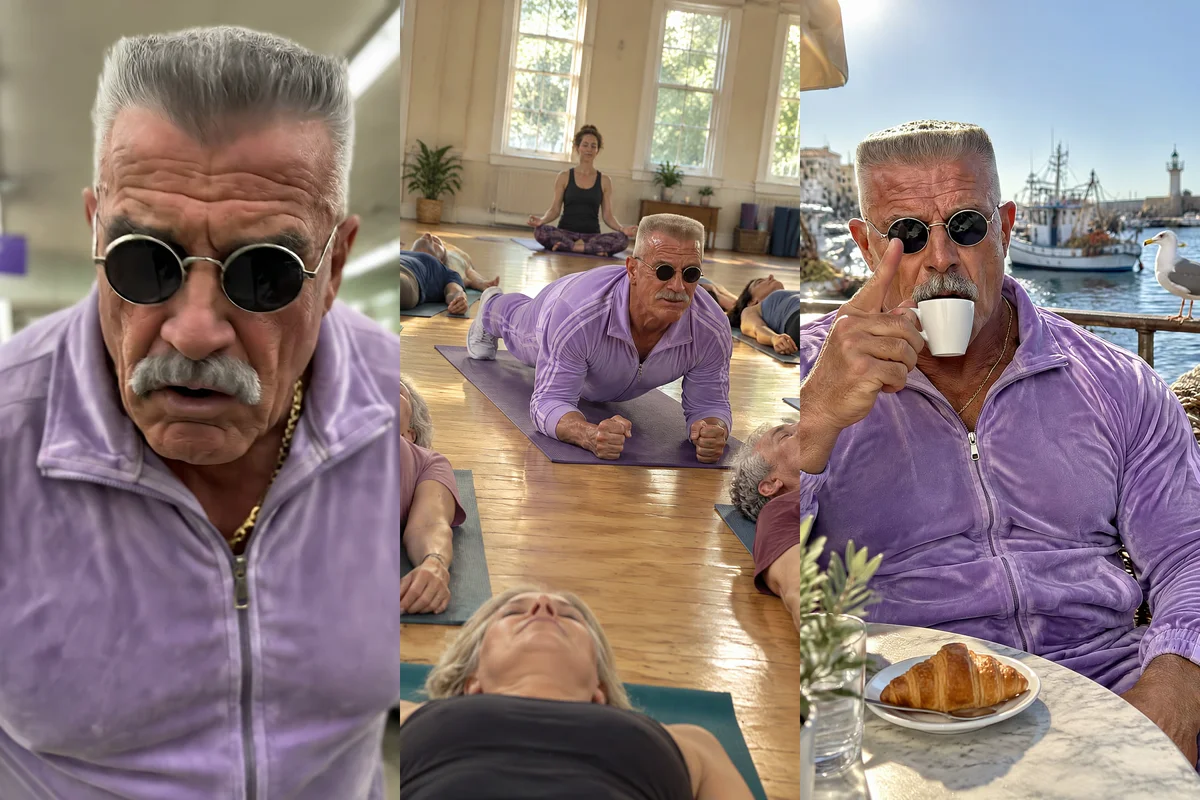
To post a new short video of your own AI character every day, create the character once, save it in Masonry, then ask ChatGPT or Claude each day for a new 8 to 15 second vertical scene that names the character. Masonry sends the saved character as a reference with every image and clip, so your followers see the same face in a new situation each post.
The idea comes from the AI character accounts that grow on Reels and TikTok: one memorable person (or creature, or mascot), a signature look, a catchphrase, and a new everyday situation every time. The hard part used to be keeping the face the same from day to day. A saved character solves most of that, and the rest is a habit: one short ask a day.
This guide walks through designing the character, saving it, giving it a voice, the daily ask, what happens behind the scenes, and what a month of posts costs.
What you need
- ChatGPT or Claude with Masonry connected. In ChatGPT, add Masonry as a plugin with the server URL
https://masonry.so/mcp(ChatGPT steps). In Claude, add it as a custom connector (Claude steps). Either way you select Allow on masonry.so once. - A character idea. Who they are, one thing people will remember them by, and how they talk.
- Credits in your Masonry workspace. Saving the character is free; the clips are not. See the costs section below.
If you have never made a video through ChatGPT before, the ChatGPT video guide covers the setup in more detail.
Step 1: Design the character
Ask for a few versions of the character on a plain background, alone in the frame. One clear view is what Masonry needs to save them well.
@Masonry design an original character for a daily video account: a retired bodybuilder in his late 60s called Kev, huge arms, silver flat-top haircut, tiny round sunglasses, a tight lilac tracksuit. Friendly, proud, a bit confused by modern life. Make 4 different takes, each a full-body shot of him alone on a plain light gray background
In Claude you don't need the @Masonry part; just say "use Masonry". Pick the take you like best. If none is right, change one detail at a time ("same, but the tracksuit is teal") rather than starting over.
Basing the character on yourself? In ChatGPT, attach two or three clear photos of your face. In Claude and most other apps, Masonry needs a direct link to each photo, or you can start the character in the Masonry app (Characters, New character) from your photos and then call it by name in any connected app. Only use photos of yourself or of someone who said yes.
Step 2: Save the character
Save the second one as a character called Kev. He's a person. Look: late 60s, huge arms, silver flat-top, tiny round sunglasses, lilac tracksuit. Notes: proud and friendly, speaks in short sentences, always ends with "Unbelievable."
This calls save_character with the image's job id, a name, the kind (person, creature or mascot), a one-line look under 300 characters, and notes on how they talk. Saving is free, and the character also appears in the Masonry app, so it works in every connected app from now on.
Step 3: Give the character a voice
Give Kev a voice. Show me three warm, older male voices to choose from, then save the one I pick to his character
ChatGPT or Claude lists the voices Masonry has (list_models with audio), and update_character saves your pick. From then on, any line Kev says uses that voice.
Step 4: The daily ask
This is the part you repeat. Keep a list of situations and spend one minute a day on the ask.
Use my character Kev. Make a 10 second vertical video, filmed like someone's phone video: Kev at a self-checkout in a supermarket, the machine keeps saying "unexpected item in bagging area", he lifts the whole machine slightly to check underneath. He says "Unbelievable." at the end. Two shots, captions, and the hook "Kev vs the self-checkout" on screen for the first 2 seconds
Other situations that suit a recurring character:
Use my character Kev. 8 second vertical clip: Kev's first ever yoga class, everyone else is in a calm pose, Kev is holding a perfect plank and sweating, then the teacher says it's a resting pose. He whispers "Unbelievable." Captions on
You can also ask for Masonry's AI character account template by name. The assistant reads it with read_skill and follows its format: one character, one everyday situation, filmed on a phone, ending on the catchphrase.
What happens behind the scenes
The first day takes a few more steps. After that, each daily ask is short.
Day one:
generate_imagemakes the four takes of the character in one call.save_characterstores the one you chose, with its look and notes.list_models(audio) shows the voices;update_charactersaves the voice.
Every day after:
list_charactersfinds Kev in your workspace (the assistant may skip this when it already knows the name).generate_imagewithcharacters: ["Kev"]makes a still for each shot, with Kev's saved sheet as the reference.generate_audio(speech, with the character) makes Kev's line in his saved voice.animate_imageturns each still into a clip. For the speaking shot it takes the speech job id, so the clip is lip-synced and lasts as long as the line.combine_clipsjoins the shots, burns in captions timed to the spoken words, and adds the on-screen hook as text.
Making the still first and animating it is deliberate: Masonry's tool notes say that gives the closest likeness, because the first frame already carries the character's face.
Tips that keep a character recognizable
One signature detail. Kev's sunglasses and lilac tracksuit do more for recognition than any facial description. Keep that detail in every scene unless the joke is about changing it.
Save new outfits as looks. If Kev gets a winter coat, ask the assistant to keep that look. update_character adds it as another look of the same character, so the face stays tied to the original.
Keep the format fixed. Same length, same vertical shape, same caption style, the catchphrase in the same spot. Followers learn the format as much as the face.
Write situations, not scripts. "Kev at a self-checkout" gives the model a clear scene. Long dialogue makes for longer, pricier clips and more chances for the lips to slip.
Check the face every time. A saved character holds the face much better than text alone, but it is not a lock. Compare each new still with the saved sheet before you animate it, and redo the still if the jaw, hair or eyes drift. The consistent character tutorial has a frame-by-frame checklist.
Plan the week. Five recurring formats make the daily ask easy: the character tries something new, reacts to something, does a job for a day, answers a comment, and fails at a trend. Write ten situations for each on a Sunday.
For still photos of the same character for a feed or carousel, the AI UGC photo prompt guide covers capture angles and lighting that read as phone photos.
What it costs
Saving, listing and updating characters is free. Generations spend credits from your Masonry workspace, and 1 credit is 1 US cent. As of November 2026, the default video model, MiniMax H3 Max, costs about 48 credits per 5-second clip and is used unless you name another model.
| Daily post | Clips | Clip credits |
|---|---|---|
| 8 to 10 seconds, two shots | 2 | about 96 |
| 15 seconds, three shots | 3 | about 144 |
| 8 seconds, one shot on Veo 3.1 Fast | 1 | 144 |
On top of the clips come the stills (under 1 credit on the default model, about 6 on Nano Banana 2.1 and about 16 on Nano Banana Pro), the voice line, and the final render with captions, which is at least 1 credit plus a few for the transcription. A month of two-shot daily posts is about 2,880 credits ($28.80) for the clips alone.
New accounts get 50 free credits for 30 days, for images on GPT Image 2.5 Flare at Standard quality; video models need a paid plan. When a request needs more credits or a plan, Masonry says so in the chat: in Claude with the prices and a link, in ChatGPT with a link to the Masonry plans page, and you add credits in your Masonry account.
Limits and troubleshooting
The face changed. Make sure the ask names the character ("use my character Kev"). If it still drifts, save a new, cleaner image: one person, facing the camera, plain background, nothing covering the face.
The assistant didn't use the character. Masonry tells assistants to use a saved character only when you ask for it, so always name it.
The lip-sync looks off. Masonry's notes say a spoken line of at least 5 seconds lip-syncs best, which is about 12 to 15 words. Very short lines can look rushed.
A clip is still rendering. Video takes about 1 to 5 minutes per clip. If the reply carries a job id, ask the assistant to check on it later rather than making it again.
You want to rename or retire the character. update_character renames it or changes the look, voice or notes. Deleting a character is done in the Masonry app.
Real people. Animate a real person only when it is you or someone who agreed to it, and never present the video as real footage of them.
Where to go next
See every tool behind this on the Masonry MCP page, or browse templates for other recurring formats, like the history POV vlog. If you are just getting started with video in chat, read how to make videos in ChatGPT first.