An AI product-photography style guide should make two different promises explicit: the catalog looks like one system, and every image still represents the exact product being sold. A prompt such as “warm premium studio light” does neither. It leaves the model to reinterpret camera height, product scale, background warmth, shadow, surface, crop, and even the product itself on every run.
The useful artifact is a versioned contract. It says what is locked, what may vary, how far it may vary, who owns the source, how a reviewer checks the contact sheet, and what happens when a candidate fails.
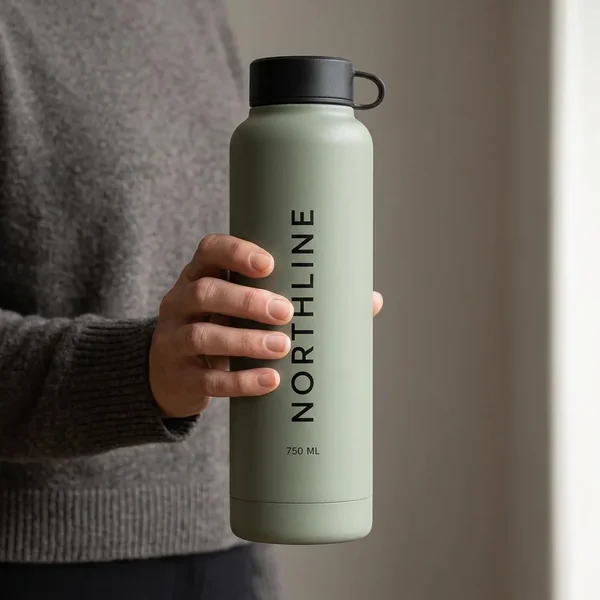
Evidence boundary: this page reuses the disclosed outputs from Masonry's existing three-SKU batch to show why a style contract is necessary. It does not add model runs, claim catalog-scale reliability, or report sales lift. NORTHLINE is fictional. The generated cover is editorial artwork, not a product-fidelity result.
The 15 fields to lock
Download the editable product-photography style manifest. The completed example uses concrete values so a photographer, designer, operator, or agent can produce and review the same job.
| Layer | Lock | Example acceptance rule |
|---|---|---|
| Product authority | approved source and SKU invariants | candidate matches the exact variant, quantity, geometry, material, closure, label, and visible copy |
| Camera | view, height, yaw, pitch, lens feel | straight-on at product mid-height; reject a visible top-down or low-angle view |
| Composition | occupancy, baseline, center, safe zones | product height is 65–71% of frame; baseline stays within a 2% vertical band |
| Set | background, surface, plinth, props | warm ivory background; no props; one named surface only |
| Light | key direction, softness, contrast | soft key from camera-left; reject hard or reversed key light |
| Shadow | direction, density, edge, contact | one grounded shadow to camera-right; reject floating or multiple shadows |
| Color | background and product tolerance | compare in a managed review view; product color outside the approved tolerance fails |
| Delivery | ratio, pixels, profile, naming | 4:5, named minimum size, sRGB, deterministic SKU/version filename |
| Governance | style version, reviewer, disposition | no publish state without both SKU and set review |
Do not collapse those rows into one paragraph. A manifest makes each field inspectable and lets the team change CATALOG-WARM-01 to CATALOG-WARM-02 without silently mixing two looks.
Separate style authority from product authority
The style record owns camera, background, light, crop, and delivery. The product record owns what the customer receives.
For each SKU, keep an invariant block with:
- exact variant and quantity;
- silhouette, proportions, components, closure, and included items;
- approved material, finish, and color target;
- label artwork, logo, marks, and every visible character;
- packaging state and sold configuration;
- authoritative source files and reviewer.
If the style says “amber bottle” but the product record says “clear bottle with orange liquid,” the product record wins. If the model makes a more attractive cap, that candidate fails. Art direction cannot authorize a product change.
Why one prompt did not create one catalog look
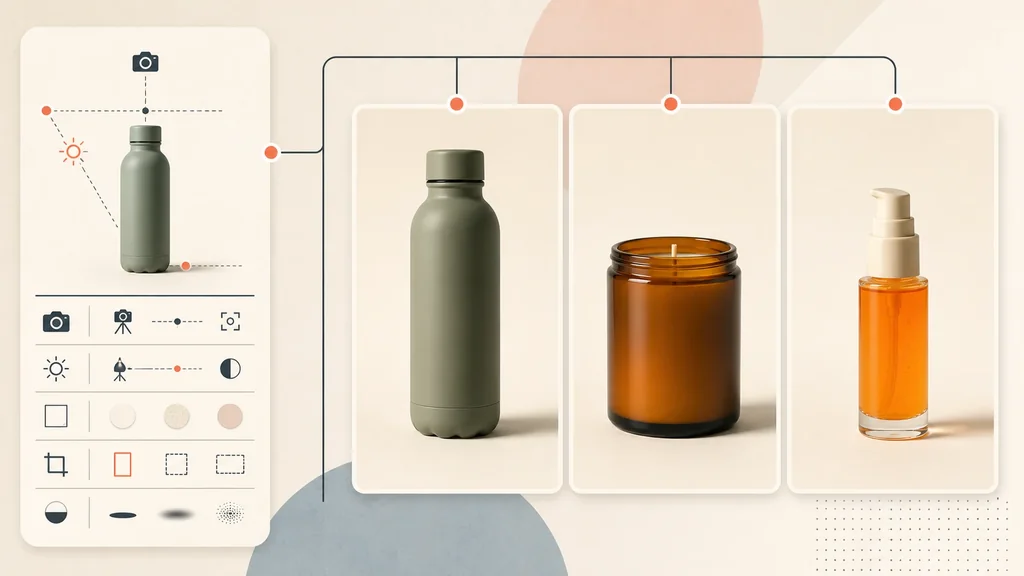
The three-SKU batch workflow ran an amber candle, orange serum, and sage bottle through the same route, 4:5 aspect, seed, background, plinth, camera, light direction, and negative-space prompt. All three jobs returned usable files and preserved their visible product names and quantities. As a set, they drifted.
That result is not a reason to keep adding adjectives. The prompt already communicated the style semantically. What it lacked was a measurable review contract.
Use two gates:
- SKU-truth gate: is this the exact product and variant?
- Set-consistency gate: does this file fall inside the declared visual tolerances?
A candidate can pass one and fail the other. Track both rather than calling every successful generation “approved.”
Turn taste into tolerances
Not every field needs laboratory precision. It does need a rule that two reviewers can apply consistently.
Product occupancy and baseline
Measure the product's bounding-box height as a percentage of the final frame. The example manifest targets 68%, allows 65–71%, and fixes the baseline inside a 2% vertical band. Tall and short products may need separate style families; forcing both into one occupancy can make the catalog feel uneven or hide useful detail.
Background and light
Store a reference swatch and an approved reference frame. Record light direction and softness in plain language, then reject obvious reversals, hard hotspots, clipped glass, or color casts. A hex value describes a digital swatch, not how a photographed surface must render under every display and color pipeline.
Shadow and grounding
Record direction, edge softness, opacity range, and contact point. A shadow can vary naturally while still belonging to the set. A floating base, a second shadow, or a shadow pointing toward the key light fails.
Crop-safe zones
Reserve space only when a real destination needs it. Keep text deterministic and outside the generated product layer. A 4:5 catalog secondary, 1:1 marketplace primary, and 9:16 ad are different deliverables; do not stretch one file and call the style preserved.
Build a pilot that tries to break the style
Do not pilot on three easy matte boxes. Choose a small, stratified set:
- the tallest and shortest products;
- the lightest and darkest variants;
- the finest label text;
- a transparent, glossy, or reflective item;
- one soft or deformable item;
- one bundle or multi-component SKU, if the catalog sells them.
Generate only enough candidates to test the contract. Review a contact sheet at one size, then inspect every retained candidate at full resolution against its source. If a class repeatedly fails, split the style family, use a deterministic product composite, or use controlled photography or 3D for that class.
Current merchant discussions describe this exact shift from one impressive image to a repeatable catalog: teams value consistent lighting and staging across many SKUs, but still report product changes, label errors, color drift, reflective-material failures, and review overhead. Those reports are qualitative workflow evidence, not measured error rates or vendor rankings: ecommerce product-image discussion and catalog-scale Shopify question.
Review and release one contact sheet
The release table should contain one row per SKU and these states:
| State | Meaning |
|---|---|
GENERATED | a route returned a file; no merchant approval implied |
SKU_PASS / SKU_FAIL | product truth was compared with the approved source |
SET_PASS / SET_FAIL | measurable style fields were checked against the version |
REPAIR | use a deterministic crop, composite, shadow, or approved text/product layer |
ACCEPTED_SECONDARY | approved for one named non-factual placement |
PUBLISHED | correct file was mapped to the correct SKU and destination |
Calculate acceptance from attempted jobs, not downloaded files:
set acceptance rate = files passing SKU and set review / attempted jobs cost per accepted file = generation + preparation + review + repair + reruns / accepted files
The style guide earns its keep when it reduces review ambiguity, reruns, and accidental catalog drift. It does not earn it merely by making a deck look organized.
Keep channel rules outside the brand style
A brand style can be consistent and still be wrong for a destination. Google Merchant Center's current image-link specification separately defines main-image requirements, variant matching, staging, promotional overlays, image size, and generative-AI metadata. Shopify's product media guidance describes the store's media system. Recheck the actual marketplace, ad, theme, and category rules before export.
Use the style manifest to create a family of candidates. Use a destination-specific release record to decide which candidate can ship where.
The practical workflow
- Name the visual job and style version.
- Attach authoritative sources and SKU invariants.
- Lock camera, occupancy, baseline, set, light, shadow, crop, and delivery fields.
- Declare tolerances and failure actions before generation.
- Test the hardest representative SKUs.
- Review SKU truth and set consistency separately.
- Repair deterministically where exactness matters.
- Publish only to a named placement, then retain the manifest and source mapping.
Use the product-photo prompt pack to draft individual catalog, lifestyle, and paid-social candidates. Use the bulk catalog workflow for asynchronous job and acceptance accounting. Use this style guide between them: it is the visual authority that keeps a batch from becoming a folder of individually attractive, collectively inconsistent files.