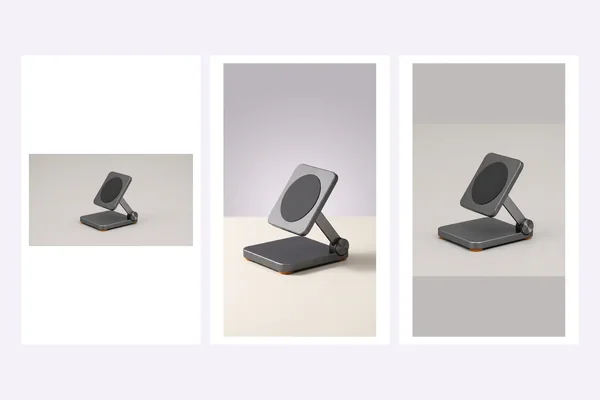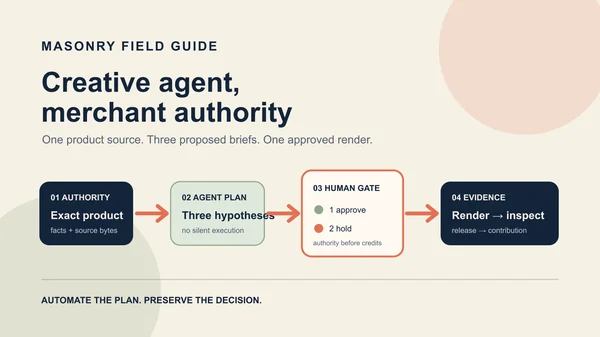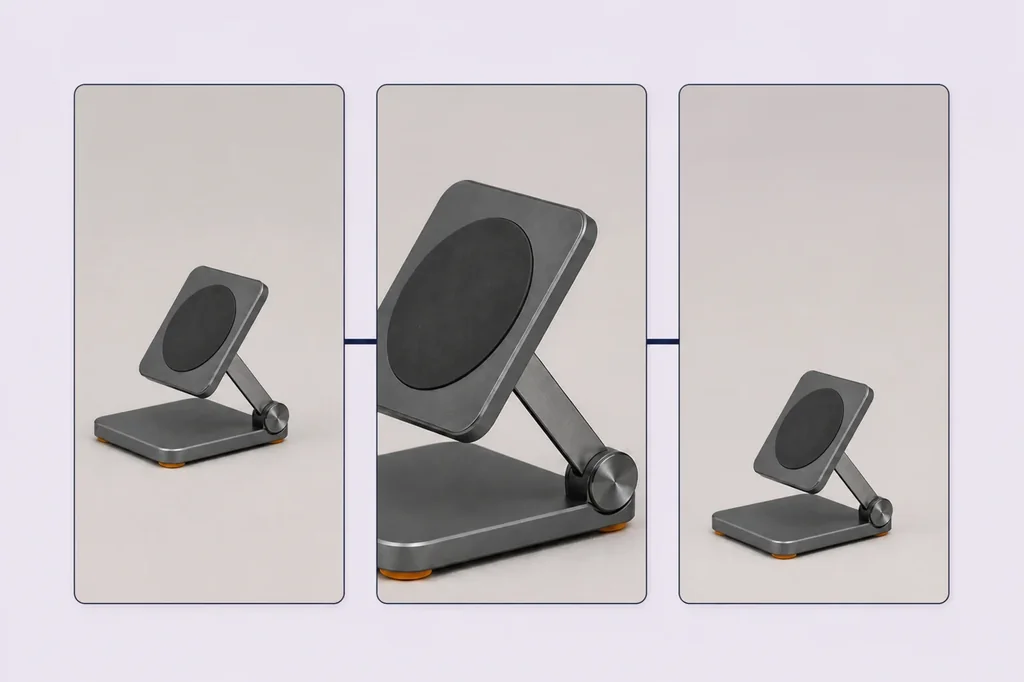
The fastest useful AI product Reel is not a fully invented commercial. It is a controlled 9:16 assembly built around a product image the merchant already approves: one opening hook, one inspectable detail, one restrained motion, and one exact destination.
That constraint matters because the current merchant objection is not a lack of video generators. It is whether the output keeps the real product correct without demanding hours of prompt repair. A July 2026 Shopify merchant described recurring failures in product proportions and details, plus the time required to learn another tool. The most grounded response in the discussion was to use real product photos or footage as the truth layer and apply AI around the hook, structure, captions, and variations. Read the merchant discussion.
Evidence boundary: the graphite folding stand is fictional. The approved source, rejected generative clip, and source-preserving motion below come from the documented first-hand Shopify product-page-to-video run; this page does not pretend they are a new model test. The new artifact is the placement-specific assembly and three-hook measurement contract. The cover is an AI-assisted editorial illustration, not product authority. No Instagram account or ad campaign was changed, and no delivery, purchase, or revenue outcome was observed.
Download the 15-second Reels shot plan
Download the editable 12-row shot plan. It defines three hook variants over the same four-shot body. Each row names its source authority, allowed transform, deterministic overlay, audio policy, product gate, safe-zone gate, destination gate, release state, and decision metric.
The file is intentionally not a list of cinematic prompts. It is a test contract. Replace bracketed
copy only with current approved language, attach the exact source asset and destination, preview the
real account, and move a row out of READY_FOR_NAMED_PREVIEW only after the named checks pass.
Why this is different from product-page-to-video
A product-page-to-video workflow answers: which exact product source may be animated, and did the returned clip preserve it? A Reels workflow begins after that gate and answers: how should the approved material be assembled, packaged, varied, released, and measured for a vertical placement?
That is a distinct merchant job. A recent ecommerce question asks for a simple way to turn a Shopify or other product page into a short vertical video for Instagram and TikTok. The request is evidence of workflow demand, not proof that URL ingestion can safely establish product truth. See the August 2026 question.
Use the Shopify product-page-to-video workflow to establish source authority and review a generated clip. Use this page to assemble an approved clip or source-preserving alternative into a Reels test. Use the one-SKU creative testing matrix when the experiment changes concepts rather than only the opening hook.
Start with a source pack, not a prompt
Create a small release folder before generation:
| Record | Minimum authority | Keep outside the model |
|---|---|---|
| Product | Exact SKU, variant, quantity, approved source file and hash | Title, price, inventory, compatibility, dimensions |
| Visible detail | What the selected view actually shows | Unseen reverse, interior, operation, fit, material claims |
| Copy | Approved name, benefit, proof, offer, terms and review date | Unsupported claims, generated testimonials, stale price |
| Destination | Exact product or variant URL and expected selected state | Model-chosen links or inferred catalog routes |
| Rights | Source ownership, talent, music and disclosure record | Assumed reuse rights |
| Test | Control, declared variable, audience, budget, window and decision rule | Post-hoc success definitions |
For one-photo production, the product may be cropped, padded, or scaled without inventing a new view. A model may create a bounded motion candidate, but the returned timeline becomes a new review object. The source does not authorize the model to show a hand using the product, a phone attached to it, a folding sequence, a rear port, packaging, or a second item.
Build one 15-second body
The downloadable plan uses four jobs, not four unrelated scenes:
| Time | Shot job | Safe implementation |
|---|---|---|
| 0.0–1.5 s | Earn the next second | Approved hook over a source-preserving product frame |
| 1.5–5.0 s | Make one detail inspectable | Deterministic crop of a visible source detail |
| 5.0–10.0 s | Add motion without changing the SKU | Reviewed generated clip or conservative source-pixel push |
| 10.0–15.0 s | Restore identity and route | Exact product frame, approved CTA, exact destination |
This body is deliberately modest. It can be produced from one approved source, and every visual claim is traceable. It also leaves the opening hook separable from the rest of the creative, which makes the first test easier to interpret.
In the documented first-hand run, a vertical Kling O3 clip looked polished but changed the approved graphite charging plate to silver and added a bright central ring. It failed the product gate. A deterministic four-percent push preserved the approved pixels and remained a secondary-review fallback.
That fallback is not universally better creative. It is simply more defensible for this source. If a merchant has approved real footage, a faithful model return, or several verified product views, the five-second body can use them. The release record should say which authority each frame came from instead of labeling everything “AI video.”
Test three hooks, not three different ads
The first practical experiment keeps the 13.5-second body stable and changes only the opening:
- Control hook: approved product name or current control language.
- Problem hook: one approved buyer problem the product is allowed to address.
- Proof hook: one substantiated fact, demonstration, or authentic proof point.
Keep the product, body sequence, duration, audio policy, caption treatment, offer, CTA, destination, audience, placements, budget rule, attribution treatment, and test window fixed where the platform and design allow. If all three ads also change footage, music, offer, and landing page, the result cannot tell the merchant which opening deserves another dollar.
Do not let the model write the hook directly into the image. Product name, proof, price, offer, terms, captions, disclosure, and CTA should remain editable deterministic layers. That prevents a copy correction from requiring another product generation and makes localization auditable.
Package the master for Reels
Meta's current Reels advertising guidance emphasizes 9:16 video, audio, and placing key creative elements inside the safe zone. Meta reports that, in its cited split-test analysis, Reels ads built with those characteristics had a lower cost per result than image ads in Reels. That finding does not guarantee an individual merchant result, and it does not replace a controlled revenue test. Review Meta's current Reels guidance.
Instagram's help documentation says organic Reels can use aspect ratios from 1.91:1 through 9:16, with at least 30 fps and 720-pixel resolution. For a placement-first master, use full-screen 9:16, export a clean file, and inspect the actual preview rather than assuming an acceptable upload ratio is an effective layout. Check Instagram's current size guidance.
Before release:
- Keep the product, hook, proof, price, and CTA inside the current account's safe-zone preview.
- Confirm captions remain readable with sound off and audio rights remain valid with sound on.
- Inspect the first frame, several middle frames, and final frame for product drift.
- Confirm no platform crop hides a detail or changes the meaning of the offer.
- Open the exact destination on mobile and verify product, variant, price, inventory, offer, cart, and checkout.
- Record the released file, copy, destination, ad ID, preview evidence, and platform enhancements.
The account preview is a release gate because interface controls, eligibility, cropping, and automated enhancements can vary. A 1080 × 1920 export is not proof that the delivered creative kept its intended composition.
Decide with money, diagnose with attention
Set the primary decision before launch. For a direct-response product Reel, use completed orders or contribution after media spend, discounts, returns, fulfillment, payment costs, and service. Use thumb-stop or three-second view, hold rate, outbound click, landing-page view, add-to-cart, and checkout as diagnostics.
The diagnostic chain helps locate the failure:
- weak first-second hold suggests the hook or opening frame did not earn attention;
- healthy hold but weak outbound click suggests the body, offer, or CTA did not earn intent;
- healthy click but weak landing-page view suggests load, redirect, or tracking trouble;
- healthy landing traffic but weak checkout suggests product-page, price, variant, shipping, trust, or message-match trouble;
- checkout starts without completed orders demand checkout, payment, shipping, or unit-economics investigation before another creative reroll.
Report counts and denominators, not only rates. Preserve the declared control and minimum spend or sample rule. Stop a variant for product drift, claim risk, broken destination, rights failure, or tracking failure even if its early engagement looks promising.
What not to automate
Do not automate product authority from a URL, claim approval from generated copy, destination selection from visual similarity, or release approval from a successful render. Do not generate a new product angle merely because a storyboard cell is empty. Do not create dozens of variants before one measurable body can pass product and destination review.
The merchant value is not “three videos in one click.” It is a smaller loop: one approved source, one reusable body, three controlled hooks, one exact destination, and a decision tied to commercial outcomes. That produces less content than an infinite generator and more evidence about what should be funded next.
Bottom line
Use AI product Reels to multiply approved creative angles, not to replace product truth. Lock the SKU and destination, assemble one source-first 15-second body, vary only the hook, preview the real placement, and decide with completed-order economics. If the model changes the product, use approved footage or source-preserving motion. A smaller Reel that a merchant can release and measure is more valuable than a cinematic asset nobody can safely attribute or trust.