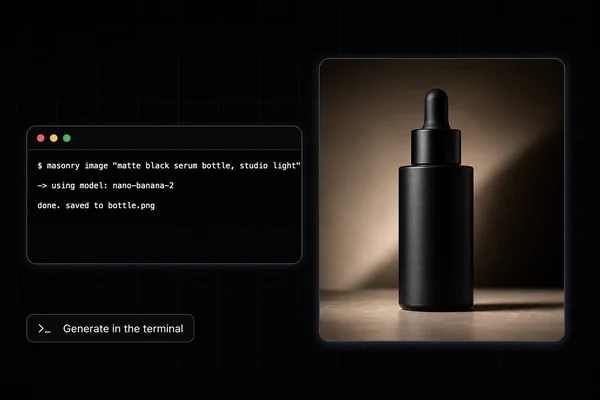
To generate images and video in Cursor or VS Code, add Masonry's MCP server (https://masonry.so/mcp), sign in on masonry.so once, and ask your agent for the asset in plain words. The agent calls Masonry's image, video and audio tools, gets each result back as a link, and can download it straight into your repo, so the hero video, app store art or OG image lands next to the code that uses it.
That last part is what makes this different from opening a separate image app. The agent already knows your component, the aspect ratio of the slot, the file naming in public/, and where the <video> tag goes. It can generate the asset, save it, wire it in, and you review one diff.
Cursor already has a built-in image tool: since version 2.4 (January 2026) its agent can make images with Google's Nano Banana Pro and save them to assets/. Masonry is for what that tool doesn't cover: video clips, voiceovers and music, motion graphics with exact text, upscaling, a choice of image and video models, and one workspace that ChatGPT, Claude and your editor all share. It also works the same way in VS Code, Claude Code and Codex.
This guide covers setup for Cursor, VS Code and Claude Code, five asks for common project assets, the tool calls in order, how files get into the repo, costs and limits.
Set up Masonry
Cursor
- On the Cursor setup page, select Add to Cursor and confirm the install in Cursor.
- When Cursor asks you to sign in to masonry, select Allow on masonry.so.
No button? Add the server to ~/.cursor/mcp.json under mcpServers:
{
  "mcpServers": {
    "masonry": { "url": "https://masonry.so/mcp" }
  }
}
Cursor CLI reads the same config. After adding Masonry to Cursor, run agent mcp login masonry and select Allow.
VS Code (GitHub Copilot agent mode)
- On the VS Code setup page, select Add to VS Code, or run this in a terminal:
code --add-mcp '{"name":"masonry","type":"http","url":"https://masonry.so/mcp"}'- Confirm the install in VS Code.
- When VS Code asks you to sign in to masonry, select Allow on masonry.so.
VS Code Insiders, Kiro, Zed and Cline each have their own setup page.
Claude Code and Codex
Claude Code installs the Masonry plugin (server plus two skills) with one command; Codex adds the server with codex mcp add masonry --url https://masonry.so/mcp. The Claude Code and Codex pages have the exact commands.
The first time the agent uses Masonry, you sign in on masonry.so and pick the workspace it may use. The editor never sees your password, and none of the tools can delete anything.
Five asks for real project assets
1. A landing page hero video.
Use Masonry to make a 5 second 16:9 hero background video for our landing page: slow aerial drift over a misty pine forest at sunrise, calm, no people, no text, no sound. Show me the brief and cost first. Then download it to public/videos/hero-forest.mp4 and use it as a muted, looping, autoplaying background in components/Hero.tsx with the current image as the poster
2. App store marketing art.
Use Masonry to make 3 vertical 9:16 background images for our App Store screenshots, one per screen: a soft gradient in our brand teal (#0F766E) to near-white, with subtle abstract shapes in the top third and an empty lower two-thirds where we'll place the device frame. No text. Save them to marketing/appstore/bg-1.png to bg-3.png
3. An OG image per blog post.
For each post in content/blog that has no ogImage, use Masonry to make a 16:9 editorial illustration that fits the post's title, flat colors, no text in the image. Save each to public/og/<slug>.png and add the ogImage field to the post's frontmatter. Do the first one, show me, then continue
4. A launch title card with exact text. Video models garble text. Motion graphics don't, because the agent writes the page and Masonry films it.
Use Masonry's motion graphics renderer to make a 6 second 16:9 title card for our launch video: dark background, our logo mark drawn in SVG in the center, then "Ship faster with Relay" types on beneath it in Inter-like system font, then a subtle glow. Save it to marketing/launch/title.mp4
5. A voiceover for a demo.
Use Masonry to record this as a calm, warm US male voiceover and save it to marketing/demo/vo.mp3: "Relay watches your deploys, catches the error before your users do, and opens the fix as a pull request."
What happens behind the scenes
| Ask | Tools, in order |
|---|---|
| Hero video | list_models (to quote the price), generate_video with a 16:9 shape and silent set, then the agent downloads the link and edits the component |
| App store art | generate_image with three prompts in one call |
| OG images | generate_image per post, or up to four posts per call; the agent writes the files and frontmatter |
| Title card | render_motion_graphics: the agent writes a self-contained HTML page with CSS animation, Masonry films it at 30 fps to MP4 |
| Voiceover | generate_audio with kind speech |
How the results come back depends on the editor. Masonry sends text links to every client that may not draw its result card, which includes Cursor, VS Code, Claude Code and Codex. Those links are signed and can expire, so have the agent download the file right away. The original stays in your Masonry workspace either way; ask the agent to list your recent creations if you need it again.
A few behaviors worth planning around:
- Images take seconds, video takes minutes. Images usually return in 10 to 40 seconds. A clip takes about 1 to 5 minutes; if it is still rendering after 5 minutes, the reply carries a job id and the agent collects it later with
check_generation. - Longer videos are built from clips. Anything over 10 seconds is made scene by scene, then
combine_clipsjoins 1 to 60 clips into up to 180 seconds, with captions, music and on-screen text. - Unsupported shapes are refused, not swapped. If a model can't make the aspect ratio you asked for, the reply lists the ones it can. Nothing is silently resized.
Tips for asset work in an editor
Give the slot, not just the subject. "16:9 background behind white headline text, darker on the left" gets you an image that works in the layout. The agent can read the component and fill this in for you if you ask.
Ask for no text in generated images. Put headlines in HTML or in motion graphics. Text inside a generated photo is hard to edit, hard to translate and often misspelled.
Use motion graphics for anything typographic. Title cards, animated charts, lower thirds and logo stings come out crisp because the agent writes the page and Masonry films it frame by frame, 1 to 60 seconds, in 9:16, 16:9, 1:1 or 4:5.
Upscale before shipping a hero. upscale_image enlarges an image 2x, 3x or 4x and sharpens it, for a few credits.
Keep prompts in the repo. Ask the agent to save the prompt it used next to the asset (for example in a prompts.md), so the next person can regenerate a variant instead of guessing.
Use references for real things. For your real product, logo or UI, pass an image link or a product page link so the model works from the real pixels. Local files need a public URL first; the Masonry CLI takes local files directly, and the CLI guide for Claude Code shows that flow.
What it costs
Connecting is free. Generations spend credits from your Masonry workspace, where 1 credit is 1 US cent. As of November 2026:
| Asset | Typical credits |
|---|---|
| One image | roughly 5 to 30, depending on the model |
| One 5-second clip on the default model, MiniMax H3 Max | about 48 |
| Video models in general | about 50 to 150 per clip |
| Motion graphics title card | a few credits of render time |
| Upscale | a few credits |
Joining clips with combine_clips | at least 1, based on render time |
Ask the agent to run get_credits for your balance or list_models for every model's exact price. New accounts get 50 free credits for 30 days, covering images on GPT Image 2.5 Flare at Standard quality; other models need a paid plan. If a request needs credits or a plan, the refusal in Cursor, VS Code or Claude Code includes the prices and a link, and the new balance applies as soon as you buy, without reconnecting. Codex follows OpenAI's rules and links to the Masonry plans page instead.
Limits and troubleshooting
No transparent PNGs through MCP. As of November 2026, real transparent backgrounds and logo background removal are only in Masonry's own app. Ask for a solid background you can match in CSS, or finish the cutout in the app.
Local files as references. MCP tools take a link, not a path. Use a public URL, or the Masonry CLI for local files.
The agent saved a broken file. The link may have expired before the download. Ask the agent to fetch the result again from your Masonry creations.
Text in the image is wrong. Move the text into HTML, or use render_motion_graphics.
Sign-in never opens. Masonry works with apps that can add a remote MCP server and sign in through the browser. Re-run the install from the setup page, or check the app's MCP settings for a sign-in action.
Disconnecting. In Masonry, open Settings, Connected apps. An app unused for 90 days is signed out on its own.
Where to go next
The Masonry MCP page lists all the tools and every supported app. For terminal-first workflows, compare options in the best tools to generate images in Claude Code, or see how to make videos in Claude. Need portraits of real team members for an about page? Portraits from one selfie covers the prompts. Ready-made formats are in templates.