Nano Banana 2 Lite is Google's Gemini 3.1 Flash Lite Image model: a 1K-only image generation and editing route optimized for latency, cost, and high-volume work. Google's current model card lists end-to-end latency under two seconds, while its launch benchmark described four-second text-to-image output. Treat both as vendor measurements, not a latency guarantee for every provider, queue, or prompt.
The route is live in Masonry under the verified model ID gemini-3.1-flash-lite-image. This guide separates current documented capabilities from the three one-off outputs shown below, then gives you a repeatable test for deciding whether Lite is good enough for your actual workload.
What Nano Banana 2 Lite actually is
Lite is the efficiency tier of the current Gemini image family. Google positions it for rapid ideation and high-volume developer pipelines, and recommends it as the migration path from the legacy gemini-2.5-flash-image route. The current model card documents:
- 1K output only (1024px), not 2K or 4K;
- a discrete set of 14 aspect ratios;
- text-to-image plus image-and-text generation and editing;
- Batch API support;
- no Google Search grounding;
- no video input; and
- an efficiency focus rather than the broader controls of Nano Banana 2.
Google's broader image-generation guide says Lite is not optimized for multiple-reference inputs or multi-turn sequential editing. Although the API can accept object references, do not infer character-consistency or long edit-chain reliability from that maximum. Test the specific reference count and edit sequence your application needs.
What the three examples show—and do not
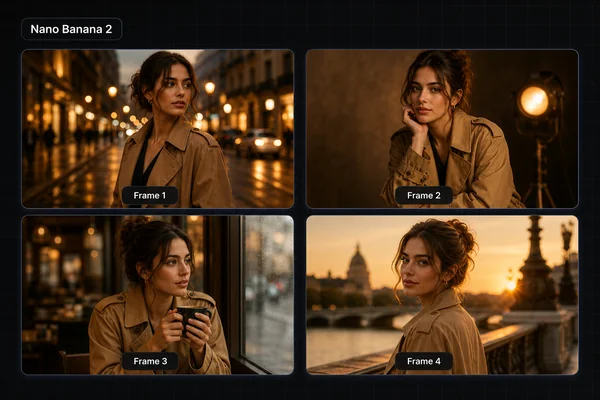
These are single 1K outputs attributed to Nano Banana 2 Lite, with no upscaling or retouching. They show that the route produced each pictured result once. They do not establish a success rate, average latency, product-preservation rate, or comparison win over another model. Only the product example's short source prompt was preserved in the original article; the poster and café prompts were not, so those two images are illustrative rather than reproducible tests.
The preserved prompt was: "a minimalist amber glass serum bottle on a stone pedestal, soft studio lighting." The output follows the broad subject, material, surface, and light direction. It also invents a bottle design and label, so it cannot measure preservation of a real product. At full size, inspect every label character, the dropper geometry, glass edge, liquid boundary, and contact shadow before accepting a similar output.
The large headline is readable in this output, but smaller copy can only be judged against the missing source prompt. For your own test, provide every required string in quotation marks, prohibit unrequested words, and score exact spelling at 100% zoom. Overlay final production copy as an editable text layer when typography must be guaranteed.
The café example contains the expected visual cues: warm window light, shallow focus, a foreground drink, and a populated background. Because the original prompt and timing record are absent, use it as a style example only—not proof of prompt adherence, scene consistency, or four-second latency.
A repeatable four-output acceptance test
Run the prefilled product-label brief four times before changing the prompt:
| Check | Pass condition |
|---|---|
| Exact text | All three strings appear once, in order, with no invented words |
| Object count | One bottle, one dropper, one platform, no duplicate props |
| Geometry | Bottle, cap, pipette, label plane, and base remain coherent |
| Material separation | Amber glass, liquid, paper label, stone, and background stay distinct |
| Rerun consistency | At least three of four candidates pass the first four checks |
Record wall-clock latency and accepted-output count for every run. Compare cost and time per accepted image, not the fastest or prettiest single result.
If Lite clears that four-output gate, do not scale the same easy bottle immediately. Carry the accepted recipe into the three-SKU product-photography batch pilot, which tests a candle, reflective serum, and handled bottle through one manifest, asynchronous run, review sheet, and cost-per-accepted-asset calculation.
Where it fits: Lite vs Nano Banana 2 vs Pro
Use requirements rather than a permanent quality ladder:
- Nano Banana 2 Lite — start here when 1K is sufficient and provider cost or latency is the main constraint.
- Nano Banana 2 — include it when you need 0.5K, 2K, or 4K output, Google Search grounding, video input, or stronger multiple-reference workflows.
- Nano Banana Pro — include it for complex professional briefs that need Google's highest-control image route; verify the extra cost against accepted-output rate.
A practical workflow is to draft a bounded brief on Lite, then rerun the approved prompt on Nano Banana 2 only when the higher-resolution or broader-control requirement is real. Masonry keeps the current routes on one model hub, so the prompt can stay fixed while the model changes.
The honest caveat
Lite is 1K-only and does not support Google Search grounding or video input. Google also says it is not optimized for multiple-reference inputs or multi-turn sequential editing. Use Nano Banana 2 when those are requirements. For exact text, keep the requested regions bounded, inspect at full size, and overlay final copy as editable text when a wrong character would make the asset unusable.
What it costs
Google's current Gemini Developer API pricing lists $0.0336 per 1K output image on standard processing and $0.0168 per image through Batch API processing, plus applicable input tokens. Those are Google's direct API list prices, not Masonry's credit price. Check the live Masonry route cost before a batch and divide the total spend by accepted outputs.
How to use it on Masonry
Use the direct CTA above or select Gemini 3.1 Flash Lite Image in the model picker. The verified Masonry route ID is gemini-3.1-flash-lite-image.
From the authenticated Masonry CLI, the same bounded test starts with:
masonry image "square 1K studio product photograph of a fictional amber-glass serum bottle on pale limestone; exact label lines: BOTANICA, BARRIER SERUM, 30 ML; no other words or bottles" --model gemini-3.1-flash-lite-image --aspect 1:1
The command returns a job ID. Use masonry job wait <job-id> and masonry job download <job-id> --output ./lite-serum.png to save the finished asset. For broader prompt structure, read the AI image prompting guide; for the higher-resolution route, use the Nano Banana 2 guide.
The verdict
Nano Banana 2 Lite belongs in the first round when a 1K deliverable is sufficient and latency or cost is the binding constraint. It is not the default for higher resolution, search-grounded imagery, video inputs, or long multi-reference edit chains. Run four candidates on the real brief, measure accepted-output rate and latency on the route you will deploy, then keep Lite only if its cost and speed advantage survives your rejection criteria.