Gemini Omni Flash remains an active Google video route on Masonry. The current model list reports text-to-video, image-to-video, and video-editing capabilities under gemini-omni-flash-preview.
The useful update is not another “fastest and cheapest” launch claim. It is a current contract check plus five shipped examples: what the files actually contain, what their captions and pixels show, and what remains unverified.
Evidence boundary: the article preserves five unique first-hand media assets from the original launch post and one repeated before clip. Their captions record the intended prompts or workflow. Original job logs, seeds, queue times, credits, input still, source video, and rejection history are not available here. Media metadata was measured August 4, 2026; route capabilities and parameters came from the live Masonry CLI the same day. This is not a repeated benchmark or a promise about every current output.
Quick answer
- Current route:
gemini-omni-flash-previewremains listed as Gemini Omni Flash from Google. - Listed capabilities: text-to-video, image-to-video, and video editing.
- Checked model-specific CLI input: one required prompt.
- Four full examples: 10.005 seconds, 1280×720, 24 fps, H.264, with an AAC audio stream.
- Displayed edit example: 3.178 seconds at the same 1280×720, 24 fps, H.264 + AAC shape.
- Not established here: standardized latency, price, repeated reliability, spoken-dialogue quality, lip-sync, source-image fidelity, full-length edit preservation, or a fastest/cheapest ranking.
Current Masonry route contract
Discover the active route rather than copying a stale launch command:
masonry models list --type video
masonry models params gemini-omni-flash-preview
The checked model list reports three capabilities. The checked parameter contract is narrower:
| Item | Live check on August 4, 2026 | Production implication |
|---|---|---|
| Route key | gemini-omni-flash-preview | Pin the exact key in automation and recheck before a batch. |
| Provider/name | Google / Gemini Omni Flash | Product label is current at the time of the check. |
| Listed capabilities | Text-to-video, image-to-video, video editing | Capability listing does not define every CLI input field. |
| Required model input | Prompt | Write motion, subject, camera, environment, audio intent, and rejection constraints observably. |
| Duration | Not exposed | Do not promise a selectable or fixed duration from this contract. |
| Aspect/resolution | Not exposed | Inspect the downloaded asset and design downstream placement after verifying format. |
| Seed | Not exposed | Do not promise deterministic reruns. |
| Audio control | Not exposed | Inspect and listen to the delivered audio stream; do not assume dialogue or silence. |
| Image/video edit input | Not exposed in model-specific params | Use a product surface that supports the listed capability and verify its current input contract. |
| Mask/negative prompt | Not exposed | Put desired behavior and prohibited outcomes in the main prompt where supported. |
The generic Masonry video command advertises flags used across video routes. A generic flag does not create a model input when masonry models params does not list it for the selected route.
Five shipped examples
Text-to-video: puppy in a meadow
The clip visibly combines a running puppy, meadow, flowers, shallow-focus cues, and warm light. Review the full motion for paws, limb count, face, fur, ground contact, flower interaction, background warping, camera continuity, and audio fit. One attractive frame cannot establish temporal coherence.
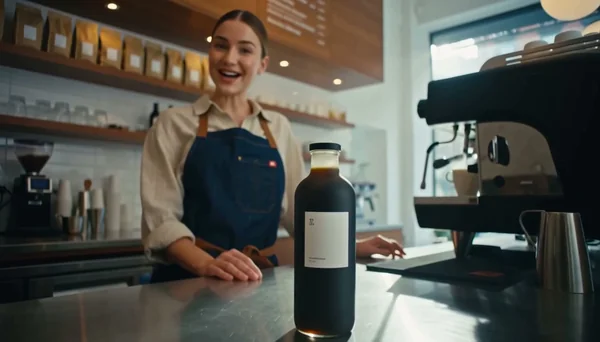
Text-to-video: latte pour
The intended test is fine-detail liquid and hand motion. Watch the pitcher rim, stream, cup ellipse, fingers, latte pattern, steam, counter contact, background people or objects, and whether the sound matches the visible action.
Text-to-video: coastline pass
This is a scale-and-continuity test rather than evidence that “bigger scenes do not come apart.” Inspect coastline geometry, wave evolution, foam continuity, bird shape and trajectories, horizon, parallax, light direction, and camera speed across the full ten seconds.
Image-to-video example
The clip can demonstrate a delivered animation. It cannot demonstrate source-image fidelity without the starting still. A real evaluation needs a side-by-side source frame, first-frame match, object and text invariants, motion brief, and rejection log.
Video-editing example
The edit visibly introduces a winter treatment and falling snow while retaining a puppy-and-running concept in the delivered segment. The old article said the same subject, run, camera, and motion survive. A 3.178-second after clip cannot support that claim across the 10.005-second before. Compare matched timestamps, identity, pose, path, camera, geometry, occlusion, background, audio, and full duration before calling an edit preserved.
Measured asset metadata
The five unique files were read from Masonry’s media CDN with ffprobe:
| Asset | Duration | Video | Audio |
|---|---|---|---|
| Puppy hero | 10.005 s | H.264, 1280×720, 24 fps | AAC stream present |
| Latte lifestyle | 10.005 s | H.264, 1280×720, 24 fps | AAC stream present |
| Coastline nature | 10.005 s | H.264, 1280×720, 24 fps | AAC stream present |
| Image-to-video latte | 10.005 s | H.264, 1280×720, 24 fps | AAC stream present |
| Winter edit | 3.178 s | H.264, 1280×720, 24 fps | AAC stream present |
An AAC stream proves that encoded audio exists, not that it is appropriate, synchronized, intelligible, free of artifacts, or safe to publish. Listen on headphones and speakers; inspect peaks, silence, loops, speech, music, effects, and usage rights through the applicable workflow.
Generate a text-to-video draft from the CLI
The current model-specific contract supports a prompt:
masonry video "Ten-second-style product b-roll concept: one brand-free cobalt serum bottle on pale limestone, slow camera push-in, cool window light moving subtly across the glass, one stable contact shadow, restrained room tone, no text, logos, hands, extra products, warped geometry, or sudden cuts." \ --model gemini-omni-flash-preview \ --output omni-flash-draft.mp4
“Ten-second-style” describes the creative intent; it does not set a duration field. The CLI returns a job ID. Wait, download, and inspect the delivered asset:
masonry job wait <job-id> masonry job download <job-id> --out ./omni-flash-draft.mp4 ffprobe -v error -show_entries format=duration:stream=codec_name,width,height,avg_frame_rate -of json ./omni-flash-draft.mp4
For image-to-video or video editing, the route is listed as capable, but the checked model-specific CLI params do not expose the source input. Use a currently supported canvas, agent, or API surface and inspect its live schema rather than inventing a CLI flag.
Turn the model test into a merchant deliverable
The prompt above is a route screen, not a finished ad. It deliberately uses a fictional, brand-free product because text-to-video has no approved SKU source to preserve. Do not use that result to imply a real package, feature, ingredient, performance claim, customer experience, price, or offer.
For an actual ecommerce job, separate four decisions:
- Source authority: approve the exact product image, visible package copy, claims, offer, destination, and channel before generation.
- Model screen: run one bounded motion idea and record every returned candidate, retry, credit cost, and rejection reason.
- Release assembly: add exact price, offer, captions, disclosure, CTA, and destination in a deterministic editor rather than asking the video model to typeset commerce facts.
- Revenue test: name one placement and one decision metric—such as accepted-clip cost, qualified landing-page visits, add-to-cart, checkout start, completed order, or contribution margin—plus fidelity, returns, accessibility, and page performance guardrails.
If the source of truth is a Shopify product page, continue with the Shopify product-page-to-video-ad workflow. It turns approved images and facts into a shot contract, release manifest, exact destination, and measurement plan instead of treating a successful generation as a publishable ad.
Video acceptance sheet
| Area | Pass condition |
|---|---|
| Prompt | Subject, action, camera, environment, light, audio intent, duration intent, and prohibited outcomes are observable. |
| Identity and geometry | People, animals, products, text, parts, proportions, markings, and materials remain coherent frame to frame. |
| Motion | Action has plausible timing, weight, contact, trajectories, deformation, and cause/effect without jumps or loops. |
| Camera and scene | Camera path, horizon, parallax, depth, lighting, shadows, reflections, weather, and background remain continuous. |
| Edit fidelity | Before/after use matched timestamps and duration; requested changes occur while named invariants stay fixed. |
| Audio | Stream is present only when intended and is synchronized, intelligible, artifact-free, appropriately mixed, and cleared for use. |
| Delivery | Duration, dimensions, frame rate, codec, audio codec, file size, crop, safe areas, and playback compatibility match the destination. |
| Operations | Record route, prompt, inputs, job time, credits, retries, cleanup, reviewer, and rejection reason; compare per accepted clip. |
When to compare another route
Query the current list before deciding:
masonry models list --type videoCompare routes when the job requires an exposed duration, vertical aspect, higher resolution, seed, reference mode, camera control, dialogue, lip-sync, character lock, start/end frames, or another input absent from the checked Omni Flash contract. Hold the prompt, source, delivery target, and acceptance sheet constant where schemas allow.
Bottom line
Gemini Omni Flash remains useful as an active video option with text-to-video, image-to-video, and editing capabilities listed by Masonry. The five shipped examples provide real media to inspect. They do not justify permanent “fastest,” “cheapest,” or preservation claims.
Start with the live route, write an observable shot, watch the entire result, listen to the audio, inspect the file, and compare cost and latency per accepted clip. Browse other current routes on Masonry’s video model hub, or use the video model comparison guide to design a broader test.