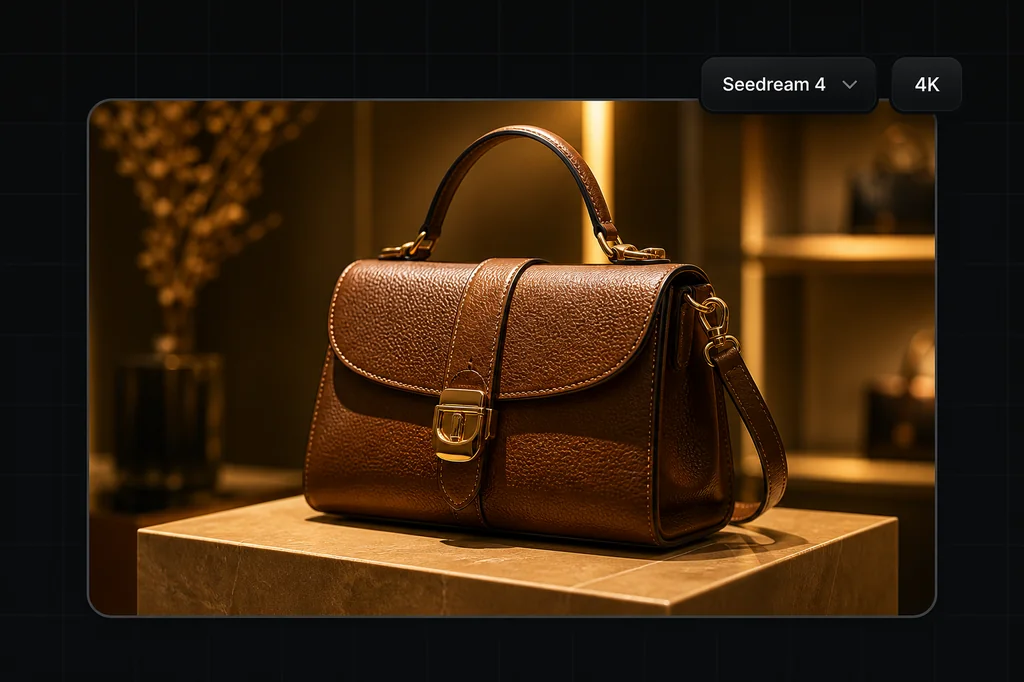
Seedream 4 is ByteDance's unified image generation and editing model. ByteDance's official launch article describes text-to-image, editing, multi-image reference work, custom sizing, and output up to 4K. Its model page shows the provider's examples and benchmark disclosures.
Those are provider claims, not pass rates for your product. This guide documents the inputs Masonry actually exposes and adds one first-hand 3840×2160 artifact from an exact prompt. The goal is to give you a test you can reproduce and reject—not another list of superlatives.
Evidence boundary: the banner below is one first-hand text-to-image output from one prompt, one recorded seed, and the current Masonry route. It is not a multi-seed benchmark, a reference-fidelity test, a consistency test across four scenes, or a reliability score. ByteDance capability statements are attributed to ByteDance; Masonry controls come from the live CLI contract checked August 4, 2026.
Is Seedream 4 still worth testing?
Yes—when the question is whether it handles your specific brief. The live Masonry catalog currently includes seedream-4, seedream-4-5, and seedream-5-pro. A version number does not tell you which output preserves your product, copy, or art direction best.
For an existing Seedream 4 workflow, keep a fixed regression brief and rerun it before changing routes. For a new workflow, send the same reference, crop, prompt, and acceptance sheet to the available candidates. Compare accepted outputs, not launch language or one attractive sample.
Current Seedream 4 controls on Masonry
Run masonry models params seedream-4 before automating. At the time of this update, the route exposes:
| Input | Current contract | Production implication |
|---|---|---|
| Prompt | Required text instruction | Describe observable output and rejection conditions, not just a mood. |
| Size or aspect | Exact WIDTHxHEIGHT or an aspect alias | Choose the destination crop before generating; verify the downloaded pixel dimensions. |
| Reference images | Zero to 10 via repeatable --ref flags | Give each source one role and name what cannot change. References are guidance, not locks. |
| Seed | Optional integer | Record it for a rerun, but inspect every returned asset. |
| Mask | Not exposed by the checked route | Do not assume a provider's masked-edit workflow exists here. |
| Multi-image output count | Not exposed by the checked route | Request and review separate jobs when you need multiple candidates. |
ByteDance's own launch article describes accepting up to a dozen references and producing multiple related outputs. The checked Masonry route accepts up to 10 references and exposes no output-count flag. Provider capability and hosted-route contract are different layers; use the latter for commands that must actually run.
One first-hand 4K product-layout test
The brief asked for a fictional cobalt-blue travel bottle, a coral lid, a 16:9 ecommerce banner, two exact strings, left-side negative space, a right-side product, one coherent light direction, and no decorative props.
Observed outcome: the downloaded file measured 3840×2160. It rendered “ONE PRODUCT. FOUR SCENES.” and “Seedream 4 consistency test” once each with no additional copy. The bottle stayed on the right, the text stayed on the left, and the navy/coral palette, pale stone, warm-gray background, camera-left light, and prop ban all held. The bottle is visually coherent, although its lid mechanism is invented because no product reference was supplied.
The headline asks about four scenes, but this run generated only one. It therefore says nothing about cross-scene product consistency. That distinction is the point: assess the returned pixels, not the aspiration embedded in the prompt.
| Check | Requested | Observed in this output |
|---|---|---|
| Pixel dimensions | 3840×2160 | Pass |
| Exact headline | Once, no character changes | Pass |
| Exact subheading | Once, no character changes | Pass |
| Extra copy | None | Pass |
| Composition | Copy left; bottle in right 38%; clean negative space | Usable split; exact percentage not measured |
| Product fidelity | Fictional bottle; no reference | Not tested |
| Four-scene consistency | Four matching scenes | Not tested; only one image requested |
One clean candidate proves that this route executed this brief once. It does not establish an accuracy rate for typography, 4K requests, layouts, reference preservation, or repeated identity.
Reproduce the 4K test from the CLI
masonry image "Create a premium 16:9 editorial ecommerce banner for a fictional cobalt-blue insulated travel bottle with a restrained coral lid, standing on pale limestone against a warm-gray studio background. Soft window light from camera-left, one natural contact shadow. Place the bottle in the right 38 percent and preserve generous clean negative space on the left. Exact headline on the left: 'ONE PRODUCT. FOUR SCENES.' Exact small subheading below: 'Seedream 4 consistency test'. Render those two strings exactly once each. No other words, logos, badges, prices, claims, extra products, plants, flowers, or decorative props." \ --model seedream-4 \ --dimension 3840x2160 \ --seed 48177 \ --output seedream-4-layout.png
The run documented here returned job c5638610-4f81-4ea7-a93d-01603ff7da4a. Job IDs are evidence of execution, not portable model guarantees; model revisions and host behavior can change after publication.
Use a product reference when fidelity matters
A text-only bottle can only be fictional. For a real SKU, attach the approved source and separate the environment change from the invariants:
masonry image "Change only the environment to pale limestone against a warm-gray studio background. Keep the supplied bottle's silhouette, dimensions, cap mechanism, cobalt color, label placement, and every printed character unchanged. Add soft camera-left light and one natural contact shadow. Add no props, logos, or copy." \ --model seedream-4 \ --ref ./approved-bottle.png \ --aspect 4:5 \ --seed 48177 \ --output bottle-scene-candidate.png
“Keep unchanged” is an instruction, not a product lock. Overlay the candidate and source, inspect the silhouette and closure, read every character, and composite the approved packshot into a generated environment when exact product truth matters more than a fully generative edit.
Prompt patterns that are easy to verify
Exact displayed copy
Quote every required string, specify how many times it appears, and prohibit competing text:
Headline: “SUMMER SET.” Subheading: “Three daily essentials.” Render each string exactly once. No other words, numbers, logos, prices, badges, ingredients, or legal copy.
Reject one wrong character. Add price, ingredients, dosage, warnings, and other regulated or brand-critical copy with deterministic typesetting after generation.
Placement and negative space
State the crop, occupancy, and quiet region:
16:9 campaign hero. Keep the product fully visible in the right 38% at product height. Reserve the left 45% as evenly lit negative space. No generated text.
Measure the result in the actual placement. “Premium composition” is a preference; product occupancy and an empty text region are checks.
Multiple references
Give each source one role: product geometry, approved label artwork, person identity, wardrobe, or environment. Ten unexplained images create ambiguity. A compact instruction such as “reference 1 controls bottle geometry; reference 2 controls label artwork; reference 3 controls the room only” makes review possible.
Seedream 4 acceptance sheet
| Area | Pass condition |
|---|---|
| Output file | Pixel dimensions, format, crop, and file weight meet the destination requirement. |
| Required text | Every character, punctuation mark, line break, and occurrence count matches approved copy. |
| Product | Silhouette, proportions, closure, color, surface finish, label placement, and fill level match the source. |
| Claims and marks | No invented benefit, ingredient, certification, price, warning, logo, or trademark appears. |
| Composition | Product occupancy, negative space, camera angle, horizon, and crop work in the final placement. |
| Light and contact | Highlights, reflections, cast shadow, contact shadow, and surface intersection agree. |
| Set consistency | For a batch, score every output against the same source; one matching frame does not pass the set. |
A practical model decision
Use Seedream 4 when it passes your fixed brief, not because a provider benchmark says it should. ByteDance's published evaluations are useful context, but they are provider-reported and do not measure your SKU, copy, crop, or acceptance threshold.
If you are starting today, include SeedDream 4.5 and Seedream 5.0 Pro in the same controlled comparison. Keep the source, prompt, dimensions, and review sheet constant. The cheapest or newest generation is irrelevant if it changes the product; the useful result is the first candidate that passes the job you actually need.