Masonry LogoMasonry Logo
HomeMCP
Pricing
Log inGet started
  1. Home/
  2. AI Models/
  3. Kling Image 4.0
KlingKuaishou
Premium

Kling Image 4.0

Kuaishou's Kling Image 4.0: 2K text-to-image and edits that combine up to 10 reference images.

⌘↵ to create
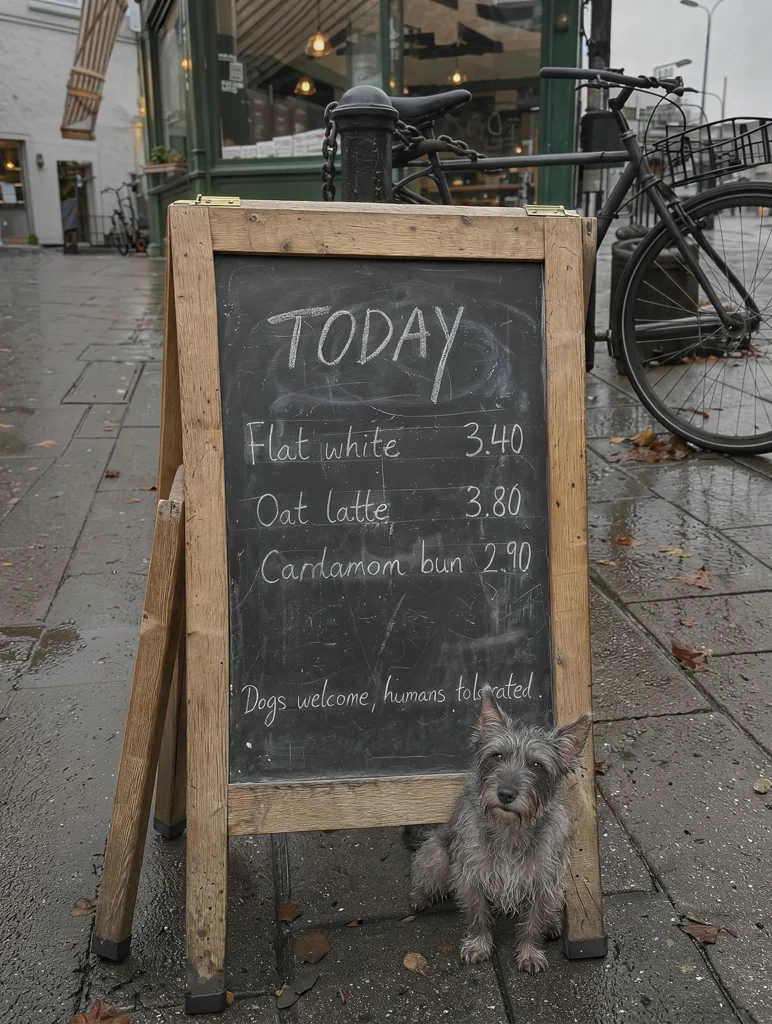
Edit: add a small scruffy grey terrier sitting next to the board, looking up at the camera. Keep the board, every word o
Remix
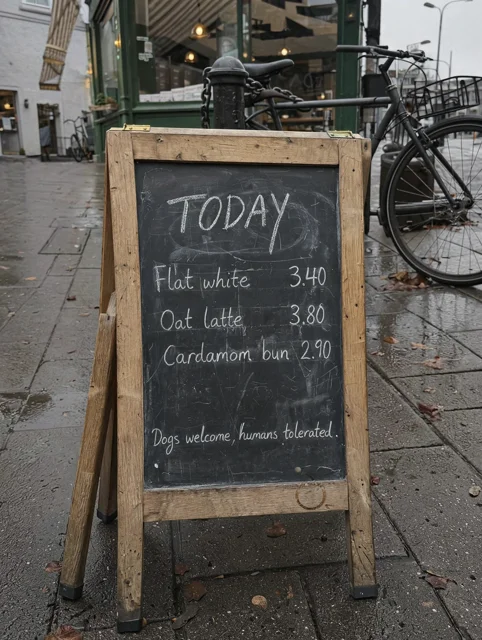
Phone photo of a hand-chalked A-frame menu outside a corner coffee shop on a grey morning: TODAY / Flat white 3.40 / Oat
Remix
FAQ

Frequently asked questions

What teams need to know about creating with Kling Image 4.0 in Masonry

What is Kling Image 4.0?

Kling Image 4.0 is an AI image generation model from Kuaishou, available inside Masonry, the AI creative agent teams use to produce marketing, product, and brand images.

How does my team use Kling Image 4.0 in Masonry?

Open a Masonry canvas, pick Kling Image 4.0 from the model selector, and describe the image you need: a product shot, an ad creative, a social post. Masonry generates it, then you refine, edit, and combine Kling Image 4.0 with other models in one workspace.

Is Kling Image 4.0 free to try?

New Masonry accounts get 50 free credits to try GPT Image 2.5 Flare. Kling Image 4.0 is included in every paid plan, and the editor shows the exact credit cost before you generate.

Who makes Kling Image 4.0?

Kling Image 4.0 is built by Kuaishou. Inside Masonry it runs alongside 50+ image and video models, so your team can pick the right one for each brief without switching tools.

Can I see examples made with Kling Image 4.0?

Yes, the prompt gallery on this page shows real images teams have generated with Kling Image 4.0 in Masonry, each paired with the exact prompt you can copy and adapt for your own brand.

Start creating with Kling Image 4.0

Generate, edit, and compare across 50+ models in one workspace.

Create with Kling Image 4.0

Guides for Kling Image 4.0

Prompt walkthroughs and examples from the Masonry blog

Kling AI CLI for Ecommerce Product Videos: A 3-Job WorkflowKling AI Prompts: 6 Image-to-Video Examples That Work (Kling O3)

Explore more AI models

Compare Kling Image 4.0 with other models teams run in Masonry

Kling 4.0Kuaishou · VideoKling O3 StandardKuaishou · VideoKling v1 Camera DirectorKuaishou · VideoBria Embed ProductBria · ImageBria Fibo 2.0Bria · ImageCrystal UpscalerPhilz1337x · Image
Masonry LogoMasonry Logo

Make videos, photos and voiceovers with the best AI models, on the web, on your phone or inside the AI app you already use

Get startedLog in

Get the app

Download Masonry AI: Photo & Video on the App StoreDownload Masonry AI: Photo & Video on the App Store

Make

  • AI character videos
  • UGC video ads
  • Portraits from a selfie
  • Product photos
  • Interior design
  • All AI tools

Use Masonry in

  • ChatGPT
  • Claude
  • Claude Code
  • Codex
  • Cursor
  • VS Code
  • All apps

Product

  • AI Canvas
  • Templates
  • Models
  • AI video agency
  • CLI
  • Pricing

Resources

  • Blog
  • Prompts
  • Gallery
  • FAQ
  • Support
ContactXLinkedInTermsPrivacy
© 2026 Masonry AI Inc