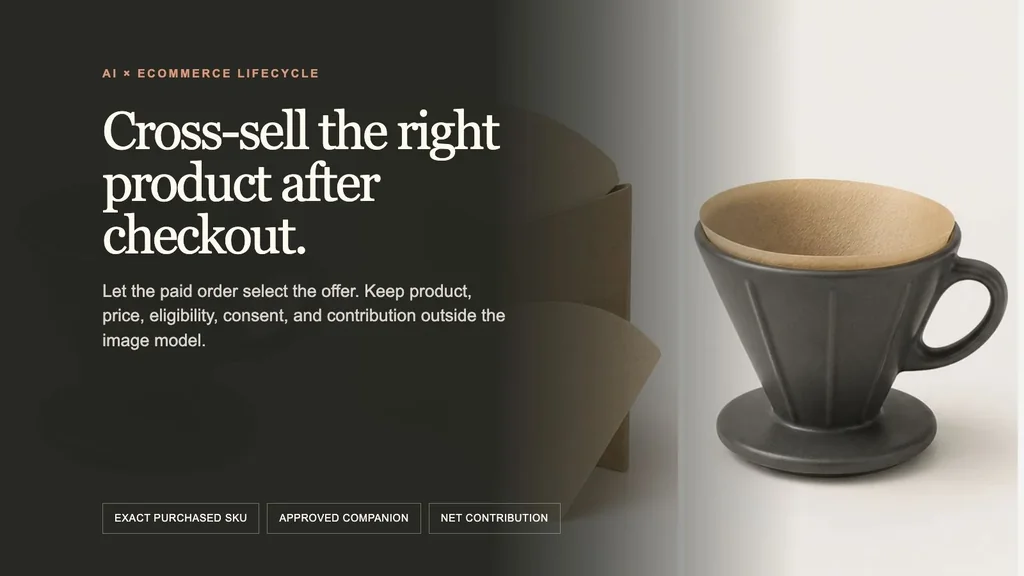
The useful AI post-purchase cross-sell workflow is paid order → exact purchased variant → approved complementary variant → inventory, market, shipping, and duplicate gates → authorized offer → bounded visual generation → deterministic channel render → verified order append → fulfilled and matured contribution. AI can help present a reviewed product pair. It should not decide what the customer bought, whether two products work together, what discount applies, who can receive a marketing email, or whether attributed revenue was profitable.
We ran the workflow on one fictional $34.00 USD NORTHLINE Ridge Ceramic Dripper order. The only offer candidate is a fictional 100-count pack of NORTHLINE No. 2 Natural Paper Filters at a separately authorized 20% discount: $9.00 → $7.20 USD. The catalog relationship explicitly authorizes that filter SKU for that dripper SKU. The model never infers the fit.
Evidence boundary: NORTHLINE, both products, variants, prices, compatibility, inventory, order, customer state, discount, email consent, destination, campaign, and economics are fictional controlled records. The generated product-pair source, live Masonry reference-generation job, deterministic channel mockups, downloadable gates, calculations, and release audit are real. No Shopify store, checkout app, customer, email, order modification, fulfillment, return, experiment, revenue lift, or legal result was tested.
Why this is a distinct merchant job
A post-purchase product offer sits after the initial payment and before the Thank you page. That makes it different from an abandoned-cart email, which tries to recover an incomplete checkout, and from a multi-product bundle image, which describes a package before purchase. It is also different from a subscription offer: no recurring charge is authorized here.
Shopify currently lets merchants add post-purchase apps through the checkout and accounts editor on Basic Shopify plans or higher. Its order-processing guidance says fulfillment can be placed temporarily on hold while an upsell offer is presented. The merchant therefore needs to test the app, order modification, inventory, fulfillment, payment, tax, shipping, pickup, and failure behavior—not merely approve the creative. Review Shopify's checkout-app setup and order-processing behavior.
The current Shopify product-offer UX guidance is unusually concrete. It calls for clear accept and decline choices, relevant products, the store's same product title and price, a representative offered-product image, a clear price breakdown, and accurate short descriptions. If there is a discount, the original and discounted prices should appear together. It advises against pressure language that creates doubt about whether the original order succeeded and recommends no more than three consecutive offers. Read the current post-purchase product-offer UX guidance.
Merchant discussions reveal the practical intent behind those rules. One apparel merchant asked whether a discount that added only about $3 of profit was worthwhile. Another merchant wanted to use the Thank you page without becoming pushy. Recent discussions also complain about generic bestsellers or the same product being offered after it was already purchased. These are qualitative reports, not conversion benchmarks, but they point to the real job: select one relevant, eligible add-on and prove that it adds value after cost and trust effects. Read the margin question, the Thank you page discussion, and the duplicate-offer complaint.
The supplied three-month non-brand Search Console export contains no post purchase cross sell, post purchase upsell image, Shopify thank you page offer, AI cross sell creative, or equivalent query row. This article is a merchant-intent expansion supported by current platform behavior and community pain—not a claim that Masonry already owns the query.
Step 1: freeze the order-to-offer record
The model prompt needs product pixels. The offer system needs a versioned commerce record:
| Authority | Fictional controlled value |
|---|---|
| Trigger | order_paid; original order is paid and not canceled |
| Purchased line | NORTHLINE Ridge Ceramic Dripper — Charcoal; NL-RIDGE-DRIPPER-CHR; quantity 1; $34.00 USD |
| Offered line | NORTHLINE No. 2 Natural Paper Filters — 100 count; NL-NO2-FILTER-100-NAT |
| Catalog relationship | reviewed record says the offered filters fit the purchased dripper |
| Price | catalog $9.00; authorized 20% discount; rendered $7.20 USD |
| Quantity | maximum two add-on units |
| Eligibility | exact trigger SKU; offered SKU absent; available; compatible market and shipping; order not canceled |
| Post-purchase route | offer after payment and before Thank you page |
| Email route | 24 hours after order_paid; current applicable marketing consent required |
| Destination | exact offered product page or verified order append |
| Measurement | in-session acceptance; email click/order within seven days; holdout required for lift |
Download the complete fictional order-to-offer record. It versions the trigger, product pair, variants, prices, discount, compatibility authority, inventory check, quantity cap, surfaces, consent rule, suppressions, destination, asset, copy, dates, attribution, and owner.
Do not include the customer name, address, email, payment method, full order token, unrelated order history, or support record in an image prompt. They do not help render the products and create unnecessary privacy risk.
Step 2: make product roles explicit
The built-in image-generation run created one fictional product sheet with three roles: purchased product, offered product, and approved pairing.
The generated sheet is not a compatibility test. The reviewed catalog record authorizes the fictional fit; the third panel only gives the model a visual target. For a real product, use approved catalog photography and verified compatibility data. If product fit, safety, efficacy, or performance depends on physical evidence, record the real products or use verified CAD/3D rather than asking image generation to prove it.
Step 3: resolve eligibility before generation
An “AI-recommended product” is only a candidate. The release decision requires deterministic gates:
- Match the exact purchased variant, not just the product family.
- Resolve an approved complementary variant from a reviewed catalog or merchandising relationship.
- Exclude the offered variant if it is already in the original order or was appended by an earlier offer.
- Check the original order is not canceled or fully refunded.
- Check available-to-sell inventory at render and again at acceptance.
- Confirm market, currency, shipping, pickup, tax, and fulfillment compatibility.
- Apply only the current authorized offer and quantity cap.
- Require current applicable marketing consent for the separate promotional email route.
Download nine worked eligibility decisions. The table includes one allowed post-purchase case, one allowed consented-email case, and seven explicit suppressions for duplicate item, canceled order, unavailable inventory, wrong trigger variant, incompatible fulfillment, missing email consent, and full refund.
Do not ask a vision model to inspect the cart image and “pick something that goes with it.” Similar color, shape, or category is not proof that an accessory fits, that a consumable is correct, that an item is absent from the order, or that the offer can be fulfilled profitably.
Step 4: generate a textless product plate
We used the approved source sheet as the only reference for this live Masonry run:
masonry image "Create one textless 4:5 ecommerce post-purchase cross-sell product plate using the reference sheet as immutable product identity authority. Show exactly the same charcoal ceramic pour-over dripper and the same natural paper filter pack together on a warm off-white studio surface, with exactly one matching paper filter seated inside the dripper. Preserve the dripper's conical body, broad vertical ribs, circular base flange, oval handle, charcoal color, and satin ceramic material. Preserve the filter shape, natural paper color, kraft sleeve, and approved fit. Use a calm premium editorial composition with generous safe space for deterministic copy added later. No cup, coffee, water, kettle, beans, hand, person, extra product, changed handle, changed ribs, changed base, changed filter shape, words, letters, numbers, labels, price, discount, CTA, logo, watermark, claim, countdown, or UI." \ --model gemini-3.1-flash-image-preview \ --aspect 4:5 \ --seed 2608164 \ --ref ./approved-product-pair.webp
Live job b2c18071-66f2-4840-85d8-84b91c478ee0 succeeded and returned a 928 × 1152 image. The composition followed the requested pair and left useful copy space, but exact-source review found subtle changes in the dripper's rib spacing and the kraft sleeve's opening and construction. That makes it a composition pass and product-fidelity fail. It is included as honest model evidence, not used as the released product image.
Passing the prompt is not enough: compare the dripper body, rib count and placement, base, handle, ceramic color, filter shape, pack, quantity implication, and approved pairing. A visually attractive result that changes either SKU is rejected.
Step 5: keep each channel contract separate
The immediate post-purchase surface can append an accepted item to the order through the configured app. The later email is a separate marketing message that sends the customer to a product or checkout path and requires applicable consent. They can share one reviewed product plate, but they do not share the same event, permission, destination, fulfillment behavior, or attribution.
On the post-purchase page:
- confirm the original payment succeeded without implying the offer is compulsory;
- show the exact offered product title, representative image, variant, quantity, and current price;
- show
$9.00and$7.20 USDtogether so the 20% relationship is clear; - give accept and decline actions comparable clarity;
- update the price breakdown if quantity or variant can change;
- do not use fake timers, false scarcity, or language that makes the customer doubt the original order;
- test the order append, payment, idempotency, hold, tax, shipping, pickup, fulfillment, refund, and failure paths.
For the email route, Shopify's current guidance says promotional content should go only to customers who agreed to receive marketing. Shopify Messaging can create post-purchase automations, including an upsell after a first purchase, but the merchant remains responsible for applicable consent and legal compliance. Review Shopify's contact-consent guidance and current post-purchase automation options.
Keep the product title, price, discount, button, and important compatibility sentence as accessible channel text rather than baking the whole offer into an image. Test mobile width, image blocking, dark mode, contrast, keyboard navigation, alt text, plain text, unsubscribe, destination, and analytics.
Step 6: audit the release, not only the pixels
The campaign version should freeze the source assets, relationship record, offer, copy, channel, audience, suppressions, dates, destination, event names, and attribution window. If inventory, price, compatibility, consent, destination, or app behavior changes, re-evaluate the release rather than silently reusing the old creative.
Reject the candidate when:
- the offered SKU is already in the order;
- the product relationship is inferred rather than approved;
- the image depicts a different product, variant, quantity, pack, or fit;
- the discount, price, market, or quantity cap is stale;
- the add-on cannot share the order's shipping, pickup, tax, or fulfillment path;
- the customer cannot clearly decline;
- the email lacks applicable consent or current suppression checks;
- acceptance does not reconcile to one paid order update;
- net contribution remains negative after realistic costs.
Step 7: measure the add-on after the click
An accept event is not revenue, and attributed upsell revenue is not incremental profit:
eligible original order → treatment or holdout assignment → offer rendered → accept or decline → exact offered variant appended and paid → fulfilled → refund and return window matured → contribution after discount, COGS, fulfillment, payment, app, support, and return cost
Download the measurement contract. It defines twelve metrics with population, denominator, decision use, and caveats: eligible orders, render rate, accept rate, verified add-on rate, net add-on revenue per eligible order, incremental contribution, fulfillment, refund or return, wrong-product support, original-order cancellation, email unsubscribe, and spam complaints.
The primary decision metric is:
incremental contribution per eligible order = treatment contribution per eligible order − holdout contribution per eligible order
Contribution should subtract the authorized discount, COGS, incremental pick and pack, shipping, payment fees, app fees, support, refunds, returns, and other service cost. Keep original-order cancellation, wrong-product or incompatibility contacts, duplicate-item complaints, unexpected-charge contacts, email unsubscribe, spam complaint, fulfillment failure, and margin as guardrails.
Do not compare only customers who accepted with customers who declined; those groups selected themselves. Assign eligible orders before the offer and preserve that assignment through the matured outcome. If a valid holdout is unavailable, label the result observational and avoid claiming lift.
The operating rule
Let the paid order select the offer. Let reviewed commerce records authorize the product relationship, eligibility, price, discount, consent, and destination. Let AI generate only the bounded visual layer. Let fulfilled, matured, holdout-adjusted contribution decide whether the campaign earns another cycle.