



- Text-to-image and edit
Modes
- Up to 8 for edits
Input images
- About 4.2 MP, e.g. 1680 × 2512
Max size
- #4 on Artificial Analysis (Ultra), Nov 2026
Editing rank
About Krea 3
Krea 3 is Krea's third-generation image model, and Masonry runs it through two fal endpoints. Text-to-image creates a new image from a prompt. Edit takes one to eight reference images and an instruction, then changes one image or combines several into a new one, with each input addressed in the prompt as <image-1>, <image-2>, and so on. What sets Krea 3 apart is the reasoning step in front of the render: the endpoints spend a configurable amount of effort working out what the prompt or edit asks for before generating, and at its higher edit levels fal says the model plans the edit with segmentation, web search, and reference photos, keeps the unedited areas of a single input image, and corrects required text.
That planning shows up in the results. On the Artificial Analysis image editing leaderboard in November 2026, Krea 3 in its Ultra configuration scored 1151, fourth and statistically tied with Nano Banana 2.1 and the models around it, while its Fast configuration scored 1125. For business teams that makes Krea 3 a model for edits that have to respect the source: changing one element of an approved image, combining a product with a scene, or merging several product shots into one composition. Output size is flexible too. Custom sizes go up to about 4.2 megapixels, such as 1680 × 2512, and an auto setting lets the model pick a shape at around 2048 × 2048.
Prompts behind these Krea 3 images
Actual prompts from Krea 3 renders by the Masonry community. Copy any prompt, then remix it into your own creation.

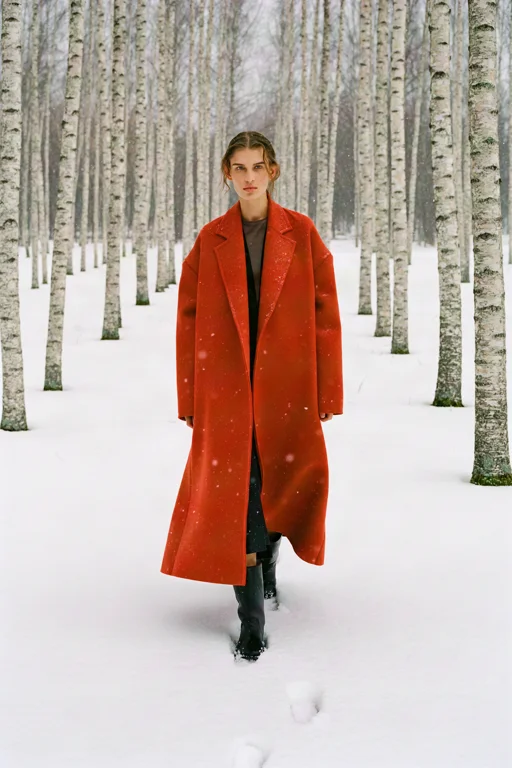

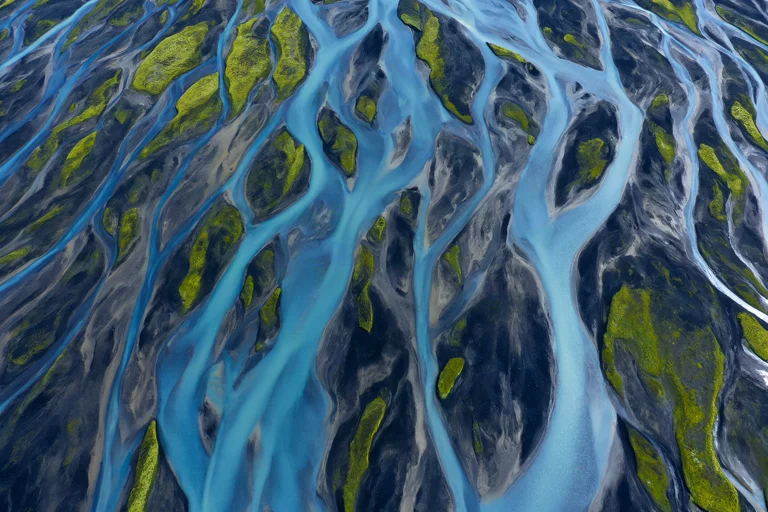

Why teams choose Krea 3
Choose Krea 3 when an edit has to understand the request before it acts: multi-image combinations, a single change that must leave the rest untouched, or copy that has to come out right. Its Ultra configuration ranked fourth on the Artificial Analysis editing board, level with Nano Banana 2.1 within the confidence range, so compare the two on your own source images. GPT Image 2.5 Sunburst and Flare scored higher on that board and remain the reference point for the hardest edits. For prompt-only generation at 4K, look at FLUX 3 Image or Nano Banana 2.1. Krea 3's clearest fit in Masonry is reference-driven editing and composition where the planning step saves rerolls.
What Krea 3 can do
The capabilities that set Krea 3 apart and earn its place in a brief
Reasoning Before It Renders
Both endpoints have a reasoning level that sets how much effort goes into understanding the prompt before generation. More reasoning is slower; for edits, fal lists low, medium, high, and ultra.
Combine Up to 8 Images
The edit endpoint accepts one to eight reference images. Address each as <image-1>, <image-2>, and so on in the instruction to say which is the product, which is the scene, and which only sets the style.
Edits That Keep the Rest
At the high reasoning level, fal says Krea 3 keeps the unedited areas of a single input image and corrects required text, so a targeted change does not redraw the parts you approved.
Region Notes for Precise Edits
The edit endpoint can take labeled bounding boxes on a reference with a note for each region, at the high and ultra levels, for changes that must land in one exact place.
Quality or Speed Variants
fal exposes two Krea 3 variants, berry, which favors quality and is the default, and jam, which favors speed, so drafts and finals can use the same model.
Flexible Output Sizes
Request a custom size up to 4,220,160 pixels, such as 1680 × 2512, rounded to multiples of 16, or let the auto setting choose the shape at around 2048 × 2048.
Where teams reach for Krea 3
- Restaging an approved product photoMove a product into a new scene or lighting setup while the reasoning step works to keep its shape and label, then compare the result with the source.
- Combining products into one shotMerge up to eight product images into a bundle, flat lay, or gift-set composition from a single instruction.
- Targeted fixesChange one region of an approved image, such as a sign, a prop, or a color, and leave everything else alone.
- Style transfer from a referenceUse one image only for the look, such as a palette or lighting mood, and another for the subject.
- Text corrections on generated imagesFix misspelled or garbled copy on a candidate image instead of regenerating it from scratch.
- Concept images from a promptGenerate mood frames and campaign concepts from text when no reference exists yet.
Frequently asked questions
What teams need to know about creating with Krea 3 in Masonry
What is Krea 3?
Krea 3 is Krea's third-generation image model. In Masonry it generates images from a text prompt and edits or combines one to eight reference images, with a reasoning step that plans the image before it renders.
How many images can Krea 3 edit or combine?
The edit endpoint accepts one to eight reference images. Refer to them in the instruction as <image-1>, <image-2>, and so on, in the order you supplied them.
What are Krea 3's reasoning levels?
fal's text-to-image endpoint offers low and medium reasoning, and the edit endpoint adds high and ultra. Higher levels are slower. At high, fal says the model plans the edit with segmentation, web search, and reference photos, keeps unedited areas of a single input image, and corrects required text. Ultra renders at 2K with Krea's ultra thinking mode.
What is the difference between Krea 3 Ultra and Fast?
These are the two configurations Artificial Analysis scored on its image editing leaderboard in November 2026. Krea 3 (Ultra) scored 1151, fourth on the board, and Krea 3 (Fast) scored 1125. The reasoning level you edit with affects both quality and speed.
How did Krea 3 rank on Artificial Analysis?
On the image editing leaderboard in November 2026, Krea 3 (Ultra) was fourth with an Elo of 1151, statistically tied with Nano Banana 2.1 and others in the same confidence range. Krea 3 was not listed on the text-to-image leaderboard at that time.
What image sizes can Krea 3 create?
Custom sizes up to 4,220,160 total pixels, for example 1680 × 2512, rounded up to multiples of 16. The auto setting lets the model choose the aspect ratio at around 2048 × 2048.
What are the berry and jam variants of Krea 3?
fal exposes two variants. Berry favors quality and is the default; jam favors speed. Negative prompts apply to berry only.
Can Krea 3 edit just one part of an image?
Yes. Describe the change and what must stay the same. The edit endpoint can also take labeled bounding boxes with a note for each region at the high and ultra reasoning levels, for changes that must land in an exact place.
Can Krea 3 fix text in an image?
fal says that at the high reasoning level the edit endpoint corrects required text. Name the exact wording in the instruction, then proof the result at full size.
How much does Krea 3 cost in Masonry?
Masonry bills each image in credits, and the cost depends on the settings you choose. The editor shows the exact credit cost before you generate.
Can Krea 3 output be used commercially?
fal marks both Krea 3 endpoints for commercial use. Review the current fal and Krea terms for your project, particularly for trademarks and real people's likenesses.
How does my team use Krea 3 in Masonry?
Open a Masonry canvas, pick Krea 3 from the model selector, and describe the image you need: a product shot, an ad creative, a social post. Masonry generates it, then you refine, edit, and combine Krea 3 with other models in one workspace.
Is Krea 3 free to try?
New Masonry accounts get 50 free credits to try GPT Image 2.5 Flare. Krea 3 is included in every paid plan, and the editor shows the exact credit cost before you generate.
How do I write good prompts for Krea 3?
For edits, write the instruction as a short brief: what to change, what to keep, and which image does what, using the <image-1>, <image-2> tags. Name the exact text when copy must appear or be corrected. For text-to-image, describe the subject, setting, light, and composition plainly; the reasoning step fills gaps, so be explicit about anything that must not change, such as a brand color. Use a negative prompt for things to keep out, which fal applies with the berry variant only. See the prompt gallery on this page for real Krea 3 prompts you can copy and adapt.
Who makes Krea 3?
Krea 3 is built by Krea. Inside Masonry it runs alongside 50+ image and video models, so your team can pick the right one for each brief without switching tools.
Can I see examples made with Krea 3?
Yes, the prompt gallery on this page shows real images teams have generated with Krea 3 in Masonry, each paired with the exact prompt you can copy and adapt for your own brand.
Start creating with Krea 3
Generate, edit, and compare across 50+ models in one workspace.
Explore more AI models
Compare Krea 3 with other models teams run in Masonry