

- 1280x720
Measured output
- 24 fps
Frame rate
- T2V, I2V, R2V
Modes
- No extra cost
Audio
About Seedance 2.5
Seedance 2.5 is the current ByteDance video route on Masonry, listing text-to-video, image-to-video, and reference-to-video. Multi-shot generation is the claim the family has always carried, and on this version it survives a measurement: a text-to-video clip generated on September 4, 2026 contains two hard cuts, at 2.625 seconds and 4.125 seconds, when run through ffmpeg scene detection at threshold 0.4. That is three shots inside a 5.04-second file. The same detector at the same threshold finds zero cuts in five other clips measured the same day, which is what makes the reading evidence rather than an adjective.
The honest caveat sits next to it. Of the three shots written into that brief, two landed and the third did not match what was asked for, and the shots got shorter as the clip went on. The route cuts on request; it does not necessarily cut to the shot you named. Write the beat that matters first.
Reference-to-video is the new mode over the previous version, and it comes with a boundary worth planning around: a photograph of a person was refused with an HTTP 422 content-policy error, while object-only references — a bottle and a sneaker — were accepted and carried into a single scene with a camera push-in. Pricing is token-based rather than flat per-second, at 21.40 US dollars per million tokens for 480p and 720p and 23.40 per million at 1080p, with audio costing nothing extra. The number worth seeing before you queue anything: a 30-second generation at 1080p is roughly 34 US dollars of provider cost.
Why teams choose Seedance 2.5
Choose Seedance 2.5 when the deliverable wants more than one shot and you would rather not assemble it yourself. The multi-shot behaviour is the reason to pick this route, and unusually for a marketing claim it is measurable: two detected cuts in one five-second clip against zero in five controls run through the same detector. Shot-by-shot adherence was partial in that run, so write the important beat first and expect to iterate. Reference-to-video works on products and refuses real people, which makes the routing decision simple — send person-carrying reference shots to MiniMax H3 Max and keep product references on either family. If the job is one continuous directed take with a written camera move, H3 Max is the more direct fit.
What Seedance 2.5 can do
The capabilities that set Seedance 2.5 apart and earn its place in a brief
Multi-Shot Cuts You Can Measure
A single text-to-video generation returned three shots separated by two detected hard cuts, at 2.625 s and 4.125 s inside a 5.04-second file, while five control clips from the same session returned zero cuts under the identical detector setting.
Reference-to-Video for Products
Submit up to 30 image references and the model builds one scene around them. A bottle and a sneaker were carried into a single shot with a camera push-in. Real-person likenesses are refused on this route, so plan person-carrying shots elsewhere.
Audio at No Extra Cost
Every measured clip arrived with an AAC stereo track at 32 kHz, and enabling audio does not change the token cost. There is no saving in generating silent drafts, so listen to what comes back before publishing.
A Seed You Can Hold
Responses carry a seed and no expanded prompt, which is the mirror image of the MiniMax H3 Max behaviour. Pin the seed and change one variable at a time when you want to iterate deliberately rather than roll again.
1280x720 at the 720p Setting
All three measured clips requested at 720p returned 1280x720 at 24 fps in H.264. Requested durations of 5 returned 5.041667 to 5.056 seconds, so measure the delivered file before cutting to a fixed slot.
Token-Based Pricing Across Three Resolutions
21.40 US dollars per million tokens at 480p and 720p, 23.40 per million at 1080p, with provider per-second equivalents of 0.2205, 0.4730, and 1.164. Settle the shot cheaply, then spend the 1080p budget once.
Where teams reach for Seedance 2.5
- Short social spots that need a cut or two without opening a video editor
- Product scenes assembled from reference images of the actual products
- Animating an approved product still with restrained, source-faithful motion
- Sound-on drafts where the ambience arrives with the clip rather than in post
- Deliberate iteration loops that hold the seed and change one variable at a time
- Cost-staged workflows that settle framing at 480p or 720p before rendering at 1080p
What sets Seedance 2.5 apart
The strengths teams reach for, shown on real renders.
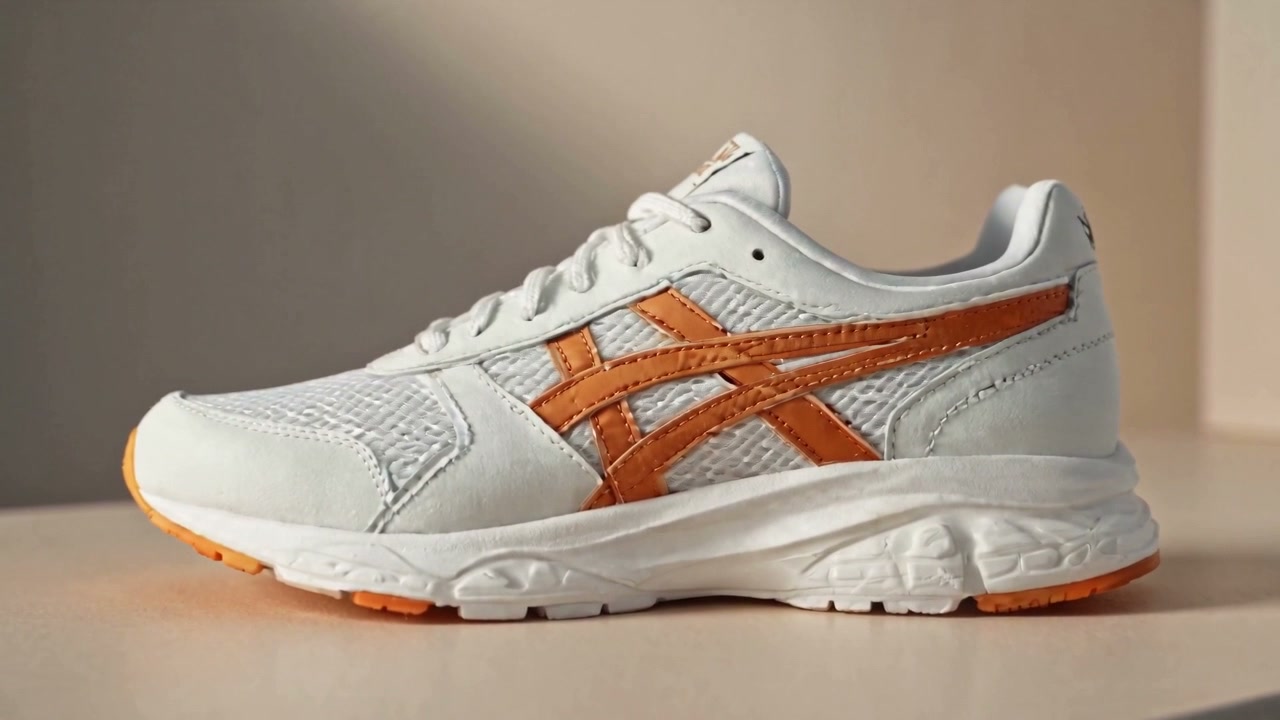
Three Shots Inside Five Seconds
A prompt asking for three shots returned a 5.04-second file containing two hard cuts, at 2.625 s and 4.125 s under ffmpeg scene detection at threshold 0.4. Five other clips measured the same day with the same detector return zero cuts, which is what turns the multi-shot claim into a reading rather than an assertion.
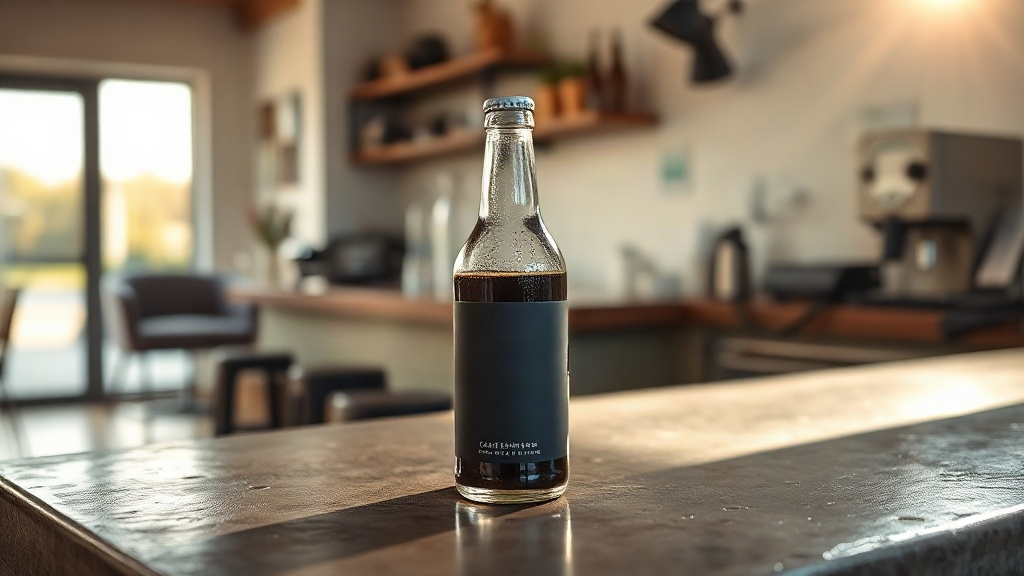
Object References Carried Into One Scene
Two product references were submitted together and both arrived in a single generated scene with a camera push-in. The same route refused a photograph of a person with an HTTP 422 content-policy error, so treat reference-to-video here as a product tool.
Frequently asked questions
What teams need to know about creating with Seedance 2.5 in Masonry
What does Seedance 2.5 add over Seedance 2.0?
The route key becomes seedance-2-5 and the listed modes add reference-to-video alongside text-to-video and image-to-video, with a stated 30-second duration ceiling. Reference-to-video is the practical change, letting you carry specific product images into a generated scene instead of describing them. The clips measured for this page were all requested at 5 seconds, so the longer ceiling is listed rather than demonstrated here.
Is the multi-shot behaviour actually measurable?
Yes. Running ffmpeg scene detection at threshold 0.4 over a text-to-video clip generated on September 4, 2026 finds exactly two hard cuts, at 2.625 seconds and 4.125 seconds, which is three shots inside a 5.041667-second file. The same detector at the same threshold finds zero cuts in five other clips from the same session. That contrast is the evidence; it is one run, not a success rate.
Does the model cut to the shots I name?
Partly, in the run behind this page. Three shots were written into the brief, two of them landed, and the third did not match what was asked for. The shots also got progressively shorter across the clip. The practical response is to put the beat that matters first, keep the shot list short, and treat cutting as a capability to direct rather than a guarantee to rely on.
Why was my reference photograph rejected?
A photograph of a person submitted to the reference-to-video route on September 4, 2026 returned HTTP 422 with content_policy_violation and partner_validation_failed, reporting that the images may contain likenesses of real people or other private information that cannot be processed. The same request with object-only references succeeded. Route person-carrying reference shots to a family that accepts them and keep product-only references here.
How is Seedance 2.5 priced?
It is token-priced rather than billed at a flat per-second rate: 21.40 US dollars per million tokens at 480p and 720p, and 23.40 per million at 1080p, checked September 4, 2026. The provider publishes per-second equivalents of 0.2205 at 480p, 0.4730 at 720p, and 1.164 at 1080p. Audio does not change the cost. A 30-second 1080p generation is roughly 34 US dollars of provider cost, which is worth knowing before you queue one.
What did the delivered files measure?
All three clips were requested at 720p and returned 1280x720 at 24 fps in H.264 with an AAC stereo track at 32 kHz. The text-to-video and image-to-video clips measured 5.041667 seconds and the reference clip 5.056 seconds, against a requested duration of 5. Requested duration is a target rather than a contract, so measure the delivered file before cutting to a fixed slot.
Does Seedance 2.5 return a seed?
Yes. The responses recorded here carried a seed and no expanded prompt. MiniMax H3 Max is the mirror image, returning a long structured expanded prompt and no seed on text-to-video. Plan reruns around the field the chosen route actually returns rather than assuming both fields exist.
How should I write a multi-shot prompt?
Write the shots as shots. Give each one a framing, an action, and a reason to cut, keep the list to two or three for a short clip, and put the most important beat first because later shots tend to get squeezed. Name the audio you want in the same prompt, since sound is generated in the same pass at no additional cost.
Is Seedance 2.5 the best multi-shot video model?
This page does not claim that. The evidence behind it is six clips generated in one session across two model families, one run each, with no repeated trials, no held-out prompt set, and no standardized timing. It shows that the route cuts and that the cuts are detectable. Ranking it against another model would require your prompts, repeated runs, and a fixed acceptance sheet.
What is Seedance 2.5?
Seedance 2.5 is an AI video generation model from ByteDance, available inside Masonry, the AI creative agent teams use to produce marketing, product, and brand videos.
How does my team use Seedance 2.5 in Masonry?
Open a Masonry canvas, pick Seedance 2.5 from the model selector, and describe the video you need: a product shot, an ad creative, a social post. Masonry generates it, then you refine, edit, and combine Seedance 2.5 with other models in one workspace.
Is Seedance 2.5 free to try?
Yes, you can start generating videos with Seedance 2.5 on Masonry's free tier, then scale up with higher limits and priority processing as your team grows.
How do I write good prompts for Seedance 2.5?
Write the shots as shots. Give each a framing, an action, and a reason to cut, keep the list short for a five-second clip, and lead with the beat that matters because later shots get squeezed. Name the audio in the same prompt, since sound is generated in the same pass at no extra cost.
Who makes Seedance 2.5?
Seedance 2.5 is built by ByteDance. Inside Masonry it runs alongside 50+ image and video models, so your team can pick the right one for each brief without switching tools.
Start creating with Seedance 2.5
Generate, edit, and compare across 50+ models in one workspace.
Guides for Seedance 2.5
Prompt walkthroughs and examples from the Masonry blog
Explore more AI models
Compare Seedance 2.5 with other models teams run in Masonry