- Cents
Model cost per image, not hundreds per SKU
- Minutes
Turnaround instead of a week of scheduling
- Every SKU
The long tail, not just the hero products
- One look
A consistent visual language across the store
From a catalog of phone photos to a finished storefront
The workflow that scales past a handful of products.
- 01
Lock a recipe on one product
Pick a representative SKU, find the model and scene that hold it best, and treat that pairing as your house recipe.
- 02
Reuse the recipe across the catalog
Run the rest of the SKUs through the same scene brief so the whole store shares one light, surface, and mood.
- 03
Cull hard on fidelity
Keep only the images where the product is unmistakably itself. Judge accuracy before beauty, especially on labels.
- 04
Export to spec
Ship square, high-resolution files that satisfy the marketplace you are listing on, and keep one honest photo per product.
Which model for which job in a catalog
In a mixed catalog, no single model wins everything, which is why the choice is per job rather than per store.
Nano Banana 2
The default workhorse for photoreal lifestyle scenes across most of a catalog, and a strong holder of small label text.
OpenAI
GPT Image 2
The pick for anything where packaging copy, claims, or regulated text must be legible, and for precise masked fixes on a single label.
ByteDance
Seedream 4.5
Premium hero and macro shots on material-driven products, at the lowest cost of the photoreal options. Best value when you need volume.
Black Forest Labs
FLUX.2 Pro
The cheapest per image for high-volume catalog work, with the caveat that it takes the most liberties, so cull it harder.
What each marketplace actually requires
Verified against Shopify and Amazon seller documentation. Getting these wrong is the most common reason a good image still fails on a listing. The separate question of what each platform allows is covered in our comparison of AI product photo rules by platform.
- Shopify: 2048 x 2048, squareShopify's docs say a square 2048 x 2048 px image usually displays best. Images can be up to 5000 x 5000 px or 25 megapixels, must be under 20 MB, and PNG is the preferred file type ahead of JPEG. Keep one aspect ratio across your catalog so collection pages line up.
- Amazon: pure white main imageAmazon's product image guide requires a pure white main-image background (RGB 255, 255, 255), the product shown at about 85% of the image, and no text, logos, borders, or watermarks. The longest side must be between 500 and 10,000 pixels.
- Lifestyle and secondary slotsSecondary images are where scenes, scale cues, and detail crops belong. Marketplaces are far stricter about the main image than the rest of the carousel.
- Paid social and emailDifferent crops again, usually square and vertical. Generating the scene once and re-framing it beats reshooting per channel.
Where stores actually use this
Long-tail SKUs
The products that never justified a studio booking, brought up to the standard of your hero listings.
Seasonal refreshes
Restage an existing catalog for autumn, gifting, or a sale without reshooting a single item.
Marketplace expansion
Re-cut the same product into the specs a new channel demands rather than commissioning a second shoot.
New product launches
Get listing images ready from a sample photo while the production run is still in transit.
A/B testing creative
Generate several scenes for one product and let conversion data pick the hero instead of taste.
Agencies and dropshippers
Give many small clients or many suppliers a coherent look without a photographer per account.
Listing these safely
Renders are high-resolution and licensed for commercial use, so they can go straight onto product pages and marketplace listings. Two rules keep you out of trouble at catalog scale: never ship a generated label as final artwork when it carries regulated copy such as ingredients, volumes, or safety text, and always keep at least one honest photo of the real product on the listing. A scene that oversells what arrives converts once and then comes back as a return.
One catalog, many categories
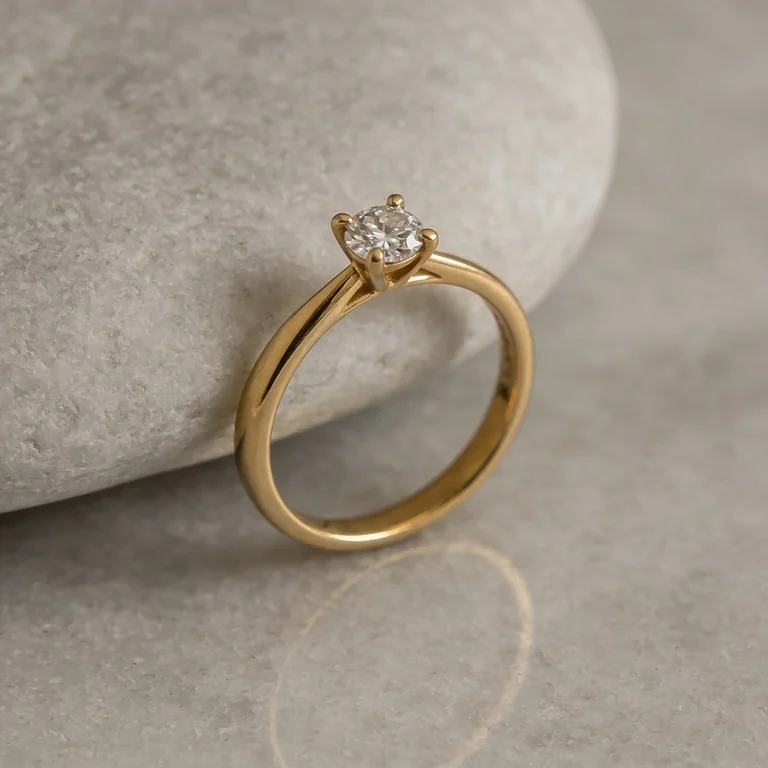
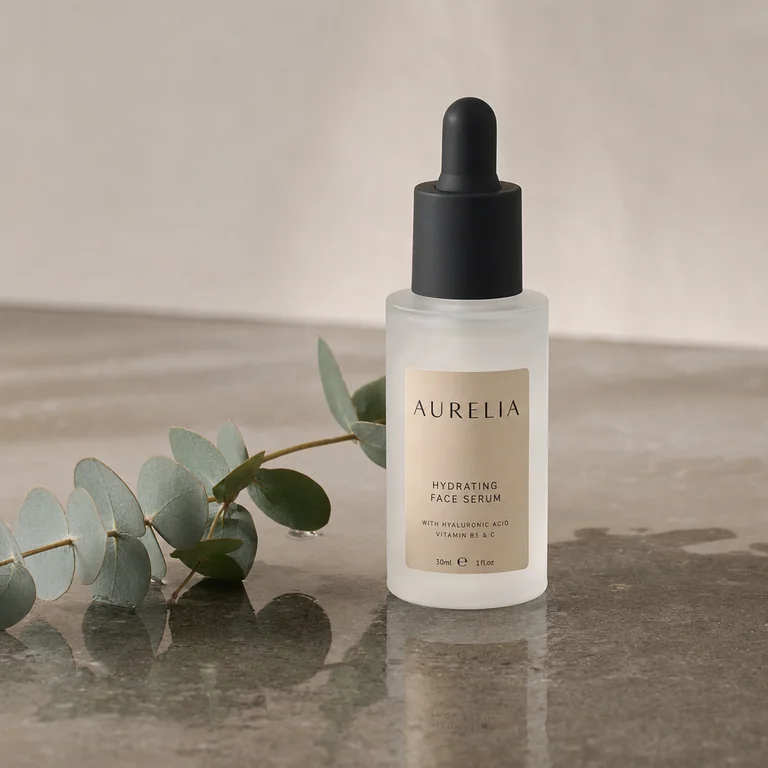
Renders from across our product tests: fragrance, footwear, leather, supplements, drinkware, and furniture, the sort of spread a real store has to cover.
AI product photography for ecommerce
What store owners ask before running this across a catalog.
Can I keep a consistent look across hundreds of SKUs?
Yes, and it is mostly a process question rather than a model one. Lock a recipe first: pick one representative product, settle on the model and the scene brief that hold it best, then reuse that same brief across the catalog. Consistency comes from reusing the scene description and the model, not from generating each product from scratch with a fresh idea.
Will these images meet Shopify and Amazon requirements?
They can, but the specs are on you to hit. Shopify's docs say a square 2048 x 2048 px image usually displays best, images can run up to 5000 x 5000 px or 25 megapixels, and files must be under 20 MB. Amazon's product image guide requires the main image on pure white (RGB 255, 255, 255), the product shown at about 85% of the image, no text or logos or watermarks, and a longest side between 500 and 10,000 pixels. Generate at high resolution, then crop and export to the target spec.
Will it keep my exact product?
Yes, and this is the part that matters most. You upload a clean photo of your real product, and the models restyle the scene around it, so the label text, shape, color, and finish stay yours instead of being reinvented. Different models hold fidelity differently on the hard cases (frosted glass, small printed labels, reflective metal), which is exactly why comparing several on your actual product beats trusting one pipeline. Upload the clearest, best-lit shot you have for the most faithful result.
Is this actually cheaper than a studio shoot?
For everything below the flagship tier, by a wide margin. A studio product shoot runs a few hundred dollars per SKU and takes a week to schedule, shoot, and retouch. Model calls cost roughly cents to a couple of dollars per image and return in minutes. The real saving is not on your bestseller, which probably still deserves a photographer, it is on the long tail that currently has no proper photography at all.
Which model should I use across a catalog?
There is no single best model, and that is the point. Different models win at different briefs, so Masonry gives you all of them in one workspace and lets you compare results side by side. For an ecommerce catalog, Nano Banana Pro is the best all-rounder for photoreal results with faithful layout, Seedream is fast and detailed for exploring options, FLUX gives the most control for a consistent style, and GPT Image is great for precise edits. You pick the winner for each shot instead of being locked into one engine.
Do I have to disclose AI product images?
Rules vary by marketplace and region, and they are moving, so check the policy of each channel you sell on rather than assuming. Independent of policy, shoppers are increasingly sceptical of imagery they suspect is synthetic, so the practical stance is the same either way: keep the product itself faithful, keep a real photo on the listing, and use generated scenes for context and mood rather than to imply something the buyer will not receive.
Related guides
Go deeper on the models and tools behind these shots.
Give every product a proper photo
Start with one SKU, find the recipe that holds it, then run the rest of your catalog through it.