A Blender-like AI product animation can sell depth, scale, and camera movement without building a full 3D scene. It cannot give you Blender's geometry, material graph, rig, lens coordinates, or deterministic render controls.
This guide rebuilds the original motorcycle-in-space experiment as a production workflow: define the product truth, design a shot sequence, approve the still frames, animate short transitions, and reject any clip that changes the motorcycle. The 16 original images and four original videos remain below so you can inspect the evidence yourself.
Evidence boundary: the original run used one motorcycle source, one space plate, several generated stills, and four delivered clips. It did not preserve a structured product specification, measured geometry, turntable, CAD file, approved artwork, color target, part list, or repeated seed matrix. The observations below describe the displayed files—not product fidelity, mechanical accuracy, model reliability, rights clearance, or parity with a 3D/VFX pipeline.
Quick answer
- Use AI for: mood, composition, short camera ideas, environmental plates, transition concepts, and edit candidates.
- Do not assume: a prompt preserves the frame, fairing, wheelbase, tyre tread, brake hardware, engine, exhaust, controls, logos, or paint.
- Best control point: approve the first and last frames before video generation.
- Best review unit: a five-second shot, inspected frame by frame at full resolution.
- What this test establishes: the workflow produced a coherent vertical motorcycle-in-space sequence once.
- What it does not establish: a universal model winner or an exact digital twin of the motorcycle.
What the shipped media actually contains
The four article videos are each 5.05 seconds, 720 × 1280, H.264, and 24 fps, with an AAC stream. That makes them consistent editorial clips for a vertical sequence. It does not make the subject consistent automatically: generated motion can change small parts between frames even when the start still looks convincing.
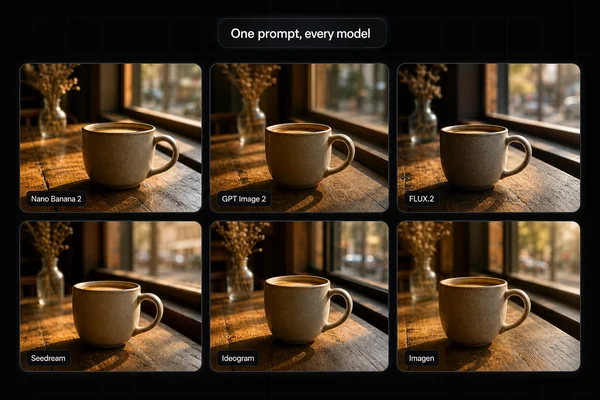
The old cover showed a watch-generation interface, despite the article being a motorcycle tutorial. The cover now uses one of the original motorcycle keyframes so the search result, hero, and body describe the same project.
1. Build a source-of-truth set
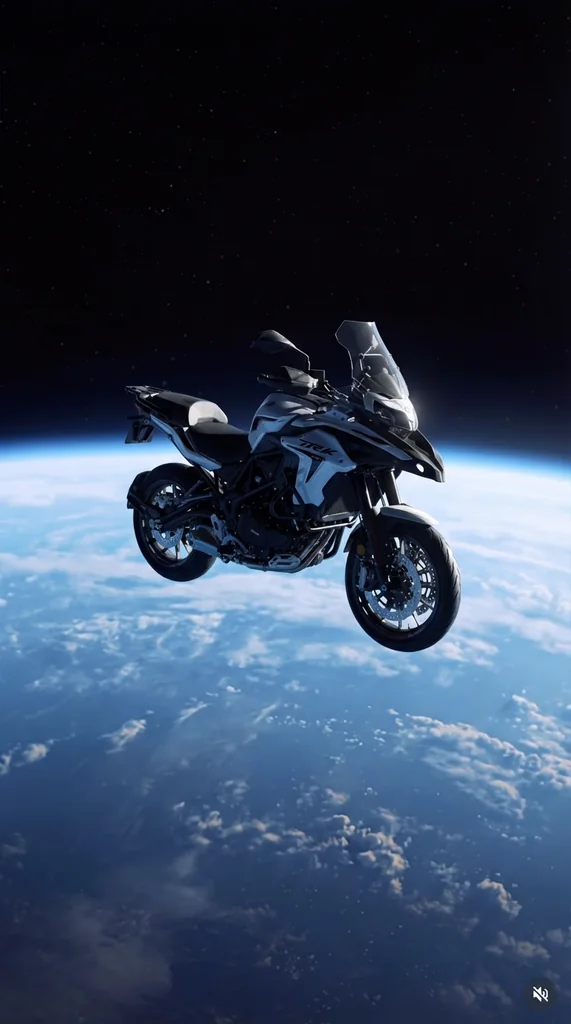
The original experiment started with a motorcycle photo and a vertical Earth-from-space plate:
For a real SKU, add approved front, rear, left, right, top, cockpit, engine, exhaust, wheel, brake, tyre, light, mirror, logo, decal, color, and accessory views. Include overall dimensions, wheelbase, wheel and tyre sizes, sold trim, included parts, and any copy or marks that may appear.
Name the non-negotiables before generating. “Keep it intact” is not a review plan; “two wheels, this wheel design, this brake disc and caliper, this headlight cluster, this exhaust, these decals, this colorway, and this sold accessory set” is.
2. Create and compare static keyframes
The original text prompt assigned one input as the environment and the other as the motorcycle. That role assignment is useful, but words such as “exactly,” “completely intact,” and “no deformation” are requests—not guarantees.
Use a bounded prompt:
Use the approved motorcycle references as the subject and the space plate as the environment. Create a vertical 9:16 three-quarter product keyframe above Earth's horizon. Match the plate's camera direction and blue edge light. Preserve the motorcycle's approved silhouette, frame, fairing, tank, seat, wheels, tyres, brakes, fork, engine, exhaust, lights, mirrors, controls, colors, decals, logos, and accessories. Add no parts, text, UI, vehicle, rider, or claim. This is a candidate for comparison with the sources, not an approved product record.
Three original candidates
These three files support a comparison of composition, crop, contrast, and visible detail. They do not support permanent rankings such as “best subject integrity” because the run lacks a published scoring sheet, multiple seeds, and an authoritative view-by-view product comparison.
3. Design a shot list before generating motion
A short product sequence needs visual continuity and editing purpose. The original run explored an action frame, front detail, satellite plate, rear views, distance, tyre, and engine:
One useful edit order is: 0.5-second environment opener, 1.0-second hero reveal, 1.0-second front detail, 1.0-second component detail, 1.0-second orbit or drift, and a 0.5-second end hold. Generate clips with handles, then cut them; do not ask one generation to solve the entire commercial.
4. Approve first and last frames
For an orbit-like shot, choose two separately approved views that plausibly connect. A first/last-frame model can guide the endpoints, but the path between them remains generated. A claimed “360-degree orbit” is especially demanding because unseen sides must come from real references or a 3D asset—not invention.
Use this motion brief after the endpoints pass still review:
Five-second vertical product shot. The approved motorcycle remains rigid and stationary. Move the camera slowly clockwise from the approved first frame toward the approved last frame. Use one constant-radius arc, level horizon, gentle ease-in and ease-out, and no zoom. Keep the Earth plate slow and coherent. No new objects or text. Reject wheel rotation, suspension movement, part drift, duplicated controls, changing decals, changing lights, bending frame or fairing, changing tyre tread, or invented hidden geometry.
“Gimbal,” “smooth,” and “no jitter” describe the desired motion. They do not expose a virtual rig with measurable coordinates.
5. Inspect the four original clips
At 24 fps, each 5.05-second file exposes about 121 displayed frames. Review the first frame, last frame, every cut point, and enough intermediate frames to catch geometry drift. For a rotating wheel, inspect every quarter turn; for an orbit, inspect the reveal of each new side.
6. Run the current workflow from the Masonry CLI
The images above are historical outputs from the models named in their captions. For a reproducible current keyframe, Nano Banana 2 is exposed through gemini-3.1-flash-image-preview. Its current route accepts 2–14 references when mixing, a seed, and 9:16 output:
masonry image "Use the approved motorcycle as the subject and the space plate as the environment. Create one vertical three-quarter keyframe above Earth's horizon. Preserve the approved silhouette, frame, fairing, tank, seat, wheels, tyres, brakes, fork, engine, exhaust, lights, mirrors, controls, colors, decals, logos, and accessories. Add no parts, text, UI, rider, or other vehicle." \ --model gemini-3.1-flash-image-preview \ --ref ./approved-motorcycle-three-quarter.png \ --ref ./approved-space-plate.png \ --aspect 9:16 \ --seed 1042 \ --output motorcycle-space-keyframe.png
The current Seedance 1.5 Pro route accepts a first image, optional last image, seed, 9:16 output, and --no-audio:
masonry video "Five-second vertical product shot. Keep the approved motorcycle rigid. Move the camera on one slow constant-radius clockwise arc from the first frame toward the last frame. Level horizon, gentle ease-in and ease-out, no zoom, no new objects or text. Reject part drift, changing marks, wheel motion, bending geometry, and invented hidden components." \ --model seedance-1-5-pro \ --image ./approved-start-frame.png \ --last-image ./approved-end-frame.png \ --aspect 9:16 \ --seed 1042 \ --no-audio \ --output motorcycle-orbit-candidate.mp4
Check the live contract before a production run:
masonry models params gemini-3.1-flash-image-preview masonry models params seedream-4-5 masonry models params seedance-1-5-pro
Product-animation acceptance sheet
| Area | Pass condition |
|---|---|
| Source coverage | Front, rear, both sides, top, cockpit, wheels, brakes, engine, exhaust, lights, controls, marks, colors, dimensions, trim, and included parts are approved and available to reviewers. |
| Silhouette and geometry | Wheelbase, ride height, frame, fairing, tank, seat, fork, swingarm, wheels, tyres, and clearances do not change. |
| Components | Lights, mirrors, controls, brakes, engine, exhaust, fasteners, hoses, cables, accessories, and all visible parts remain present and correctly placed. |
| Marks and appearance | Logos, model names, decals, characters, colors, finishes, reflection boundaries, wear, and approved time/state remain unchanged. |
| Motion | Camera direction, speed, horizon, focus, easing, product rigidity, wheel state, suspension state, and background movement match the shot brief. |
| Continuity | First frame, last frame, cut handles, and intermediate frames connect without popping, morphing, duplication, disappearance, or crop surprises. |
| Claims and rights | No performance, material, engineering, safety, space-use, affiliation, or clearance claim is inferred from generated imagery. |
| Delivery | Correct duration, dimensions, frame rate, codec, audio plan, crop-safe area, captions, thumbnail, and platform variant are verified. |
When to use 3D or compositing instead
Use a real 3D workflow when the camera path must be repeatable, hidden sides must be correct, product parts must articulate, materials must behave predictably, or the same asset must support many angles. Use compositing when the product photography is already approved and only the plate, shadow, atmosphere, or camera treatment needs to change.
Use AI generation when a reversible concept is the goal and a reviewer can reject the result. That is the practical dividing line: AI supplies candidates; product sources and human review supply truth.
Bottom line
The original run is a strong example of art direction: one motorcycle, one space world, multiple shot sizes, and four consistent vertical clips. Its real lesson is not that a prompt replaces Blender or guarantees product integrity. It is that a source-backed keyframe workflow can turn an ambitious idea into testable five-second shots quickly.
Plan the sequence, approve both endpoints, animate one motion at a time, and reject changes frame by frame. For adjacent workflows, compare the exploded-view animation guide, the AI product-ad video model test, and the Seedance 2.0 prompt guide, or move several approved jobs through the Kling AI CLI product-video workflow. Build individual candidates in Masonry AI video generation or automate them with the Masonry CLI.