GPT Image 2 is OpenAI's current image generation and editing model. OpenAI's model documentation lists text input, image input and output, image generation, image editing, flexible sizes, and high-fidelity image inputs. Its April 2026 launch emphasizes stronger instruction following, layouts, editing, and dense text.
Those are capability claims, not a guarantee that every product label, reflection, or layout will be correct. This guide documents the controls Masonry actually exposes, adds one first-hand GPT Image 2 artifact, and turns “looks good” into a production acceptance check.
Evidence boundary: the poster below is one first-hand output from the exact prompt and current Masonry route described here. It is not a multi-seed benchmark, a comparison with other models, or proof that GPT Image 2 will preserve a real product. Official model capabilities are linked to OpenAI; Masonry-specific controls come from the live route contract checked August 4, 2026.
Current GPT Image 2 controls on Masonry
Run masonry models params gpt-image-2 before building a batch. At the time of this update, the route exposes:
| Input | Current contract | Production implication |
|---|---|---|
| Prompt | Required, up to 32,000 characters | Use the shortest brief that states the full acceptance criteria; capacity is not a target. |
| Output size | One of six fixed dimensions | Design for the final placement before generating rather than relying on an arbitrary canvas. |
| Reference images | Zero to 10; any reference switches the route to edit mode | Use clean sources and name what must stay unchanged. More references do not guarantee better fidelity. |
| Seed | Not exposed | Do not promise deterministic reruns from a seed. |
| Quality tier | Not exposed | Provider-specific low, medium, or high pricing tables do not describe this Masonry route. |
| Mask | Not exposed | A mask workflow documented by another API is not automatically available through this route. |
| Negative prompt | Not exposed | Put the desired visual state in the main prompt. |
The available sizes are 1024x1024, 1536x1024, 1024x1536, 1920x1080, 2560x1440, and 3840x2160. Aspect aliases map 1:1, 3:2, 2:3, and 16:9 to four of those sizes.
One first-hand text and product-layout test
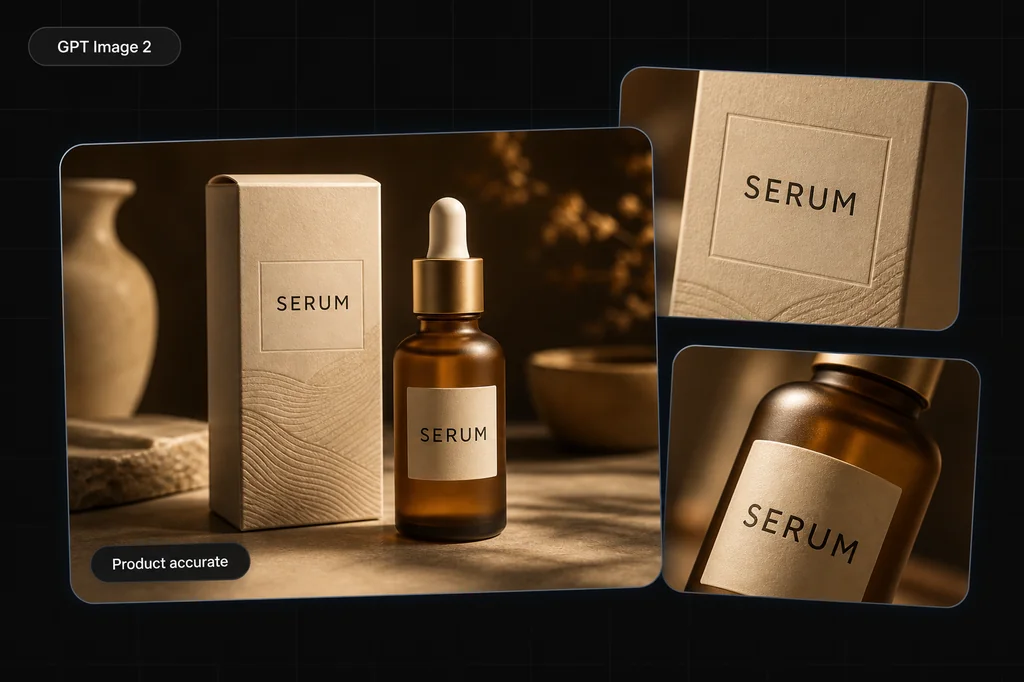
We asked the live route for a fictional serum poster with exactly three strings: “NIGHT BLOOM,” “Barrier Serum,” and “30 mL.” The prompt required each string exactly once and prohibited other copy, logos, badges, prices, and claims.
Observed outcome: the candidate rendered all three required strings correctly once, introduced no extra copy, kept a coherent bottle and dropper, and placed the contact shadow to camera-right under the requested camera-left light. The hierarchy remains legible at the 2:3 crop. It also introduced decorative dried flowers and stones around the specified limestone setting; those were not prohibited, but they are a reminder to state an exact prop budget when the layout must stay minimal. Because the bottle is fictional, this run provides no evidence about preserving a real SKU.
Use this pass/fail sheet rather than treating a polished composition as sufficient:
| Check | Pass condition |
|---|---|
| Exact text | “NIGHT BLOOM,” “Barrier Serum,” and “30 mL” each appear once with no wrong character. |
| No invented copy | No extra benefit claim, ingredient, price, badge, brand mark, or legal line appears. |
| Product geometry | Bottle, cap, base, and contact with the surface are physically coherent. |
| Lighting | The bottle highlights and contact shadow agree with the stated camera-left source. |
| Layout | Headline, subheading, bottle, and volume line have a usable hierarchy at the intended crop. |
For a real SKU, add harder checks: compare silhouette, closure, fill level, exact label artwork, color, regulatory copy, and trademark use with the approved source. A generated near-match is still a failure when it misrepresents the product.
Generate and edit from the CLI
A text-only run uses the prompt, model, output size, and destination path:
masonry image "Premium editorial ecommerce poster for a cobalt-blue glass serum bottle. Exact headline: 'NIGHT BLOOM'. Exact subheading: 'Barrier Serum'. Exact small line: '30 mL'. Render each string exactly once. No other text." \ --model gpt-image-2 \ --aspect 2:3 \ --output night-bloom.png
To use the route's edit mode, attach a clean product reference and state the invariants:
masonry image "Place this exact bottle upright on pale limestone. Keep its silhouette, cap, cobalt color, and all label artwork unchanged. Add cool window light from camera-left and one natural contact shadow. Do not add or rewrite text." \ --model gpt-image-2 \ --ref ./approved-bottle.png \ --aspect 2:3 \ --output bottle-editorial.png
Reference-based generation is still generative. Review the output against the source; do not interpret “keep unchanged” as a product lock.
Prompt patterns that are easy to verify
Exact displayed copy
Put each required string in quotes, specify hierarchy, and prohibit other copy:
Headline: “SUMMER SET.” Subheading: “Three daily essentials.” Footer: “50 mL · 30 mL · 15 mL.” Render those strings exactly once. No other words, numbers, logos, prices, or badges.
Reject the output for one wrong character. For regulated, legal, price, ingredient, or fine-print copy, generate the visual without that text and add approved typography deterministically in a design tool.
Product reference edit
Separate what changes from what cannot:
Change only the environment to a pale limestone vanity with cool morning light. Keep the supplied bottle's silhouette, cap, proportions, cobalt color, label placement, and every printed character unchanged. No new props or copy.
If the product still drifts, the fix may be compositing the approved packshot rather than adding more prompt words.
Layout with usable negative space
State the intended placement and crop:
16:9 campaign hero. Product occupies the right 40% of the frame, fully visible, camera at product height. Keep the left 45% quiet and evenly lit for external typesetting. No text in the generated image.
This is more verifiable than asking for a “premium ad” and hoping the composition leaves room for the page.
When to use another model
GPT Image 2 belongs on a shortlist; it is not a default winner for every task. Use the same brief across candidates when:
- photoreal material rendering matters more than displayed copy;
- a route with seed control is required for batch comparisons;
- the selected workflow needs a mask, negative-prompt field, or another input not exposed here;
- cost per accepted output matters more than one provider's headline price;
- identity or product consistency needs to be tested across many assets.
The text-rendering comparison, product-photography model guide, and GPT Image 2 vs FLUX test use task-specific evidence instead of assuming one universal winner.
The bottom line
GPT Image 2 is a current generation-and-editing option with strong official claims around instruction following, layouts, editing, and text. On Masonry, the useful facts are concrete: six fixed output sizes, up to 10 references, and no exposed seed, quality tier, mask, or negative-prompt input in the checked route.
Write an observable brief, generate a bounded number of candidates, and inspect every required character and product detail. The winning model is the one that produces an accepted deliverable for your source—not the one with the strongest launch headline.