



- Text prompt only
Input
- 10 presets, up to 1344 px
Sizes
- 1 to 6
Safety tolerance
- PNG, JPG, WebP
Formats
About FLUX 1.1 Pro
FLUX 1.1 Pro is the 2024 text-to-image model from Black Forest Labs that came before the FLUX.2 family. It follows prompts closely and produces clean, photographic images, which made it a common choice for marketing and product visuals.
In Masonry, FLUX 1.1 Pro is text-to-image only. It offers 10 preset sizes up to 1344 pixels on the long edge, from square and 4:5 to 16:9, 9:16, and an ultra-wide 1344 by 576 frame. You can set a seed for repeatable results, turn on prompt enhancement for more varied takes, set a safety tolerance from 1 (most strict) to 6, and export PNG, JPG, or WebP.
For new work, FLUX 3 Image, Black Forest Labs' newest image model, adds edits with up to 10 reference images and native 2K and 4K output. FLUX 1.1 Pro remains useful for workflows already built on it.
Prompts behind these FLUX 1.1 Pro images
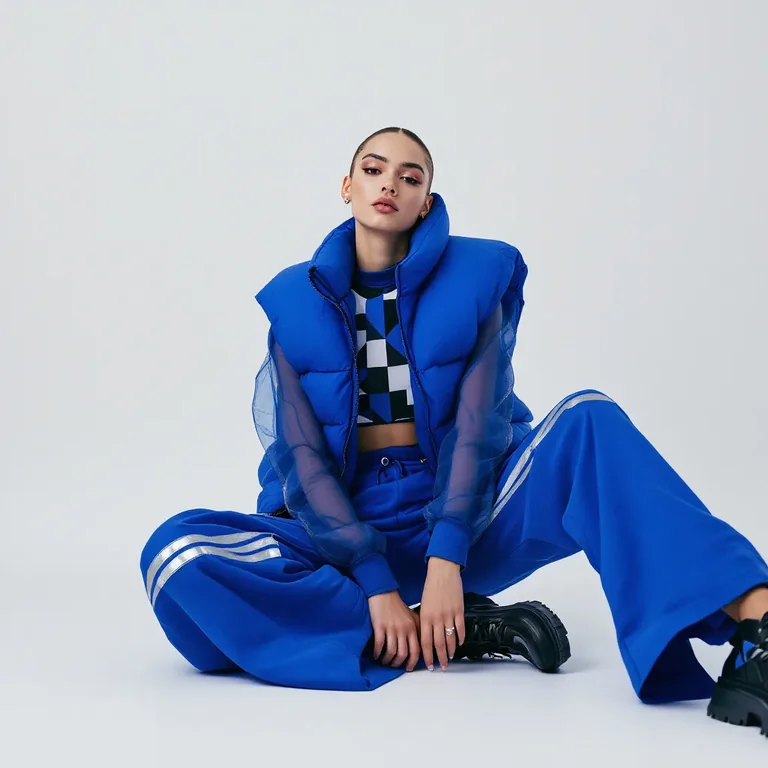
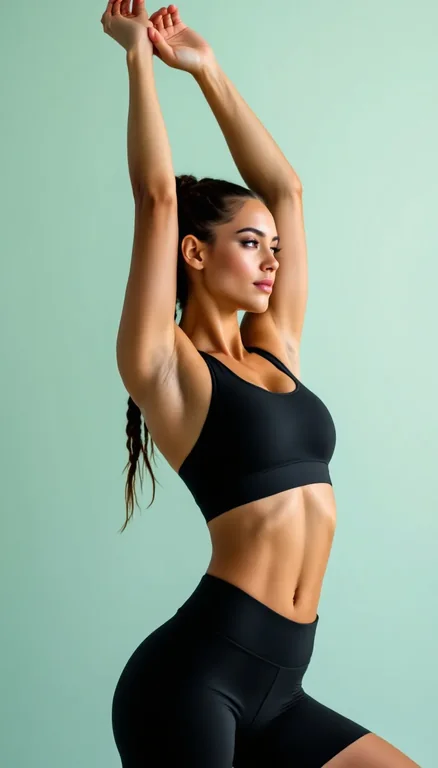
Actual prompts from FLUX 1.1 Pro renders by the Masonry community. Copy any prompt, then remix it into your own creation.
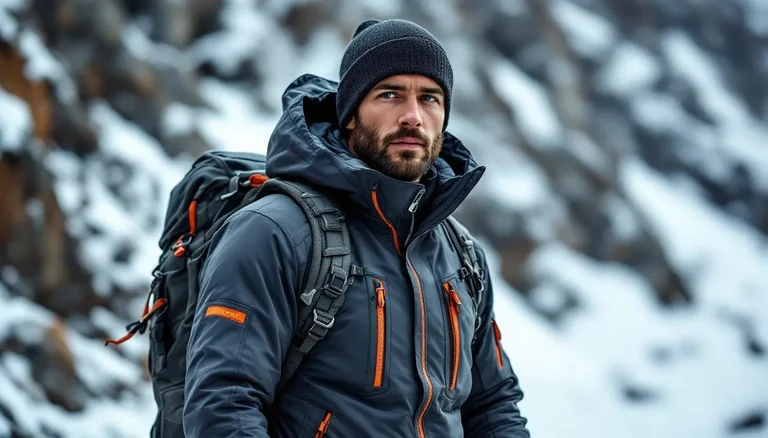
a man outdoors in a cold, mountainous environment, dressed in technical winter gear. He is wearing a dark gray waterproof jacket with taped seams, multiple zippers, and orange accent details, giving it a sleek, high-performance look. A dark knit beanie covers his head, and he has a neatly groomed beard. The jacket includes reinforced sleeves and pockets, and he is carrying a backpack with visible shoulder straps, suggesting he’s prepared for outdoor activity such as hiking or mountaineering. The background features blurred rocky terrain with patches of snow, emphasizing the cold and rugged setting. The lighting is soft and natural, highlighting the texture of his clothing and the moisture on its surface. The overall atmosphere conveys resilience, focus, and adventure in a harsh winter landscape.

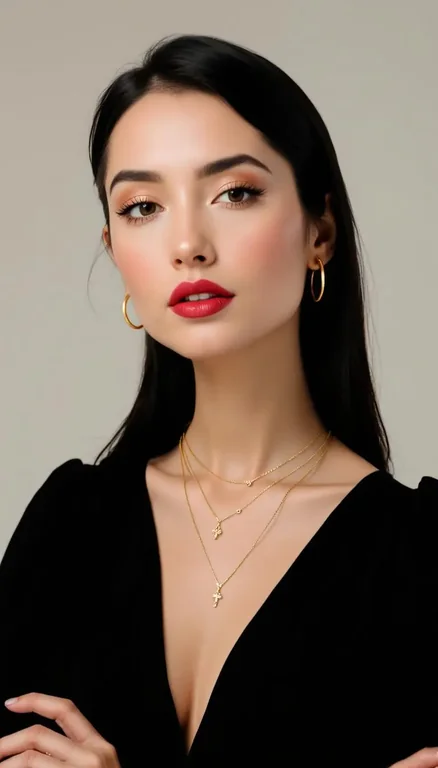
a woman posing against a plain light background, styled in an elegant and minimal fashion. She is wearing a black, deep V-neck top with slightly puffed shoulders, giving her outfit a sophisticated silhouette. Her dark, straight hair is parted in the middle and tucked neatly behind her ears, complementing her polished appearance. The main focus is on her accessories with layered gold necklaces featuring small pendants and hoops earrings that match in tone. Her makeup is natural and refined, emphasising a smooth complexion, neutral lips, and well-groomed brows. The lighting is soft and even, highlighting her features with a gentle glow. The overall mood is poised, confident, and modern — fitting for a beauty, fashion, or jewellery editorial portrait.

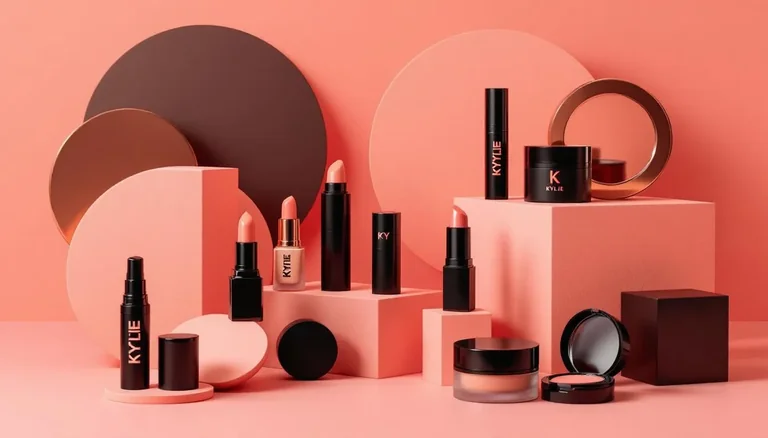
a visually striking arrangement of luxury makeup products with brand name Kylie Cosmetics displayed against a warm, monochromatic background in shades of peach, coral, and rose gold. The setup includes lipsticks, foundation or serum bottles, a compact blush, and cream containers — all housed in sleek black and metallic coral packaging. The products are artfully placed among geometric blocks and curved shapes in matching tones, creating a modern, sculptural composition. Soft, diffused lighting enhances the smooth textures and rich colors, producing a polished, high-end aesthetic. The overall mood is elegant and contemporary, evoking themes of beauty, sophistication, and design harmony

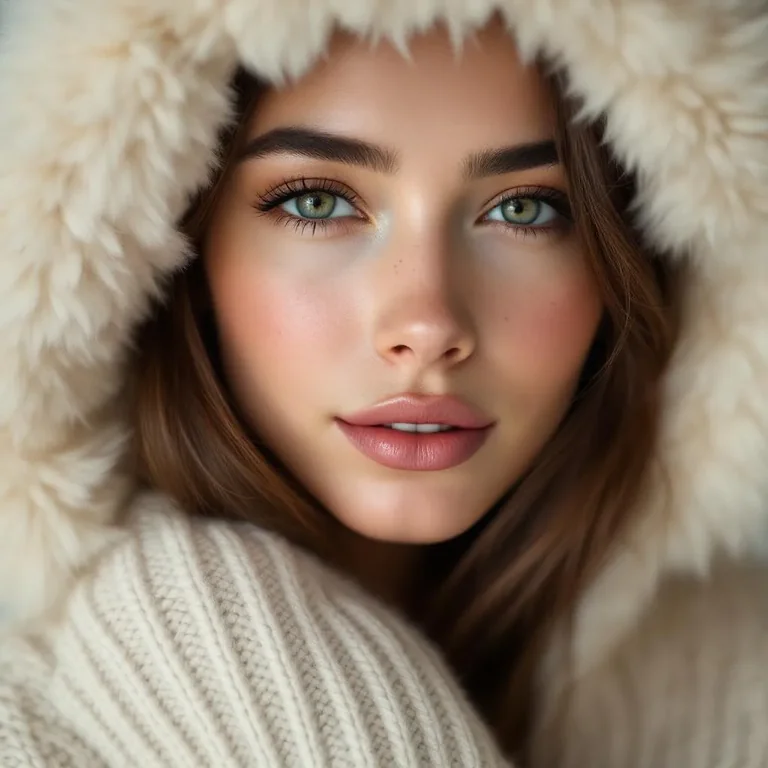
A soft, intimate close-up portrait of a young woman wearing a plush white faux-fur winter hood and a thick cream-colored knit sweater. Her face fills the frame, captured at a slight angle as she gazes gently toward the camera with calm, expressive eyes. Her skin appears natural and luminous, with minimal makeup, subtle freckles, and softly defined lips in a muted rose tone. The lighting is diffused and warm, creating smooth highlights and gentle shadows that enhance skin texture and facial contours. The background is neutral and softly blurred, keeping full focus on the subject. The overall mood is cozy, elegant, and serene, evoking winter warmth, comfort, and understated beauty—ideal for fashion, skincare, or seasonal lifestyle branding.

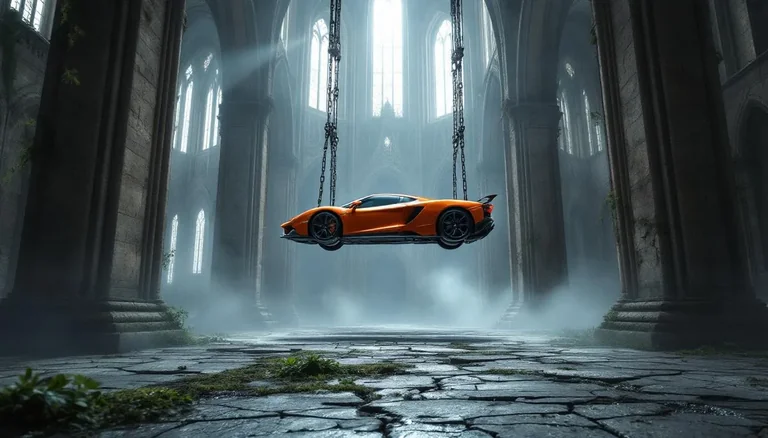
A surreal cinematic scene set inside a vast, abandoned gothic cathedral with towering stone arches, cracked walls, and tall stained-glass windows diffusing cold, misty daylight. Suspended in mid-air at the center of the nave is a bright orange sports car, lifted by heavy chains and a metal hoist frame attached to the vaulted ceiling. The car hangs perfectly horizontal, emphasizing tension and impossibility. Moss, vines, and creeping vegetation reclaim the ancient stone interior, while puddles on the cracked stone floor reflect the cathedral’s architecture and the floating vehicle above. The contrast between the modern, glossy supercar and the decaying medieval environment creates a striking visual juxtaposition. Lighting is soft but dramatic, with volumetric light rays cutting through dust and fog, evoking a mood of mystery, surrealism, and post-apocalyptic elegance. Highly detailed, cinematic realism with a dark, contemplative atmosphere.

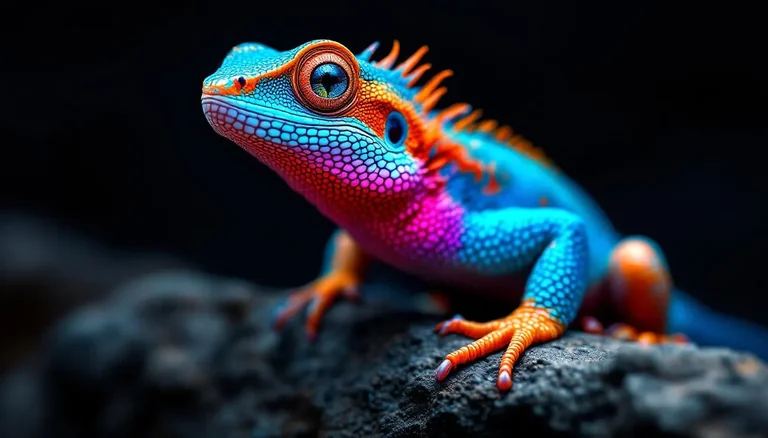
A striking close-up portrait of a vividly colored lizard perched on a textured rock, captured at eye level with shallow depth of field. The reptile features an extraordinary gradient of saturated hues—electric blue scales along the body, fiery orange and red tones on the head and limbs, and subtle purple transitions across the neck and torso. Fine scale textures are sharply detailed, with glossy highlights catching the light. One large, reflective eye is in crisp focus, conveying alertness and curiosity. The background fades into a dark, softly blurred gradient, isolating the subject and enhancing contrast. Lighting is dramatic yet controlled, emphasizing color vibrancy and surface detail. The overall mood is bold, exotic, and visually arresting, ideal for wildlife art, fantasy realism, or high-end digital illustration.

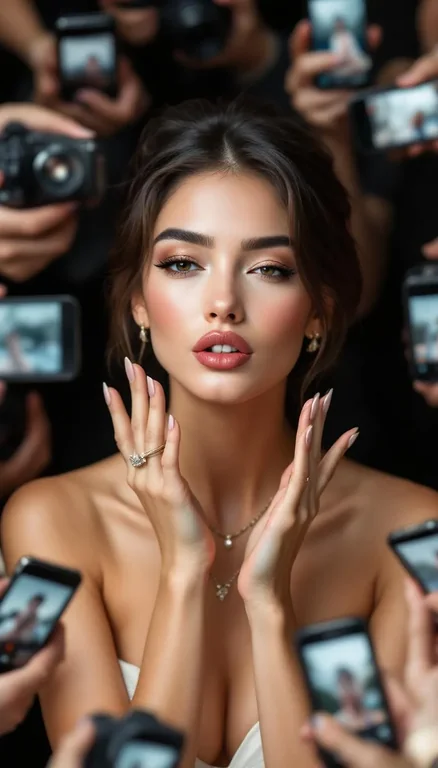
a realistic Vogue magazine cover–style fashion portrait using the uploaded face as the original face reference (100% face identity preservation). A young elegant woman posing confidently, maintaining her original facial features and natural beauty. She is winking with her left eye and making a playful duck-face expression. Both hands are raised, forming a love/heart gesture near her face. She is surrounded by multiple DSLR cameras and smartphones held around her, as if paparazzi and photographers are capturing her from all directions. Some phones show her live image on their screens. Appearance & styling: flawless glowing skin, natural makeup with glossy pink lips, soft blush, subtle highlights. Light brown hair styled in a low, neat updo with a few loose strands. Outfit & accessories: elegant minimalist beige-white strapless evening dress, Louis Vuitton necklace, diamond ring, luxury fashion jewelry. Photography style: close-up to half-body fashion portrait, Vogue editorial aesthetic, cinematic professional studio lighting, soft HDR background, shallow depth of field, realistic skin texture, ultra-detailed, 8K quality. Camera & lens look: professional DSLR look, 85mm lens feel, f/1.8 aperture, crisp focus with smooth background bokeh. Composition: Vogue magazine layout with large bold logo at the top, editorial fashion cover framing, clean and elegant design. Mood & vibe: playful yet luxurious, high-fashion beauty editorial, realistic, not AI-looking, photographed by a professional fashion photographer.

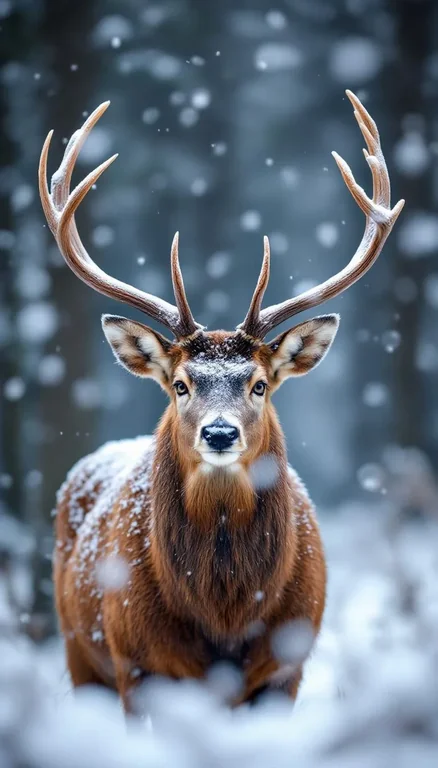
A close-up wildlife portrait of a majestic stag standing still in a snowy forest during active snowfall. The deer faces the camera directly, with large symmetrical antlers coated in fresh snow, creating a striking and powerful composition. Its fur is a rich warm brown, lightly dusted with snowflakes, contrasting against the soft white foreground and cool gray-blue background. The background features blurred winter trees with shallow depth of field, producing a dreamy, atmospheric bokeh effect. Lighting is soft and diffused, typical of overcast winter conditions, emphasizing fine details in the fur, antlers, and snow texture. The mood is calm, serene, and slightly dramatic, evoking wilderness, nature, and seasonal beauty. Shot at eye level with a centered composition, high realism, no text, ideal for commercial wildlife, winter, or holiday-themed stock imagery.

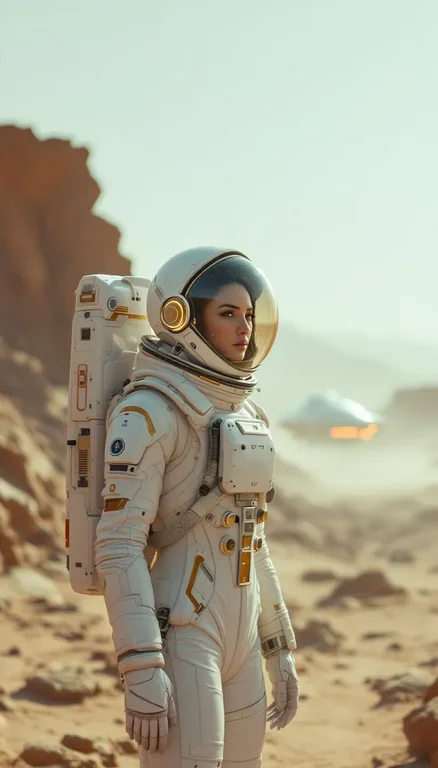



Why teams choose FLUX 1.1 Pro
Choose FLUX 1.1 Pro for text-to-image work in an existing workflow that depends on it. For edits, reference images, or larger output, use FLUX 3 Image, which takes up to 10 reference images and renders natively at up to 4K.
What FLUX 1.1 Pro can do
The capabilities that set FLUX 1.1 Pro apart and earn its place in a brief
Close Prompt Following
Describe the subject, setting, and lighting, and it tends to render them as written.
Ten Preset Sizes
Choose from square, 4:5, 3:2, 16:9, 9:16, and an ultra-wide 1344 by 576 frame, up to 1344 pixels on the long edge.
Repeatable with a Seed
Set a seed to get the same image again, then change one detail at a time.
Prompt Enhancement
Turn on prompt enhancement when you want more varied, creative takes on a short prompt.
Adjustable Safety Tolerance
Set the safety tolerance from 1, the most strict, to 6, the most permissive.
PNG, JPG, or WebP
Export in the format your site, ad platform, or design tool expects.
Where teams reach for FLUX 1.1 Pro
- Product and lifestyle images from a written brief
- Social posts and ad visuals at standard ratios
- Wide banners using the 1344 by 576 frame
- Existing workflows built on FLUX 1.1 Pro
Explore related categories
Browse adjacent categories and creative directions teams are exploring
Frequently asked questions
What teams need to know about creating with FLUX 1.1 Pro in Masonry
What is FLUX 1.1 Pro?
FLUX 1.1 Pro is Black Forest Labs' 2024 text-to-image model, released before the FLUX.2 family.
Can FLUX 1.1 Pro edit images or use references in Masonry?
No. In Masonry it is text-to-image only. For edits and reference images, use FLUX 3 Image or FLUX Kontext Max.
What sizes does FLUX 1.1 Pro support in Masonry?
10 presets up to 1344 pixels on the long edge, including 1024 by 1024 square, 1024 by 576 landscape, 576 by 1024 portrait, and a 1344 by 576 ultra-wide frame.
Should I use FLUX 1.1 Pro or FLUX 3 Image?
For new work, start with FLUX 3 Image: it adds edits with up to 10 reference images and native 2K and 4K output. Keep FLUX 1.1 Pro for workflows already built on it.
Can I run FLUX 1.1 Pro from the command line?
Yes. Install the Masonry CLI with npm install -g @masonryai/cli, sign in with masonry login, then run masonry image with your prompt and --model flux-1.1-pro.
How does my team use FLUX 1.1 Pro in Masonry?
Open a Masonry canvas, pick FLUX 1.1 Pro from the model selector, and describe the image you need: a product shot, an ad creative, a social post. Masonry generates it, then you refine, edit, and combine FLUX 1.1 Pro with other models in one workspace.
Is FLUX 1.1 Pro free to try?
New Masonry accounts get 50 free credits to try GPT Image 2.5 Flare. FLUX 1.1 Pro is included in every paid plan, and the editor shows the exact credit cost before you generate.
How do I write good prompts for FLUX 1.1 Pro?
Lead with the subject, then the setting, light, and camera. Keep it to one scene per prompt, and set a seed once you like a result so you can change one thing at a time. See the prompt gallery on this page for real FLUX 1.1 Pro prompts you can copy and adapt.
Who makes FLUX 1.1 Pro?
FLUX 1.1 Pro is built by Black Forest Labs. Inside Masonry it runs alongside 50+ image and video models, so your team can pick the right one for each brief without switching tools.
Can I see examples made with FLUX 1.1 Pro?
Yes, the prompt gallery on this page shows real images teams have generated with FLUX 1.1 Pro in Masonry, each paired with the exact prompt you can copy and adapt for your own brand.
Start creating with FLUX 1.1 Pro
Generate, edit, and compare across 50+ models in one workspace.
Guides for FLUX 1.1 Pro
Prompt walkthroughs and examples from the Masonry blog
Explore more AI models
Compare FLUX 1.1 Pro with other models teams run in Masonry