The useful AI size-chart workflow is approved garment and measurement method → versioned size-set record → textless visual system → deterministic chart and measurement instructions → product/variant/cart audit → completed-order and return-window economics. AI can make the guide clearer. It should never estimate a chest, sleeve, body, or fit range from a product photo.
We ran that workflow on one fictional product: the NORTHLINE FIELD OVERSHIRT in sage, with five fictional variants from XS through XL. The record contains finished-garment measurements in centimetres, display-only inch conversions, one measurement method, and a fictional manufacturing tolerance. It contains no body measurements, real customer data, personalized recommendation, or promise that a shopper will keep the order.
Evidence boundary: NORTHLINE, the overshirt, every variant, measurement, method, tolerance, market, product page, cart state, and performance outcome are fictional controlled records. The built-in garment-source and style-board generations, live Masonry background job, deterministic charts, conversion checks, and browser review are real. No physical garment, wearer, supplier file, live Shopify store, order, return reduction, accessibility certification, or legal-compliance result is represented.
Why this is a distinct merchant job
Shopify distinguishes body measurements from garment measurements: the former describe the intended wearer, while the latter describe the finished item and include the designer's ease. Its current sizing guide also says charts are only as reliable as the measurements, production tolerances, consistent method, and revisions behind them. Read Shopify's current size-chart guide.
That distinction is not stylistic. ISO 8559-1 defines anthropometric body-measurement concepts for apparel practitioners; it is not permission to estimate a body or product dimension from pixels. A merchant using a formal standard should obtain and follow the applicable standard and market requirements rather than treat this article as a substitute. Review the ISO 8559-1 overview.
Current platform data rules reinforce the need for scope. Shopify documents a Size chart product metafield and category fields such as clothing size, while Google requires a size value for relevant apparel listings and describes separate size-system and size-type attributes. A polished image cannot repair a guide attached to the wrong style or a feed variant carrying the wrong size. Read Shopify's metafield guidance and Google's current size-attribute requirements.
Merchant discussions show the post-click problem. One Shopify operator says they expose a chart in the image gallery, description, and size-guide link because shoppers overlook it. Another apparel discussion reports that even published product measurements can be misused when shoppers compare them with remembered body measurements instead of a similar garment. These are qualitative observations—not market sizing, causal return evidence, or endorsements. Read the Shopify sizing discussion and the ecommerce return discussion.
The supplied three-month Search Console export has no non-brand AI size chart, Shopify apparel size guide, garment measurement image, or equivalent query row. This is an evidence-led expansion from Masonry's existing exact-garment and product-infographic cluster, not a rewrite of a page already earning that demand.
Step 1: reject the job if measurement authority is missing
Ask for the current technical pack, approved size-set or production sample record, measurement-point definitions, units, tolerances, style and variant mapping, market, and approval owner. A supplier spreadsheet is an input, not automatic authority: confirm the cut, revision, and sample stage it describes.
Reject or pause the size-guide creative when:
- a photo is the only source for a measurement;
- the chart mixes body and garment values without explicit separation;
chest,length,rise, or another field lacks a measurement path;- one row uses flat width while another silently uses circumference;
- metric and imperial values were typed independently;
- a generic supplier chart is being reused across different cuts;
- a size label has no market, system, type, style, and variant scope;
- a personalized fit conclusion would require body data or validated recommendation logic that is not present.
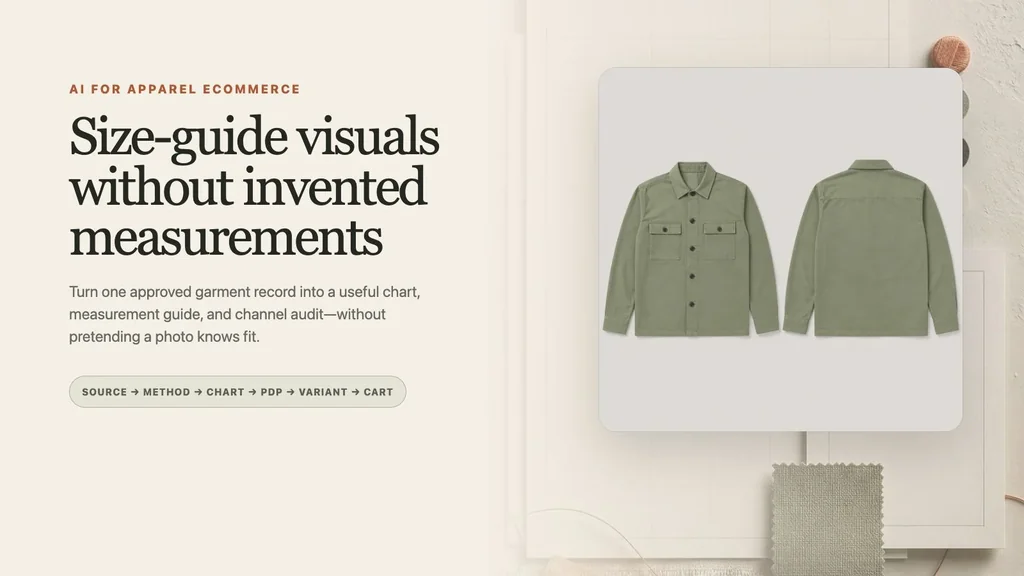
The generated source sheet authorizes visible product identity only:
Step 2: version one product-specific size record
Download the complete fictional apparel size record. It maps every display label to an exact variant SKU, preserves centimetres as authority, and states the conversion and measurement semantics instead of hiding them in a caption.
| Finished garment, laid flat (cm) | XS | S | M | L | XL |
|---|---|---|---|---|---|
| Chest width | 51.0 | 54.0 | 57.0 | 60.0 | 63.0 |
| Body length | 68.0 | 70.0 | 72.0 | 74.0 | 76.0 |
| Sleeve, center back | 80.5 | 82.0 | 83.5 | 85.0 | 86.5 |
| Shoulder width | 44.0 | 46.0 | 48.0 | 50.0 | 52.0 |
These are fictional finished-garment values under method NLG-M-1.2, with a fictional ±1.0 cm manufacturing tolerance. The flat chest width is not a body-chest circumference. Inches in the downloadable record equal centimetres divided by 2.54, rounded to one decimal place for display; centimetres govern if rounding produces a difference.
Do not use an LLM to “fill the pattern” when one size is missing. A mathematically smooth grade can still contradict the approved pattern, construction, or sample. Mark the value unavailable and block the row or guide until the product authority approves it.
Step 3: make the measurement method visible
The chart needs a usable definition beside the numbers. For this fictional overshirt, the garment is fully buttoned, laid flat without stretching, and measured consistently:
- Chest width: edge to edge,
2.5 cmbelow the armhole; flat width, not circumference. - Body length: high-point shoulder beside the collar to the bottom hem.
- Sleeve, center back: center-back neck, across the shoulder, then down to the cuff edge.
- Shoulder width: shoulder seam to shoulder seam across the back yoke.
For a body-measurement chart, use a separately approved anthropometric method and label it Body measurements. Do not relabel garment ease as a recommended body range, and do not treat an on-model image as a sizing test.
Step 4: generate only the textless visual plate
The style board supplies material and hierarchy—not product or sizing authority:
We used that board as the sole reference for one live Masonry background job:
masonry image "Create one textless portrait 4:5 editorial background plate for a premium apparel size-guide integrity workflow. Use the supplied style board only as visual direction. Preserve a large blank measurement-table panel, one smaller blank how-to-measure diagram card, muted sage fabric texture, charcoal rules, terracotta thread accents, warm ivory paper and plaster, and soft directional studio light. Keep all data and garment zones empty. No garment, shirt, person, body, mannequin, measuring tape, ruler, words, letters, numbers, labels, measurement values, size labels, chart text, arrows, logo, UI, CTA, claim, or watermark." \ --model gemini-3.1-flash-image-preview \ --aspect 4:5 \ --seed 2608163 \ --ref ./apparel-size-guide-style-board.webp
Job 5ab8e020-3e0a-413a-95aa-b6264ab950f8 succeeded and returned a 928 × 1152 textless plate.
Step 5: add every chart value deterministically
The controlled creative is rendered from the TSV record. The image model never types or converts a measurement.
Keep equivalent selectable HTML near the image. Use real column and row headers, expose the measurement type and unit in text, maintain zoom and contrast, and provide a narrow-screen pattern that preserves both row and size identity. An image can support the product gallery; it should not become the only accessible source of sizing data.
Step 6: audit record → creative → PDP → selected variant → cart
Download the ten-surface size-guide audit. The statuses are fictional expected states rather than live-store results.
Shopify's current metafield guidance shows how a size-chart reference can live on a product. That mapping needs its own release check: the FIELD OVERSHIRT chart must not silently appear on another cut because both products happen to use S, M, and L. Verify the current product, color/style context, selected variant SKU, availability, and cart state.
The AI clothing product-photography fidelity test covers garment artwork and construction preservation in on-model outputs. The Shopify variant-image workflow handles selected-variant identity. The product-listing infographic workflow provides the general source-first pattern for dimensions and other product facts. This guide adds the apparel-specific body-versus-garment boundary, measurement path, grade record, and fit-claim gate.
Step 7: measure useful decisions and retained contribution
Use completed-order contribution after the relevant return window among eligible size-guide exposure as the commercial outcome. Chart views, unit toggles, measurement-guide opens, size selections, add-to-cart, and checkout are diagnostics. Support contacts, size changes, exchanges, returns, detailed fit reasons, refunds, margin, and repeat purchase protect decision quality.
eligible apparel PDP → size guide available and exposed → measurement method inspected → exact size variant selected → correct SKU added to cart → completed order → exchange and return window matured → contribution after returns, support, shipping, and service cost
Version the garment record, method, chart, units, conversion rule, product mapping, size run, audience, market, creative, selected variant, experiment assignment, and measurement window. Do not collect or print customer body data unless the business has a justified, consented, secure, and policy-compliant reason to do so. A chart click is not revenue, and a lower aggregate return rate after launch is not proof that the chart caused the change.
The durable output is not “an AI size chart.” It is one approved garment, one explicit measurement type, one repeatable method, one versioned size-set record, one deterministic visual, one exact product/variant mapping, and one outcome window long enough to observe whether customers kept the order.