Shopify lets a merchant assign one image to each product variant. Additional images can live in the product media gallery, but a four-image Sage set and four-image Clay set do not automatically become two isolated native galleries on every storefront.
That platform constraint matters before AI enters the workflow. If generated files are not tied to a variant manifest, a beautiful Clay lifestyle scene can become the Sage preview, another color can remain visible in the gallery, or the selected swatch can lead to a visually inconsistent product set.
Evidence boundary: NORTHLINE is a fictional bottle family created with built-in image generation for this controlled demonstration, not a merchant SKU or color reference. The Sage and Clay secondary images below are real Masonry outputs from August 15, 2026. This is one candidate per variant, not a color-accuracy study, model reliability benchmark, storefront experiment, or conversion test.
Quick answer: what Shopify does natively
Shopify's current documentation says:
- a product variant supports one assigned image;
- additional images can be placed together in the product media gallery;
- selecting a variant shows its assigned preview, after which the shopper can scroll the remaining gallery;
- 3D models and videos cannot be assigned as variant media;
- Shopify Plus and Enterprise merchants can use Combined Listings when they need grouped product-option media behavior.
Read the live Shopify variant-image instructions before changing a production catalog. Theme behavior and available listing features still need storefront verification.
This article does not prescribe theme code or an app. It solves the earlier content-production problem: how to create, identify, approve, assign, and verify AI-assisted files without allowing adjacent variants to blur together.
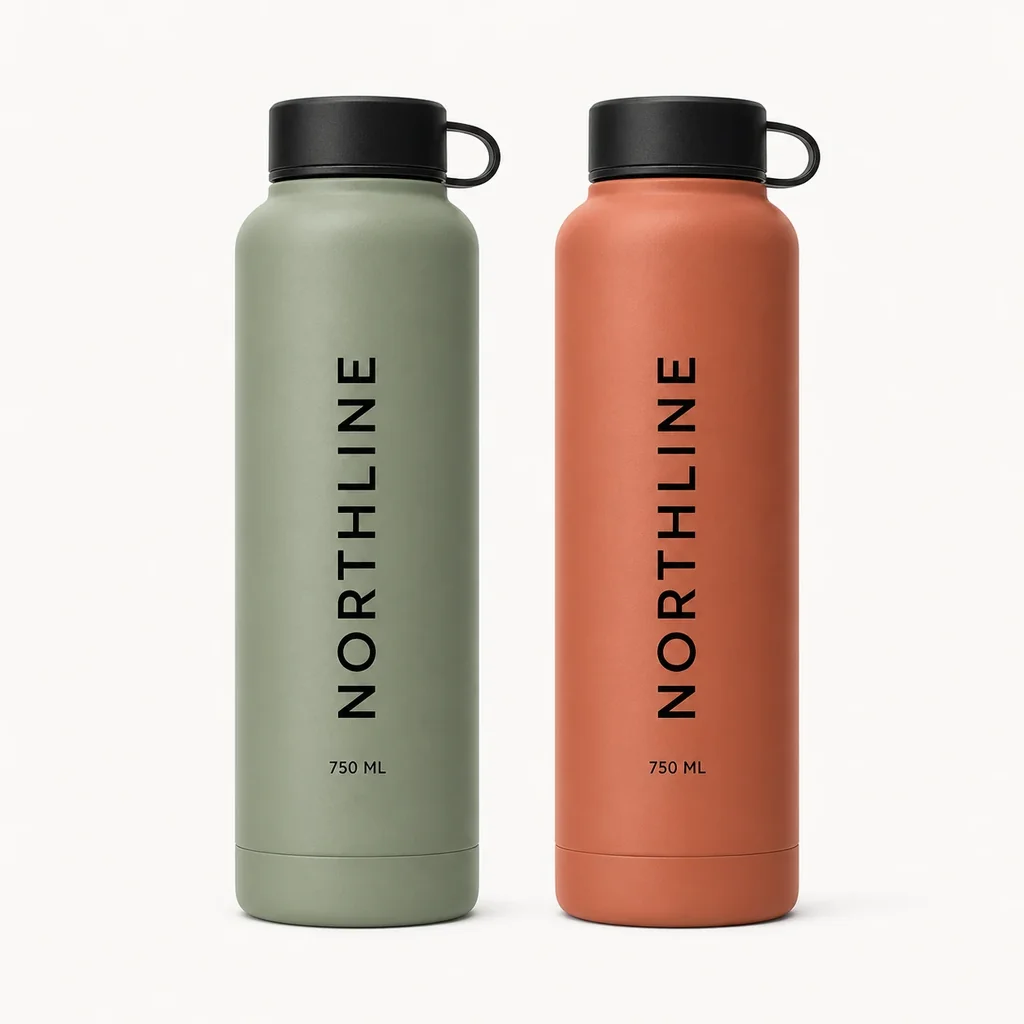
The controlled source: same bottle, two approved colors
The fictional source sheet declares two variants of one product. Only the body color is allowed to differ.
| Field | Sage | Clay |
|---|---|---|
| Product handle | northline-trail-bottle | northline-trail-bottle |
| Variant SKU | NL-TB-750-SAGE | NL-TB-750-CLAY |
| Option value | Sage | Clay |
| Body color source | Approved Sage photography and color record | Approved Clay photography and color record |
| Fixed product attributes | 750 ml cylinder, black cap/loop, base ring, artwork | Same |
| Assigned Shopify preview | Approved Sage packshot | Approved Clay packshot |
| Generated secondary status | Candidate until reviewed | Candidate until reviewed |
A real merchant should keep a separate approved source file for each color. The combined source sheet makes this demonstration easy to inspect; it is not a recommendation to feed every catalog variant into one uncontrolled prompt.
The matched Masonry run
Both secondary candidates used Nano Banana 2 through the live gemini-3.1-flash-image-preview route, the same 2:3 output alias (848 × 1264), seed 202608145, source sheet, invariant list, and scene language. Only the selected variant and required body color changed.
# Sage candidate masonry image "Use only the LEFT sage bottle from the supplied two-variant source sheet. Place that exact sage NORTHLINE 750 ML bottle alone on a pale limestone trailhead bench in soft natural early-morning light with a restrained blurred outdoor background. Preserve its exact sage color, cylindrical proportions, shoulder, base ring, matte-black screw cap and loop, vertical NORTHLINE artwork, 750 ML text, and one-bottle configuration. Do not include or borrow the clay variant. No second bottle, person, hand, water, claims, headline, price, watermark, or extra text." \ --model gemini-3.1-flash-image-preview \ --ref ./northline-approved-variants.webp \ --aspect 2:3 \ --seed 202608145 masonry job wait <sage-job-id> masonry job download <sage-job-id> --output ./northline-sage-trail-v1.png
The Clay command used the same contract, replacing only LEFT sage with RIGHT clay, the required body color, and the prohibited adjacent variant. A first Clay draft used a different seed; it was excluded before comparison because the seed was an avoidable confound.
Sage secondary candidate
Clay secondary candidate
The successful job IDs were 66b8736a-9562-41fc-8711-db6af5cd24bb for Sage and 36865db3-0983-4de3-9ca2-1ad0a811e06c for Clay. The displayed files are the first same-seed candidates, with no hidden aesthetic reroll.
Result: variant identity passes; gallery consistency does not
| Review gate | Sage | Clay | Pair result |
|---|---|---|---|
| Correct requested body color | Pass | Pass | Distinct variants remain distinguishable |
Exact visible NORTHLINE and 750 ML | Pass | Pass | Text family is coherent |
| One bottle; black cap and loop | Pass | Pass | Sold configuration survives |
| Source-locked geometry | Review | Review | Both products are redraws, not preserved pixels |
| Matched product scale | — | — | Fail |
| Matched camera, bench, background, and light | — | — | Fail |
| Ready as assigned factual preview | No | No | Keep the approved packshots assigned |
| Ready as secondary gallery candidates | After review | After review | Recompose or accept deliberately |
The useful finding is not that the model confused Sage and Clay—it did not. The failure is set coherence. A shopper switching colors would see two products with different apparent scale and different photographic worlds. Same seed and prompt structure reduce variables; they do not lock cross-generation composition.
If exact matching matters, generate one empty environment and composite approved product cutouts into the same coordinates. If generation remains in the product layer, use a layout reference plus separate approved color sources, and reject the set when the pair does not work together.
The variant image manifest
Do not put approved and generated files into one anonymous upload folder. Record the product, option, job, source, and disposition in the filename and manifest.
northline-trail-bottle__sage__primary-approved__v1.webp northline-trail-bottle__sage__trail-secondary__candidate-v1.webp northline-trail-bottle__clay__primary-approved__v1.webp northline-trail-bottle__clay__trail-secondary__candidate-v1.webp
| Manifest field | Why it exists |
|---|---|
| Product handle and variant SKU | Prevent files from crossing products or option combinations |
| Exact option values | Keep Sage / 750 ml separate from Clay / 750 ml and every size-color combination |
| Approved source version | Make the physical or color-managed authority recoverable |
| Intended slot | Distinguish assigned preview, gallery detail, lifestyle, campaign, and channel crop |
| Model, prompt, seed, job ID | Reproduce or audit the candidate-generation record |
| Product review | Record geometry, color, finish, artwork, text, quantity, and included-item checks |
| Shopify assignment | Record the media file selected for the exact variant |
| Storefront QA | Record URL, theme, viewport, selected option, gallery result, cart, and checkout result |
The manifest is the handoff between generation and merchandising. A folder can contain correct images and still produce the wrong storefront if the assignment record is missing.
A repeatable Shopify variant-image workflow
1. Define every actual variant combination
List each sellable combination, not only color names. Sage / 500 ml and Sage / 750 ml are different variants if both exist. Store the Shopify variant identifier, SKU, inventory option values, source media, and product facts together.
2. Keep one approved preview per variant
Use the factual packshot as the assigned Shopify image. Do not regenerate it just to make the gallery feel consistent. Shopify's instructions let you select an existing product image or upload a new one for each variant, individually or in bulk.
3. Generate one variant at a time
Feed the approved source for the selected variant—not its neighbor—and write the exact option value into the brief and output name. Declare both the required color and the adjacent color that must not appear.
For a product where color is difficult to judge, include a physical sample, color-managed capture, approved artwork, and numerical color record in review. A generated screen image cannot establish a Pantone, finish, dye lot, or material response.
4. Approve the set, not isolated favorites
Review each file against its source, then place every variant side by side at the storefront crop. Match camera height, apparent scale, horizon, shadow direction, product placement, negative space, and color treatment. Reject a pair that makes one color look larger or more premium unless that difference is intentional and documented.
5. Upload without overwriting the source
Shopify's current media editor supports saving edits as new so the original remains available. Preserve the approved source and upload candidates with explicit filenames. Shopify's product-media instructions describe main media, uploads, non-destructive saving, and media management.
6. Assign and test the rendered store
For every option combination, verify:
- the default product URL and a direct variant URL;
- the selected swatch or option label;
- assigned preview, thumbnails, zoom, and gallery order;
- collection card and quick view if present;
- mobile and desktop behavior;
- the exact variant, image, title, price, inventory state, and quantity in cart;
- checkout summary and any connected catalog/feed preview.
Theme behavior is part of the result. A merchant asking for four images per color may need a compatible theme, supported listing mechanism, metafield workflow, app, or development work; one assigned image does not create that behavior by itself.
If the selected variant is already correct but the same product needs a different card image in Core, Trail, or another collection context, use the collection-specific Shopify product-image workflow. It keeps one product record, maps each collection to a reviewed image and optional variant destination, and preserves the featured image as the fallback.
Measure variant integrity as a commercial guardrail
Do not optimize only for generated-image count. Track:
- accepted secondary images per variant;
- rejected color, geometry, artwork, and set-coherence failures;
- review and correction minutes;
- wrong-variant gallery or assignment incidents;
- variant selection → add-to-cart → checkout progression;
- “not as described,” wrong-color, exchange, and return contacts;
- cost per accepted and correctly assigned variant asset.
Those measures distinguish a production gain from a faster way to publish catalog ambiguity. Small counts remain directional; investigate the actual source, assignment, theme, feed, and fulfillment record before blaming the creative.
After selected-option integrity passes, use the Shopify product-image A/B-test workflow to compare one approved hero treatment against the factual control. It adds stable visitor assignment, render-confirmed exposure, sample-quality checks, accessible and performance-equivalent delivery, and a signed commercial decision without changing the SKU or offer.
Before asking Google to discover those variant assets, use the Shopify product-image SEO audit to reconcile the addressable variant URL, rendered hero, public image response, ProductGroup identity, sitemap evidence, preferred preview, and non-brand landing measurement.
Why merchants keep asking about this
The native boundary appears directly in merchant questions. A June 2026 Shopify discussion asked for four images per color and discovered that the native variant record permits one assigned image. Read the variant-image discussion.
Another merchant reported Gray images appearing under Beige and vice versa even after checking assignments. That thread is qualitative problem evidence, not proof of a universal Shopify bug, but it shows why the rendered theme must be tested after the admin record looks correct. Read the mixed-color gallery discussion.
The solution is not “generate every color.” It is source every color, name every file, approve the pair, assign the preview, and test every merchandising state.
Where this sits in the Masonry content stack
Use the supplier-photo to ecommerce image-set workflow to define the complete asset manifest, the same-SKU fidelity benchmark to select and reject model candidates, and the controlled ad creative matrix after the correct variant assets are ready for acquisition.
When the selected variant enters lifecycle messaging, use the AI abandoned-cart email workflow to keep that exact SKU, image, quantity, price, and recovery checkout aligned without putting customer data into generation.
When a customer requested an unavailable variant, use the AI back-in-stock email workflow to connect the exact variant, tracked inventory transition, notification permission, batch policy, and live storefront before sending.
When the exact variant has not been released and the store will accept an order now for future fulfillment, use the AI preorder launch visual workflow to bind the approved source to payment timing, estimated shipping, allocation, checkout, confirmation, and merchant-feed state.
When the merchandising job is to help a shopper choose among several comparable products, use the AI product-comparison visual workflow to align exact sources, shared fact definitions, decision thresholds, product links, selected variants, and cart state.
When apparel shoppers need product-specific sizing information, use the AI apparel size-guide workflow to bind approved garment measurements, method, units, tolerance, market, style, and size labels to the exact variant and cart state without inferring fit from an image.
If a Shopify listing combines several component products, continue to the AI product-bundle image workflow for exact item-count, variant-mapping, included-item, and packaging checks.
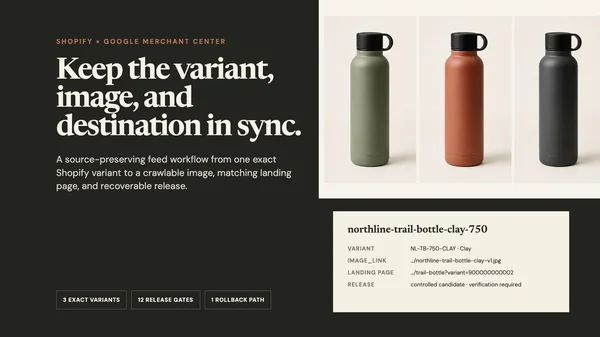
Build one source-first candidate in Masonry's AI product photography studio, or run the variant manifest through the Masonry CLI. When the exact variant is syndicated to Google, continue to the Shopify-to-Merchant-Center image-feed workflow for item IDs, image roles, crawlability, AI metadata, landing-page preselection, processing, and rollback. For broader marketplace rules, use the AI product-photo rules hub.
If variant assignment is not the current bottleneck, use the 22-workflow ecommerce AI map to choose the next catalog, product-page, acquisition, customer-evidence, lifecycle, or wholesale job by its authority record and commercial finish line.
Bottom line
Shopify's one assigned image per variant is a data constraint, not a creative brief. Preserve factual previews, generate secondary candidates from each exact variant source, review the whole set for color and composition, and verify the storefront state. The AI job is not finished when two images look attractive. It is finished when the right customer selection shows the right product everywhere it matters.