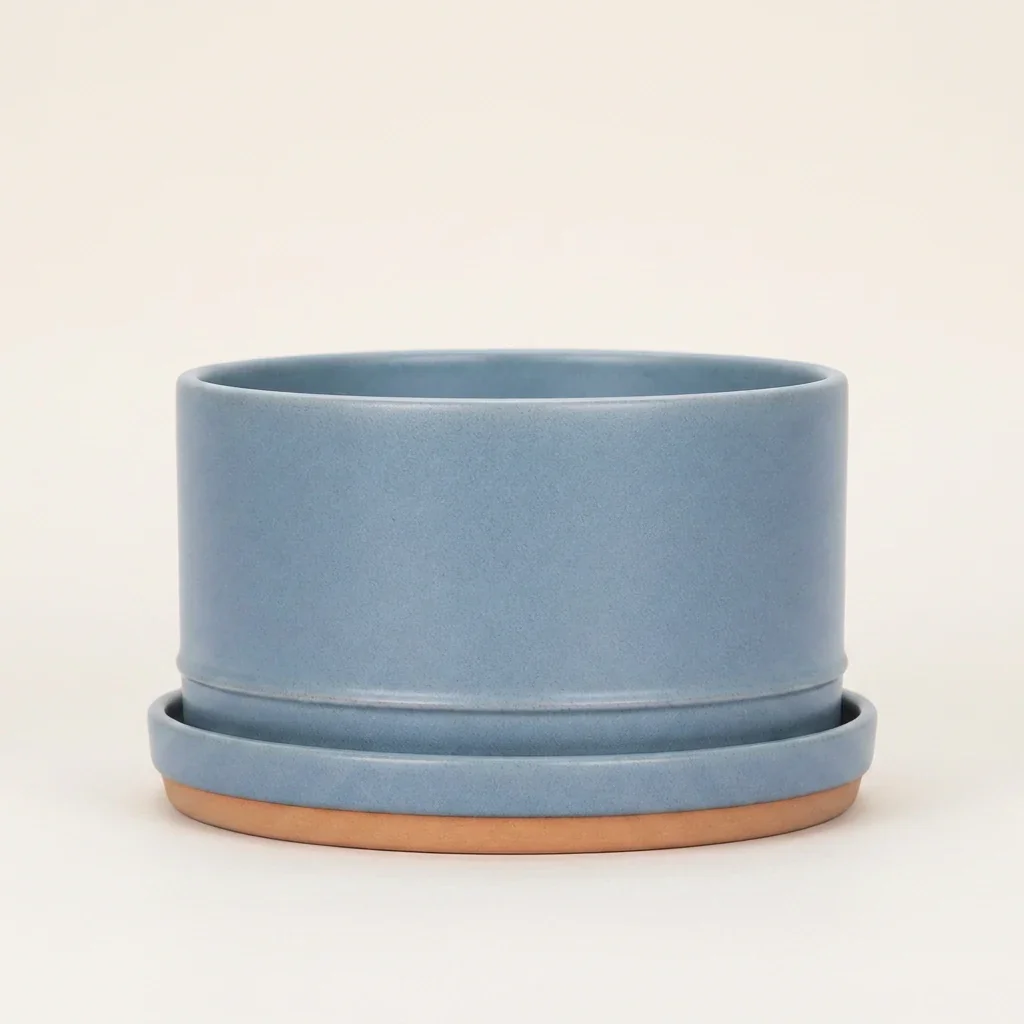
We replaced the same flat magenta background three times: once with a short instruction, once with an explicit contact-shadow instruction, and once with a longer shared-light contract. The longest prompt did not produce a dramatic visual win. All three outputs looked grounded at storefront size.
That is the useful result. “Add a contact shadow” is not a magic phrase, and the longest prompt is not automatically the best prompt. Start with the shortest bounded edit that protects product truth. Inspect the product-floor boundary at full resolution. Escalate to explicit light, contact, and cast-shadow constraints only when the candidate fails.
Evidence boundary: the planter is a fictional generated object created for an earlier controlled article. We ran one output per prompt through the live Nano Banana 2 route in Masonry on August 15, 2026, using the same source, seed, output size, and studio target. We did not reroll the results. This three-output test does not establish a repeatable win rate, physical-product accuracy, conversion lift, or a universal model ranking.
Why this is a real merchant problem
Background replacement is attractive because it promises more listing and campaign images without another shoot. The failure is visible at the product boundary: the model changes the SKU, leaves a cutout halo, or places a shadow that does not agree with the scene.
A current Shopify merchant described an in-admin background tool that began replacing the product along with the background; another commenter reported distorted products and unrealistic edges. A separate Shopify discussion explains the underlying compositing problem plainly: remove shadows and reflections without rebuilding their scene relationship, and the product can look like it is floating or pasted in. These are qualitative reports, not prevalence estimates. Read the background-replacement discussion and the image-consistency discussion.
Shopify's own product-photography guidance treats light and shadow as controlled parts of the image: the product's distance from a window changes shadow softness, while reflector cards can lift or deepen the shadow side. That supports the workflow principle here—product, light, surface, and shadow must be judged as one scene. Read Shopify's current product-photography guidance.
This is distinct from asking whether AI product photos hurt sales. That page covers trust and downstream measurement. This test isolates the production handoff that comes first: can a background edit make the approved product belong to the new surface without silently changing it?
Source and acceptance contract
We held the model route, source file, square canvas, seed 3817, product, and warm off-white studio target constant. Before generation, we defined six review gates:
- Product identity: one blue planter and saucer; no change to silhouette, proportions, rim, opening, glaze, seam, base, or unit count.
- Clean boundary: no magenta fringe, bright halo, jagged mask, or missing edge.
- Physical contact: the darkest shadow begins at the terracotta base; no bright floating gap.
- Light agreement: product highlights and the cast shadow imply the same source direction and softness.
- Surface agreement: the base, floor plane, crop, and perspective do not make the product sink or hover.
- Storefront usability: the candidate remains legible at thumbnail size and contains no props, text, logo, or extra object.
The source cannot prove physical-SKU accuracy because the object itself is generated. For a real listing, the approved photograph, sample, packaging proof, and variant record must remain the product authority.
Exact run contract
All three runs used gemini-3.1-flash-image-preview (Nano Banana 2), one reference image, 1024x1024, and seed 3817.
masonry image "<one prompt below>" \ --model gemini-3.1-flash-image-preview \ --ref ./source-product.png \ --aspect 1:1 \ --seed 3817 masonry job wait <job-id> masonry job download <job-id> --output ./candidate.png
The successful job IDs were 0414f970-7301-446a-bddc-c4891dac2081, 4ba13d78-4b92-418d-aaa8-db33c2491384, and f0cbe686-ead4-450d-a012-1bb3be5df6ed.
Prompt A: background only
Replace the magenta background with a warm off-white ecommerce studio and keep the blue planter.
This output passes the fast visual grounding check. The base touches the floor, there is no obvious magenta fringe, and the shadow is soft. The important failure is contractual: “keep the blue planter” does not define which features must stay fixed. A good-looking result from one fictional source does not make that instruction safe for a real SKU.
Disposition: visually usable as a concept; reject the prompt as a repeatable product-preservation contract.
Prompt B: explicit contact shadow
Change only the magenta background to a warm off-white seamless studio surface. Keep the supplied blue ceramic planter and saucer unchanged in shape, proportions, color, glaze, rim, foot, unit count, camera view, scale, and crop. Add one soft natural contact shadow directly under the saucer, consistent with soft camera-left light. Add no plant, prop, text, logo, or extra object.
Prompt B is the better operating brief because it names the immutable product features and the expected light. Visually, however, it is not a decisive improvement over A. The model had already inferred a similar floor contact. The lesson is to use the constraint for control and review—not to claim that mentioning “contact shadow” guarantees quality.
Disposition: keep as the economical default brief when the source already has simple studio lighting.
Prompt C: shared light and floor physics
Treat the supplied blue ceramic planter and saucer as immutable product evidence and change only the magenta field into a warm off-white seamless ecommerce studio. Preserve the exact silhouette, dimensions, rim ellipse, inner opening, wall thickness, glaze texture, seam, saucer geometry, terracotta base, unit count, straight-on camera, product scale, and crop. Light the scene with one large soft source from camera-left at 45 degrees. Make the product belong to the surface: the darkest contact sits immediately beneath the saucer, then opens into a soft short cast shadow toward camera-right; match edge softness to the large light; add subtle warm floor bounce on the lower ceramic; keep the background and product light direction coherent. No floating gap, halo, cutout edge, hard oval drop shadow, reflection, plant, prop, text, logo, watermark, or extra object.
Prompt C supplies the clearest audit trail. A reviewer can test the requested light direction, contact position, falloff, and forbidden failure modes. That makes it valuable when the first candidate floats, when a glossy surface needs stricter optical logic, or when several SKUs must share a scene contract. It is unnecessary prompt weight when the shorter controlled edit already passes.
Disposition: keep as the escalation brief, not the automatic first prompt.
Scorecard: what actually changed
| Acceptance check | A: background only | B: contact shadow | C: shared light |
|---|---|---|---|
| Reads as grounded at storefront size | Pass | Pass | Pass |
| Darkest contact attaches to the base | Pass | Pass | Pass |
| No obvious halo or magenta fringe | Pass | Pass | Pass |
| Shadow direction is explicitly testable | Review | Review | Pass |
| Product-preservation contract is bounded | Fail | Pass | Pass |
| Physical-SKU accuracy is proven | Not tested | Not tested | Not tested |
| Best use | Exploration | Default edit | Failure recovery |
Pairwise pixel RMSE between the compressed outputs was only 0.0135 for A versus B and 0.0122 for B versus C on a normalized 0–1 scale. That is not a perceptual-quality score, and compression contributes to it; it simply confirms that the three files are different while the overall compositions remain close.
Download the AI product-photo grounding review sheet to record the source, prompt contract, product checks, boundary checks, shadow checks, decision, and rejection reason for a real SKU.
A faster production workflow
- Lock the source. Record SKU, variant, source filename, crop, camera view, and approved product attributes before changing the scene.
- Run one bounded candidate. Start with Prompt B: change only the background, name the features that cannot move, declare one light, and request one attached contact shadow.
- Inspect at full resolution. Trace the whole silhouette. Check small gaps, transparent edges, handles, laces, hair-like fibers, labels, and the exact point where the base meets the floor.
- Inspect at storefront size. A technically detailed shadow can still look like a generic oval or disappear in a collection card. Review the actual crop and device size.
- Escalate only the failure. If the product floats, use Prompt C. If the edge is wrong, regenerate from a cleaner mask. If the SKU changes, stop asking the model to redraw it.
- Composite when truth matters more than convenience. Generate the empty environment, place approved product pixels into it, then build the contact and cast shadow deliberately. The same-SKU fidelity benchmark shows why an attractive edit still needs product review.
- Measure accepted output. Track candidates, accepted assets, rejection reasons, reviewer minutes, retouching time, and cost per approved listing image—not raw generations.
The wider AI product-photography tools guide helps choose a workflow by failure mode. For multiple products, the bulk product-photography workflow shows how to keep the source, scene contract, filenames, and review gates consistent without assuming every generated file is usable.
Bottom line
All three Masonry outputs looked grounded. The vague prompt succeeded visually, so this test does not support the usual advice that adding “contact shadow” automatically fixes pasted-on product photos. Prompt B is still the better default because it protects the product and makes the light reviewable. Prompt C earns its extra length only when the scene fails or several assets need the same physical contract.
For a real merchant workflow, separate two decisions: does the product belong to the scene, and is it still the exact product? A convincing shadow can solve the first and hide a failure in the second. Run the bounded grounding brief in Masonry's AI product photography workflow, and keep the source, prompt, model route, seed, job ID, output, reviewer, and disposition auditable with the Masonry CLI.