If you sell on Amazon and you have been putting off reading the AI image policy, here is the short version: Amazon documents a disclosure mechanism for a specific kind of synthetic-person image, while its ordinary product-image requirements apply across listings.
Separately, Amazon's ordinary main-image requirements can lead to a listing being suppressed, whether or not AI was involved in making the image.
This guide covers the rules first, then the four image jobs that follow from them: the main image, the six-image gallery, A+ Content modules, and testing images with Amazon's own experiments. The last section is what to do when a main image has already been suppressed.
Policy was checked against Amazon's Product image guide in Seller Central and Amazon's public seller announcement about tagging AI-generated people on 3 August 2026. The guide states it applies to selling in the United States. Marketplace rules change, so confirm the current version before making a decision that matters.
Quick answer: what Amazon actually requires
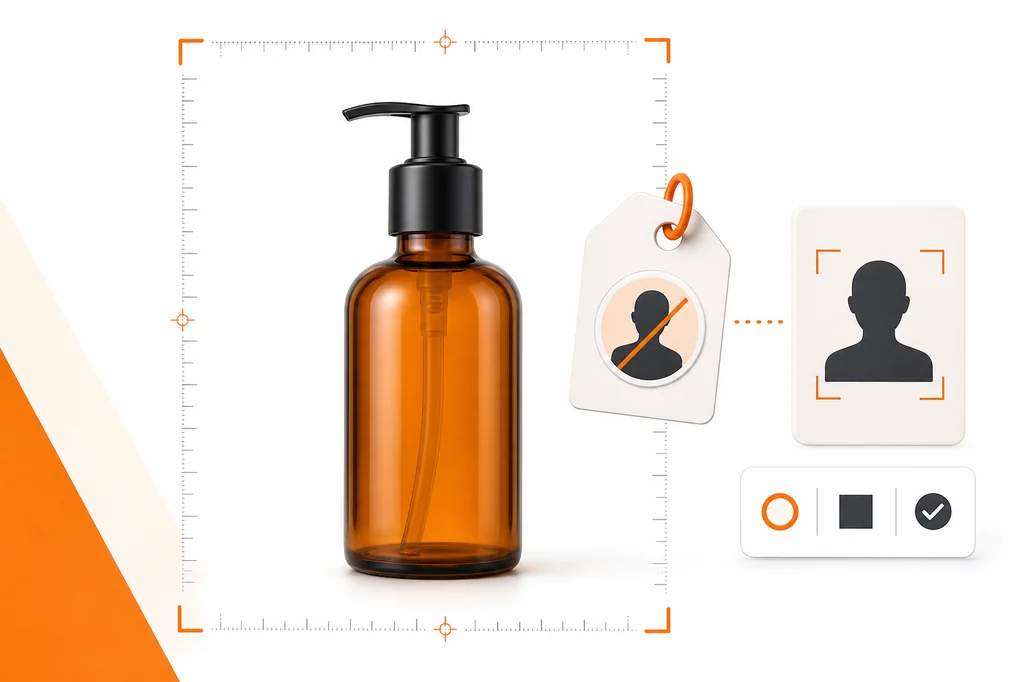
- Amazon's AI-specific rule covers photorealistic AI-generated people, not products. The guide says "if your image includes photorealistic AI-generated people, you must tag that image with the appropriate metadata before uploading it to Amazon." There is no equivalent AI disclosure tag for a generated image of a product, but ordinary accuracy and main-image requirements still apply.
- The disclosure is a metadata keyword, not a checkbox. Amazon says to "use an IPTC-compatible metadata editor to add the keyword
contains-synthetic-performerto the dc:subject (XMP) field of your image file." Most guides describe a tickbox. That is not what the guide says. - Amazon explicitly lists when NOT to tag: images that only feature real people "even if they have been altered with AI-powered tools", images featuring characters from movies or video games, images that "do not feature any people", and images where "the people in your image aren't photorealistic."
- Images without people are excluded from this specific tag. Amazon's guide says not to add the metadata when an image does not feature any people. That does not exempt the image from Amazon's other product-image and accuracy requirements.
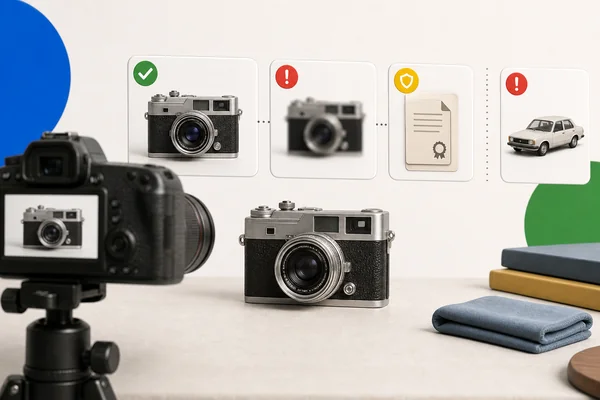
- The ordinary main-image spec carries a suppression consequence. Amazon states that "if there is no main image that meets the requirements, we may suppress the product listing from search until a compliant main image is provided." Pure white background, product at about 85% of the image, no text or logos.
If you only remember one thing: check the synthetic-person disclosure rule and the ordinary product-image requirements separately. Passing one does not establish compliance with the other.
The AI rule, quoted in full
Amazon's guide introduces it like this:
"Some jurisdictions may require disclosure when product images contain photorealistic AI-generated people. If your image includes photorealistic AI-generated people, you must tag that image with the appropriate metadata before uploading it to Amazon."
Note the framing. This is Amazon responding to disclosure law about synthetic people, not Amazon taking a position on whether AI belongs in product photography.
The mechanism is IPTC metadata
This is the part most coverage gets wrong. Amazon's instruction:
"Use an IPTC-compatible metadata editor to add the keyword
contains-synthetic-performerto the dc:subject (XMP) field of your image file. If you include this metadata, Amazon will add a disclosure to inform audiences that the image includes AI-generated people, where applicable."
So compliance is an operation on the image file itself, using an XMP metadata field, before upload. If you are running a catalog at any scale, that is a step in your export pipeline rather than something you click. Any IPTC-capable tool can write the field, and it needs to survive whatever processing sits between your generator and your upload, which is worth testing once rather than assuming. Amazon's announcement applies the same tag to A+ media, not only gallery images.
When to tag, and the longer list of when not to
Amazon says to provide the tag "if your image features people who were entirely generated by AI (not based on a real person)."
Then it gives four situations where you should not:
- "Your image only features real people (even if they have been altered with AI-powered tools)"
- "Your image only features characters from movies, video games, or other expressive works"
- "Your image does not feature any people"
- "The people in your image aren't photorealistic"
The first and third exclusions matter for common ecommerce workflows. Under the version of the guide checked for this article, an AI-retouched photograph containing only real people does not get this metadata, and neither does an image without people. Both remain subject to the rest of Amazon's image and selling requirements.
Main image: the rule that can suppress a listing
Here is the thing worth internalising. Amazon's guide contains a set of restrictions that are far more likely to bite:
"Images that fail to meet technical requirements cannot be uploaded to our system." "Images that fail to meet product image requirements or violate our Selling policies and seller code of conduct may be removed." "If there is no main image that meets the requirements, we may suppress the product listing from search until a compliant main image is provided."
A suppressed listing is removed from search until a compliant main image is provided. The consequence follows the ordinary image requirements regardless of whether the image was photographed, rendered, or AI-assisted.
The main image requirements
From the guide, the main image must:
- "Accurately represent the product as a realistic, professional-quality image", reflecting "the real scale, quantity, and color of the product"
- "Have a pure white background (RGB color values: 255, 255, 255)"
- "Show the product as 85% of the image"
- Carry "no text, logos, borders, color blocks, watermarks, or other graphics covering the product or in the background"
- "Show the entire product within the frame of the image, not cutting off any part"
- Not "show accessories or any props that aren't included with the product"
- "Only show the product once in the image, for example, front only, and not both the front and the back in the same image"
Amazon also notes that "only a limited number of product types are allowed to have a lifestyle image as a main image."
The technical requirements
- Format: JPEG (.jpg or .jpeg) recommended. TIFF, PNG, and non-animated GIF are accepted.
- Size: "Minimum 500 pixels and maximum 10,000 pixels on the longest side." Both bounds are required.
- Resolution: "Clear, non-pixelated, no jagged edges."
- File naming: product identifier plus variant code plus extension, for example
B000123456.MAIN.jpg. Amazon warns the three components are separated by a period and that "spaces, dashes, or additional characters will prevent your image from uploading."
That naming rule quietly breaks a lot of automated pipelines, because generated files usually arrive with descriptive names full of dashes.
What three models produced from the same product photo
We tested the same reference bottle, the same prompt, and the same 1024 by 1024 output size with Nano Banana 2, Seedream 5 Pro, and GPT Image 2. All three removed the loose capsules and produced a single centered bottle. None produced a file we would upload without another QA step.
The failures split in useful ways: framing, exact background colour, and packaging fidelity. The reliable workflow is to start from a photo of the real product, remove its background without regenerating it, composite literal RGB 255, 255, 255, frame it to the fill rule, and check every edge, mark and included item at full resolution. If a model touched the label or packaging, composite the real artwork back on.
Gallery images: one buyer question per slot
Amazon's seller guidance says every detail page needs at least one image and recommends six. The first is the MAIN image; the rest can show use, environment, angles and features, and all of them must accurately represent the product. Review Amazon's product-image guidance.
Six images is a planning number, not a reason to fill six slots with pretty scenes. Give each slot one buyer question and one source that is allowed to answer it.
| Slot | Buyer question | Image job | Source of truth | Check before upload |
|---|---|---|---|---|
| 1 | Is this the exact item? | MAIN identification | photo or permitted render of the real product | main-image rules above; exact SKU; true white; measured fill |
| 2 | What arrives in the box? | included items | pack-out photo and quantity record | every visible item is included; quantity and variant match |
| 3 | What does it look like in use? | use context | product photo plus a realistic scenario | product unchanged; props can't be mistaken for included items |
| 4 | Which details matter? | angle or close-up | alternate photo of the real product | the detail exists on the sold item and reads at gallery size |
| 5 | Will it fit? | scale, dimensions, fit | verified dimensions and compatibility list | numbers checked; no generated scale cue |
| 6 | Why this version? | comparison or benefit | claims you can substantiate | wording is true and current, set in type, not drawn by the model |
Let reviews, returns and support tickets set the order. If buyers keep asking what is included, slot 2 outranks a lifestyle scene. If returns cite size, slot 5 is next.
Slot 3 is where AI earns its keep. We gave a model a white-background photo of a test planter and asked it to change only the setting.
The result kept one planter and saucer, the pale blue glaze and the terracotta base, with no text. It still needs a close look: models can shift rim thickness, groove depth or texture, and the added plant needs a clear "not included" treatment. Put dimensions, labels and claims on afterwards in a design template, never inside the generation, so a changed number doesn't mean regenerating the product.
A+ Content images
A+ modules sit below the gallery and can explain use, construction or brand context. The extra freedom doesn't make the model the source of truth for the product.
Amazon's Basic-versus-Premium comparison lists 970 × 300 for Basic A+ and 1464 × 600 for Premium A+, and ties eligibility to a Professional selling account and a Brand Registry role for the ASIN. Individual module slots can have their own sizes, so treat the placeholder in A+ Content Manager as the export spec.
The method that held up in our test splits the module into three layers:
- Generate only the empty scene. No product, person, text, logo or claim. The model supplies atmosphere and negative space.
- Composite the real product. Use the approved photo's pixels, not a regenerated look-alike.
- Set the copy as type. Product name and included items come from your product record, so they can change without touching the scene.
The scene brief we used:
Photorealistic empty lifestyle background plate for an Amazon A+ module. Quiet sunrise trailhead overlook, pale weathered stone, soft mountain vegetation, and distant layered hills. Keep one clean flat stone surface in the foreground for a later approved product composite and calm negative space for deterministic copy. Background only: no bottle, package, person, hand, animal, readable signage, text, logo, watermark, badge, UI, product claim, or implied specification.
Sellers often report sharp local files turning soft after upload. The usual cause is the wrong pixel size or small baked-in text, so export each module at its exact size, keep type large, and check the live page on mobile.
Before submitting, check four things:
| Check | Reject when |
|---|---|
| Product truth | shape, color, finish, marks, package, quantity, included items, scale or use differs |
| Copy and claims | text is unsupported, outdated, too small, or sits next to the wrong visual |
| Module production | pixel size, crop, type size, alt text, mobile stacking or live rendering fails |
| Disclosure and rights | synthetic-person metadata, consent, trademarks or licensed assets are missing |
Use real photography or video when the module has to prove scale against a body or room, fit, load, assembly, texture, or a real person's result. A generated room can suggest a layout; it can't prove how the product behaves. For modules with dimensions or compatibility diagrams, the fact-safe listing infographic workflow covers the stricter version.
Testing images with Manage Your Experiments
Amazon's Manage Your Experiments compares two versions of detail-page content, including images and A+, by randomly splitting customers. Access needs a Professional selling account and the Brand Representative role for a brand enrolled in Brand Registry, and the ASIN needs enough recent traffic for a valid result. Version A is what's live; Version B is the new content.
Amazon has also announced supporting-image experiments and simultaneous experiments across content types. If title, image and A+ all change together, a win belongs to the package, not the image.
Pick the image to test from the problem you can see:
| What you see | What to test |
|---|---|
| Search impressions but few detail-page visits | one main-image change |
| Detail-page traffic but repeated scale doubts | one supporting image with verified scale |
| Confusion about what's included | one supporting image of the exact contents |
| Strong traffic, weak A+ engagement | two A+ versions |
Test one variable. In this example the only change is how much of the frame the same product fills:
Amazon's default runs the experiment until significance, which Amazon says can sometimes arrive in about four weeks. With a fixed duration, it recommends eight to ten weeks. Don't call a winner from an early weekly update, don't extend a losing test until it wins, and don't swap Version B mid-run: a changed image is a new experiment.
If an ASIN is ineligible or low traffic, don't compare last month with this month. That mixes the image with seasonality, ads, price and rank. Keep the current image and test on a higher-traffic SKU instead.
Amazon's results include units sold per unique visitor, conversion, sales and sample size. Before publishing a winner, check it against contribution per unit and returns once they've had time to arrive. A treatment that lifts conversion and raises returns isn't a win. And customer response never authorizes a changed product: reject any Version B where the model altered shape, color, label, quantity or included items, however good it looks.
When a main image is suppressed
A suppressed main image is an incident, not a creative refresh. Capture the exact failure, keep the last good file, change one thing, and confirm the listing actually recovered.
Amazon's seller summary points sellers with products removed from search to Fix your products, sends file failures to Submission status, and notes that uploading an image doesn't guarantee Amazon shows it when several sellers contribute media. Those are different problems:
| What you see | First question | Wrong move |
|---|---|---|
| File rejected in Submission status | Did dimensions, format or clarity fail? | Creatively rewriting the product image |
| ASIN appears in Fix your products | Which main-image requirement is named? | Copying a competitor that hasn't been enforced yet |
| Upload accepted, old image still live | Did Amazon pick another seller's image, the parent image, or a cached file? | Uploading five unversioned replacements |
| Detail page live, ASIN still missing from search | Is the image still the cause, or is something else wrong? | Calling it fixed from the upload receipt |
| Right image on the parent, wrong one on a child | Which child ASIN owns the failure? | Treating the variation family as one SKU |
Match the repair to the failure. A technical rejection needs a re-export, not a new image. A background, overlay or framing failure needs a change outside the product silhouette only; don't ask a model to "make this Amazon compliant" with permission to redraw the frame. If AI already changed the product, go back to the original photo. If the image is right but not showing, it's a contribution or variation problem, and editing pixels won't fix it.
Before uploading, check at 100% zoom and at thumbnail size: corner pixels are true white, no halo or jagged mask, the product isn't cropped, fill is measured rather than eyeballed, and there's no overlay or extra item. Then upload one version and confirm four states separately:
- Submission: the file was accepted with no error.
- Selection: the right child ASIN shows the new file, not another seller's.
- Publication: the image is live on the detail page and in search.
- Restoration: the ASIN is back in search.
An upload receipt only proves the first. Note the time of each so you can escalate with evidence, and don't change title, price and images at once or you won't know what fixed it.
What this means if you generate images with AI
The honest read is that Amazon publishes no blanket AI-image ban, while still enforcing the same accuracy and presentation constraints a studio photographer has always worked to. That distinction matters: silence on the production tool does not excuse an image that illustrates a plausible product instead of accurately representing the real one.
Three practical consequences:
Pure white is a specification, not a vibe. RGB 255, 255, 255 means pure white, and generated backgrounds frequently come back as very light grey, or white with a subtle gradient or shadow falloff. It looks white on a screen and fails the spec. Check the actual pixel values on your corners before you upload.
Frame fill is a composition instruction you have to give. Models do not naturally frame a product at 85% of the image. If you do not direct the crop, you will get a product floating in a lot of empty space, which is both non-compliant and weaker on a search results page.
Fidelity is still the whole game. The main image has to accurately represent real scale, quantity, and colour. This is where generating a product from a text prompt rather than starting from a photograph of your actual item becomes a genuine risk, because a plausible product is not your product. If you sell on Etsy as well, note that Etsy goes considerably further and requires original photos rather than renderings, which we covered in the Etsy rules post. eBay and Shopify are more permissive again, and all four are compared in AI product photo rules by platform.
We make a multi-model AI product photography tool, so to be plain about where that fits: the reference-image workflow, where you photograph the real product and the models restyle the scene around it, is the one that survives Amazon's accuracy requirement. Across thirty first-hand category tests, the models differed sharply in how faithfully they held a product, and which one wins depends on the material. If you want the detail, that is in our product photography model roundup.
The bottom line
Amazon's AI image rule is real but narrow. It applies to photorealistic people who were entirely generated by AI, it is satisfied with an IPTC contains-synthetic-performer keyword in the dc:subject field rather than a checkbox, and Amazon explicitly excludes AI-altered real people, non-photorealistic people, and images with no people at all.
If your product images contain no people, which is most of them, spend the attention on the main-image spec instead, because that is the one that can take your listing out of search results. After that, the same rule runs through every image job: keep the real product photo as the source, let AI change only the scene, set facts as type, and test one change at a time. Selling the same SKU on Walmart too? The Walmart Marketplace image rules covers its separate rules.
You can try the reference-based workflow here. Policies quoted were verified on 3 August 2026 against Amazon's Product image guide in Seller Central, its public AI-generated people disclosure announcement, and Amazon's public main-image requirements summary. These rules change, so re-check before relying on any of it.