The best Photoroom alternative depends on the workflow you are replacing. Photoroom is a dedicated commerce-image suite with mobile and web apps, background removal, Product Staging, Virtual Model, templates, batch exports, and an API. Masonry is a multi-model creative canvas with image and video routes plus CLI automation.
This is a source-backed feature and workflow comparison, not a hands-on output benchmark. No shared SKU, prompt, candidate count, or acceptance sheet was run across both products for this article, so it does not claim that either tool produces more faithful or higher-converting images.
Quick answer
- Choose Photoroom when the job centers on mobile editing, background removal, commerce templates, product staging, virtual models, batch exports, Shopify publishing, or its image-editing API.
- Choose Masonry when the job centers on comparing named image or video models, arranging work on a canvas, or running generation from a CLI and agent workflow.
- Use both only when the handoff earns its cost. Measure accepted assets, review time, and cost per approved image instead of assuming a longer toolchain is better.
- Run a same-SKU test before switching. Product fidelity is an output property to inspect, not a feature-list conclusion.
Honest comparison
The Photoroom facts below were rechecked against its current pricing page, plan documentation, and API pricing on August 4, 2026. Product plans change, so verify them again before buying.
| Decision area | Photoroom | Masonry |
|---|---|---|
| Core surface | Dedicated commerce-image editor on mobile and web | Multi-model image/video canvas and CLI |
| Cleanup | Background removal, retouch, white background, resize, shadows | Model-based generation and editing; not positioned as a mobile cutout utility |
| Generative product tools | AI Backgrounds, Product Staging, Product Beautifier, Virtual Model, Ghost Mannequin, video on higher plans | Named image and video routes selected per job |
| Model choice | Higher plans advertise access to better or best AI models | Users explicitly select and compare model routes |
| Batch and automation | Batch exports, advanced workflows, Image Editing API, enterprise options | CLI and agent workflows across image and video models |
| Mobile | Native mobile apps plus web | Web product; CLI for terminal workflows |
| Free entry | Limited exports and AI use; current help says no commercial use | Starter credits without a card; recheck current limits |
Why people look for a Photoroom alternative
Common reasons are workflow-specific: a team may need explicit model choice, terminal automation, image and video in one surface, or a different review process. Those are legitimate requirements, but they do not make Photoroom a basic background remover. Its current product includes sophisticated staging, model, batch, API, and video features.
If Photoroom already produces approved assets at the required speed and cost, switching creates migration and retraining work without guaranteed value.
What Masonry does differently
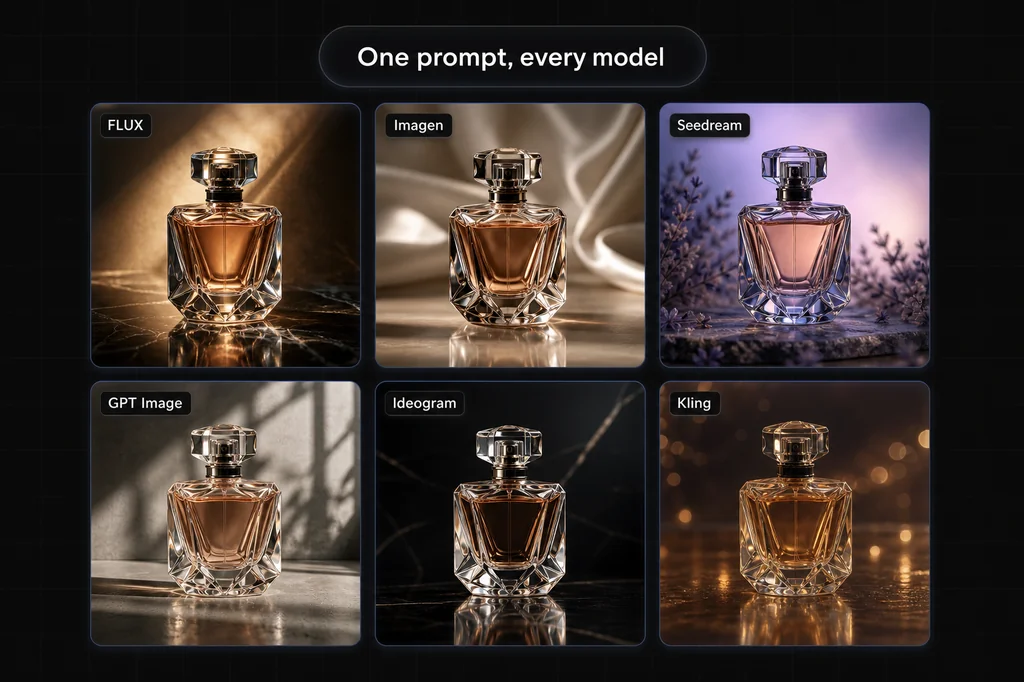
Explicit model routing. Masonry lets a user choose named image and video models and compare the same brief across routes. That is useful when model behavior is part of the production decision. The image model roundup shows why acceptance criteria matter more than a universal winner.
Canvas plus CLI. Visual work can be arranged on a canvas or invoked from the Masonry CLI, including agent-driven workflows. Photoroom's automation center is its batch system and image-editing API; Masonry's is model invocation across image and video.
Reference-conditioned candidates, not identity guarantees. A clean product photo can constrain a generated scene, but neither a reference image nor model choice guarantees that labels, geometry, materials, or condition remain exact. Compare every candidate with approved source views. For the broader category, see the product photography tools comparison.
Who should stay with Photoroom
Stay when its mobile/web editor, templates, staging tools, batch limits, collaboration, or API match the production system. Current Pro, Max, Ultra, and Enterprise tiers cover substantially more than background removal. Check commercial-use terms, AI credits, batch exports, seats, API billing, and required output resolution for the exact plan.
A fair same-SKU test
- Use the same approved source views, crop, product data, and delivery target.
- Write one bounded edit or staging brief and generate the same number of candidates in each tool.
- Blind the tool name during review where possible.
- Reject any change to shape, label, logo, text, color, material, dimensions, included parts, or condition.
- Score scene quality only after product identity passes.
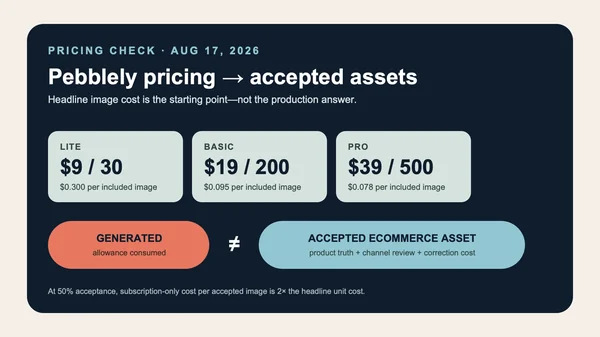
- Compare total cost and review time per accepted asset, not the prettiest single output.
The bottom line
Pick Photoroom for its dedicated commerce editing, mobile workflow, templates, batch system, staging tools, and image API. Pick Masonry for explicit image/video model selection, a multi-model canvas, and CLI or agent-driven generation. Neither feature list proves product fidelity.
Run the same-SKU test, compare accepted-asset economics, and switch only when the result improves the actual production workflow. Start with Masonry product photography, or inspect the category evidence in the product photography roundup.