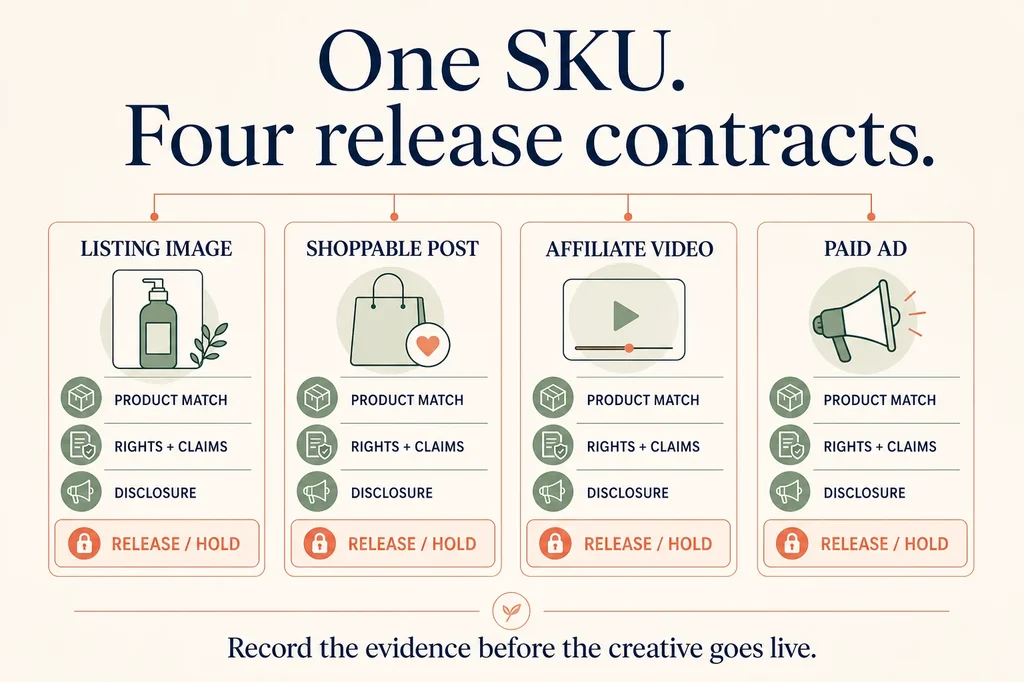
TikTok Shop does not have one universal answer to “can I use AI product images?” A seller listing image, a shoppable post from the brand account, an affiliate video, and a paid ad are four different release surfaces. They can use the same product and even the same source photograph, but they do not carry the same product-image constraints, relationship disclosures, AI labels, permissions, or destination checks.
That distinction matters because “AI was used” is rarely the useful review question. A merchant needs to know whether the exact SKU is still visible, whether every spoken or visual claim has an authority record, whether the creator has the right to use a likeness or voice, which disclosures apply on that surface, whether the product anchor resolves to the intended variant, and what happens after publication.
This guide turns those questions into a release workflow. It includes a
downloadable four-surface manifest with
controlled sample rows for a listing image, seller post, affiliate video, and paid ad. Every sample
is marked HOLD until the missing evidence is supplied; it is a template, not a record of TikTok
approval.
Quick answer
- AI-assisted TikTok Shop content is allowed when it is accurate. TikTok Shop's current AI-generated content policy permits AI editing, including changes to lighting, color, noise, motion, and backgrounds, as long as product information is not altered.
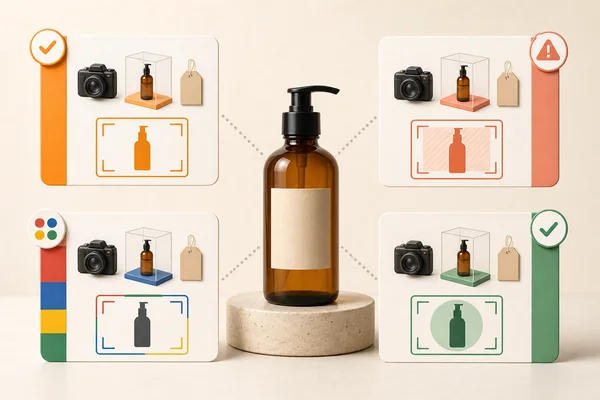
- Do not generate a replacement for the product the buyer receives. TikTok Shop says product promotion must clearly and accurately display the physical product. Its current listing guidance also says not to use placeholders or digital renderings and requires images and videos to reflect the exact item.
- AIGC and commercial disclosures answer different questions. The AI label explains how the media was made. Commercial content or paid partnership explains why it was posted and the relationship between brand and creator. One asset can need both.
- The exact disclosure control depends on the publishing surface. Posts expose creator settings; Ads Manager has its own disclaimer control; a listing upload is not the same flow. Record the method actually available instead of writing “disclosed” in a spreadsheet without checking.
- A release is not finished at upload. Confirm the product anchor, published media, destination SKU, and early commercial outcomes. A successful upload is not proof of distribution, product clicks, orders, or policy safety.
The practical rule is simple: keep a real product source immutable, generate around it, and require evidence before a claim, identity, or destination is allowed to ship.
The four release contracts
| Surface | Product evidence | Relationship disclosure | AI disclosure | Destination check |
|---|---|---|---|---|
| Listing image | Exact SKU and actual-item source; first-image rules | Not a creator relationship | Review AI scope and available method | Listing opens on exact SKU/variation |
| Seller shoppable post | Product shown and spoken details match | Commercial content when the post promotes the product | Disclose fully or significantly AI-created media | Product anchor opens the intended offer |
| Affiliate video | Product, approved script, creator footage or permission | Paid partnership or commercial relationship | Disclose qualifying AI media separately | Affiliate product link resolves correctly |
| Paid ad | Product, approved claims, source asset, landing page | Paid placement is handled by the ad format | Ads Manager AI disclaimer for fully or significantly AI-generated media | Ad, product, price, offer, and landing page agree |
The table is intentionally not a single “compliant” column. A creator can disclose an affiliate relationship and still publish an invented performance claim. A paid ad can carry an AI disclaimer and still land on the wrong variant. A listing image can preserve the correct bottle shape but show the wrong quantity. Each failure needs its own evidence and owner.
Step 1: freeze the exact product before generating anything
Create the release row before the asset. At minimum, record the product ID, SKU, variant or variation, offer, source-asset hash, and product destination. TikTok Shop's listing guidance treats each product variation as an individual SKU, which means “the same product” is not specific enough when color, size, quantity, bundle contents, packaging, or label differ.
The source should be a photograph of the item the buyer will actually receive. Preserve it as an immutable file and calculate a hash. That gives the reviewer a stable before image even after crops, exports, captions, edits, and platform compression produce several derivatives.
For a generated scene, write an explicit change boundary:
Change only the background, surface, lighting, camera treatment, and non-product props. Preserve the product silhouette, dimensions, color, materials, finish, label, text, quantity, included items, and visible condition.
This is the same source-first discipline used in the product-photo fidelity test. It does not make the output automatically acceptable. It makes the intended product contract inspectable.
Step 2: classify the AI change by what a shopper could misunderstand
Do not classify AI use only by the name of the tool. Record what changed in the delivered media. TikTok Shop's May 2026 policy distinguishes modest quality improvements from content that is fully generated or significantly edited. The practical review is whether a reasonable viewer could mistake a synthetic detail, action, voice, setting, result, or endorsement for reality.
Use three internal buckets:
- Presentation edit: color, light, noise, crop, captions, or background work that leaves the product and meaning intact.
- Material edit: generated scene extension, synthetic motion, AI dubbing, altered context, or a realistic effect that could change what the viewer thinks happened.
- Synthetic representation: generated product, person, voice, testimonial, expert, result, or demonstration.
The buckets are a review tool, not official TikTok terminology. A material or synthetic edit should trigger a disclosure check and a stronger evidence review. A synthetic representation can still be unreleasable even when labeled, because disclosure does not cure product misrepresentation, false endorsement, or missing rights.
Step 3: verify the product at delivered size
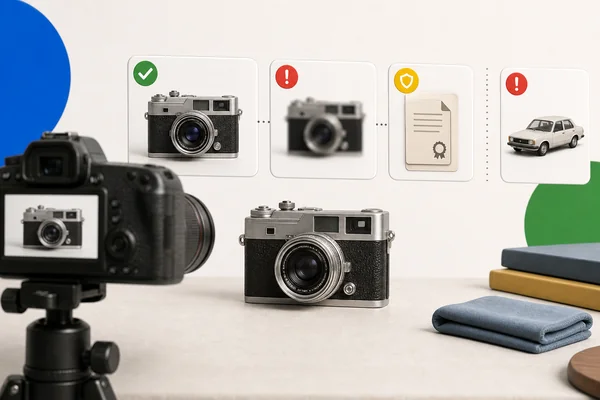
Compare the final exported bytes with the source, not just the editable canvas. Review the largest available frame and the actual mobile crop. Check:
- silhouette, proportions, and scale;
- exact color and finish;
- brand marks, label text, ingredient or specification text;
- package count, accessories, and included parts;
- size cues and demonstrations;
- before-and-after results;
- any hand, face, tool, or environment that implies use.
TikTok Shop's listing guidance tells sellers not to use placeholders or digital renderings and not to add text, graphics, or watermarks to the first listing image. That makes the safest main image a real-product photograph with minimal presentation work. Put explanatory graphics in an allowed secondary position only after confirming the current category and listing requirements.
If the output changes a factual product detail, do not repair it with a disclaimer. Hold the asset, regenerate from the approved source, or use the source photograph unchanged.
Step 4: route every claim to authority
Transcribe every explicit and implied claim from the image, caption, voiceover, overlay, and landing page. “Leakproof,” “fits every cup holder,” “clinically proven,” “I use this daily,” a synthetic expert coat, and a dramatic before-and-after are all claims even if no formal specification appears on screen.
For each claim, record one of four dispositions:
- Approved: the merchant owns current evidence for the exact SKU and exact wording.
- Creator-attested: a real creator can substantiate a first-hand experience in their own words.
- Qualified: the wording is narrowed to what the evidence actually supports.
- Hold: the claim has no adequate authority, implies a fabricated experience, or depends on a product result that was generated rather than observed.
An AI avatar cannot truthfully say “I use this every day.” An AI voice modeled on a real person needs authorization and still cannot manufacture that person's endorsement. TikTok Shop's AI policy specifically prohibits unauthorized use of third-party likenesses, voices, names, trademarks, and other rights. Keep the permission record beside the asset rather than assuming a tool's output is rights-safe.
Step 5: separate commercial disclosure from AI disclosure
TikTok's commercial content guidance identifies financial incentives, brand mentions, and product recommendations as signals of commercial content. It says undisclosed commercial content can become ineligible for the For You feed. A seller's promotional post or an affiliate video can therefore need a commercial-content or paid-partnership disclosure whether AI was used or not.
The AIGC disclosure answers a different question. TikTok Shop says creators should disclose content that is fully generated or significantly edited with AI, using the platform setting or a clear on-content method. TikTok also says enabling the AI-generated-content setting does not by itself restrict otherwise compliant content. That statement is not a promise of distribution or sales.
For paid ads, use the ad workflow rather than copying the post setting into the release sheet. TikTok's Ads Manager disclaimer guidance says the AI-generated-content disclaimer is mandatory for images, video, or audio that are fully AI-generated or significantly modified by AI. Record the Ads Manager control actually used and the review result.
The release record should therefore contain two independent fields:
commercial_disclosure: why the promotion exists and which brand/creator relationship is shown;aigc_disclosure: whether the delivered media qualifies and how that fact is displayed.
Never use one as a substitute for the other.
Step 6: verify the product anchor and destination
Open the published asset as a shopper. Tap the product anchor. Confirm the product ID, SKU or variation, image, title, price, quantity, availability, shipping promise, and offer. For a paid ad, repeat the check from the final ad preview through the landing page and cart.
This is where creative review becomes revenue work. A visually strong video attached to the wrong variation can earn views while producing confused clicks, returns, and wasted spend. A correct video with a broken anchor produces no measurable shopping path at all.
The manifest uses destination_sku_resolves, not “link added,” because a string in an uploader is
not evidence that the intended product opened for the intended buyer. Record the observed URL,
time, market, account state, and result when the release matters commercially.
Step 7: make release or hold a human decision
Automation can extract a script, compare frames, check dimensions, and flag missing fields. It
cannot own the commercial decision. Name the reviewer and review time, then choose RELEASE or
HOLD with a reason.
Release only when all of these are true:
- the exact SKU and source asset are frozen;
- the delivered product still matches the item for sale;
- every claim has an authority record or approved qualification;
- required likeness, voice, creator, trademark, and asset permissions are present;
- commercial and AIGC disclosures were evaluated separately on the actual surface;
- the published product anchor or landing page resolves correctly;
- a rollback owner knows which asset or campaign to remove.
The downloadable manifest keeps every sample row on hold because none has a real source hash,
destination observation, reviewer, or live result. Replace the samples with your own records; do
not turn NOT_RUN into a pass.
Step 8: measure the business result without inventing causality
For organic posts and affiliate videos, record views, product clicks, orders, refunds, and policy violations. For ads, add spend, impressions, clicks, landing-page views, purchases, revenue, and creative-level identifiers. Keep the exact asset and destination joined so a winner can be traced back to its release record.
Use a pre-declared comparison where possible. The AI product ad creative testing matrix explains how to hold audience, offer, landing page, and budget stable while changing one creative variable. For creator work, the real-product AI UGC ad workflow separates hooks, scripts, rights, and claims before scaling variants.
Do not interpret a few orders as proof that AI caused the result. Do not interpret low traffic as proof that an AI label suppressed distribution. A useful readout states the denominator and keeps other explanations visible: shop eligibility, listing quality, category, offer, account health, creative relevance, audience, product availability, and anchor integrity.
A release checklist for the next asset
- Duplicate one manifest row for the intended surface.
- Freeze the exact product, variation, offer, and source hash.
- Describe every AI change in the delivered asset.
- Compare the final bytes with the physical product and source.
- Transcribe visible, spoken, and implied claims.
- Attach product authority, creator attestations, and rights evidence.
- Evaluate commercial and AIGC disclosures separately.
- Open the published product anchor or landing page as a shopper.
- Record a named human release or hold decision.
- Join the asset to views, product clicks, orders, refunds, spend, and violations.
This workflow is deliberately stricter than “turn on the AI label.” The label is one field. The merchant outcome depends on product truth, rights, claims, relationship transparency, destination integrity, and measurement surviving the whole handoff.
Where this fits
Use the platform product-photo rules comparison when you need to compare Amazon, Etsy, eBay, and Shopify. Use the complete ecommerce AI workflow map to decide whether the actual bottleneck is product imagery, variant joins, marketplace modules, ads, or measurement. This TikTok Shop workflow begins after you have chosen the surface and ends only when the exact creative is connected to an observable commerce path.
Claims were rechecked on 16 August 2026 against TikTok Shop's current AI-generated-content and product-listing guidance plus TikTok's commercial-content and Ads Manager disclaimer documentation. Policies, product controls, markets, and enforcement change. Recheck the source pages and the upload controls visible in your account before a consequential release.