When a Shopify product image does not appear in Google, replacing the image is usually the wrong first move. The failure may sit in the product page, rendered HTML, public asset, variant mapping, page context, structured data, sitemap, delivery path, or measurement.
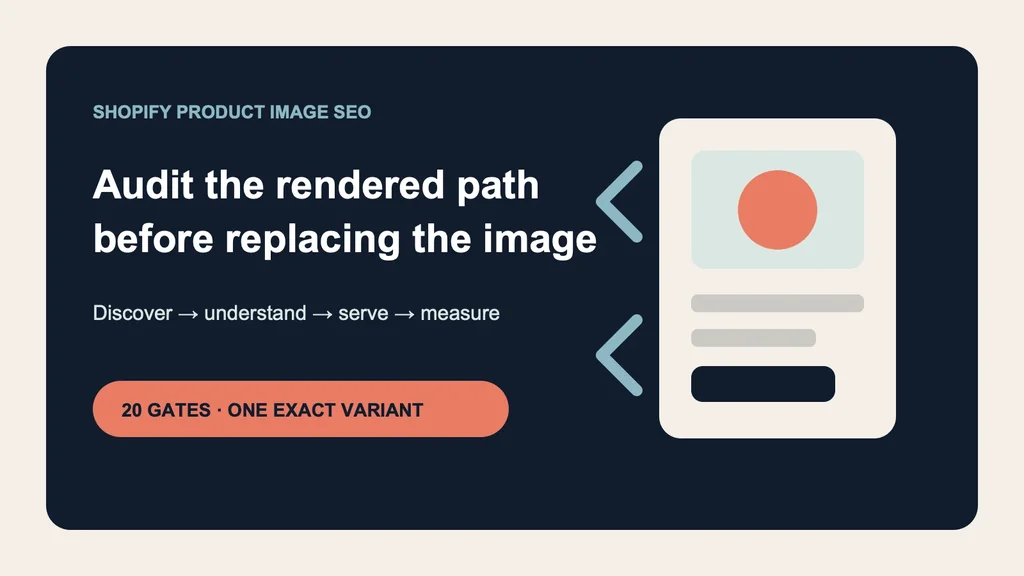
Use this sequence: freeze the exact SKU and variant → inspect the live product URL → prove the image is crawlable in rendered HTML → reconcile alt text and page context → match Product schema and preferred-image metadata → verify sitemap and Google render → protect responsive delivery → measure non-brand landing demand and exact-variant outcomes.
Evidence boundary: NORTHLINE, every product, variant, URL, status, analytics record, order, and commercial outcome in the downloadable templates are fictional controls or NOT_RUN fields. The audit logic, diagnostic tree, source review, and local artifact checks are real. No live Shopify store, CDN, sitemap, Search Console property, Google crawl, index, ranking, rich result, image-search click, order, return, or revenue result was tested.
Why this is a separate merchant job
The AI product-photo platform rules explain what marketplaces permit. The Shopify-to-Google image-feed workflow controls paid and free-listing transport through Merchant Center. The product-listing infographic workflow protects factual overlays. None provides a page-level organic discovery audit from Shopify's rendered HTML through Google Images and the commercial landing session.
If the image symptom belongs to a wider backlog of product-description, metadata, claim, feed, and catalog-governance defects, use the AI Shopify catalog-cleanup workflow to prioritize the catalog and preserve approval, verification, and rollback states. Return here only when image discovery or delivery is the named failure.
The supplied top-1,000 Search Console query export contains only one literal google images 3 row, with 8 impressions and no clicks, after excluding obvious Masonry navigation queries. Adjacent non-brand rows include 56 impressions for reflective product-image model choice, 26 for compliant ecommerce product images, and 17 for tools showing real product images. That supports an adjacent merchant problem—not a claim that Masonry owns “Shopify image SEO.”
Merchant discussions show the operational failure shape: growing catalogs with inconsistent or missing alt text, collection-image fields that do not appear in rendered theme markup, pages found without expected image previews, and confusion between SEO and conversion imagery. These threads are anonymous, often attract app promotion, and sometimes report unsupported traffic lifts, so use them as qualitative questions rather than benchmarks. Read the catalog alt-text discussion, the rendered collection-image issue, and the missing search-image question.
The four-layer diagnosis
Google's current image guidance separates discovery from landing-page meaning. It says Google can find images in the src attribute of a standard img element, including inside picture, but does not index CSS background images. Responsive markup should retain a fallback src. An image sitemap can expose images that might otherwise be missed. Read Google's current image SEO guidance.
That produces four independent questions:
- Discover: can Google reach the product page and exact image URL, and find the asset in rendered HTML?
- Understand: do alt text, filename, nearby copy, title, caption, and product data describe the same approved item?
- Serve: does the addressable variant, preferred preview, structured data, and responsive page use the correct asset?
- Measure: did new non-brand demand reach a relevant product page and continue to a qualified commercial outcome?
Fix the first failed layer. Do not write ten new keywords when the asset returns HTML, regenerate a correct image when the theme renders it only as CSS, or claim success from image impressions when the wrong variant lands.
Step 1: freeze the exact release record
Download the twenty-gate Shopify product-image SEO audit. It starts with product truth because technically discoverable misinformation is still a failed release.
Record one exact product and variant:
- product ID, variant ID, SKU, product handle, canonical URL, and directly addressable variant URL;
- approved primary image URL, prior image URL, file hash, dimensions, format, and asset role;
- product title, distinguishing variant facts, approved alt text, and accountable owner;
- schema image, preferred preview image, sitemap evidence, and release status;
- non-brand baseline window, decision window, and rollback owner.
The one-to-one join matters more than a perfect filename. If the Sage bottle page, JSON-LD, and cart all point to Sage but the rendered hero is Clay, the SEO audit fails before keyword review. Use the Shopify variant-image workflow when the selected-option chain is not yet reliable.
Step 2: inspect the rendered page, not only Shopify admin
Open the exact public product or variant URL in a fresh session. Inspect the primary image element and record:
<img src="https://cdn.example.com/northline-sage-bottle-front-v3.jpg" srcset="..." sizes="..." width="1200" height="1500" alt="NORTHLINE insulated bottle in Sage, front view" />
The specific URL is fictional; the checks are not. Confirm that src points to a public image, returns 200, reports a supported image MIME type, and does not require a cookie, login, expiring signature, or browser-only request. Confirm the srcset candidates still represent the same approved asset and that the fallback src remains valid.
Audit every meaningful surface separately: product hero, selected-variant state, collection card, quick view, search result card, recommendation block, and cart. A Shopify admin alt-text value can exist while one theme section omits it or replaces it with a generic fallback. The browser output—not the form field—is the release artifact.
Google's URL Inspection tool can test a live page, show returned HTML and loaded resources, and provide a rendered screenshot. A successful live test says the page can be crawled and parsed; it does not guarantee indexation or appearance. Review Google's URL Inspection guidance.
Step 3: make alt text and page context useful
Google calls filename text a light clue and alt text the most important image attribute for additional metadata. It also uses page content, captions, titles, and computer vision. It warns against keyword stuffing. Shopify recommends concise image descriptions and says descriptive filenames must be chosen before upload. Review Shopify's SEO overview and site-structure guidance.
Write alt text from approved facts and the image's useful role:
Good: NORTHLINE insulated bottle in Sage, front view Good: Sage bottle lid showing the locking tab and carry loop Bad: bottle product best insulated water bottle eco bottle sale Bad: premium leakproof bottle for every adventure
The first examples identify the product, variant, and view. The bad keyword list is unpleasant for assistive technology and the unsupported “leakproof” claim invents product evidence.
Do not duplicate the entire product title on every gallery image. Distinguish the front view, lid detail, base, included items, dimensions, or lifestyle context when those differences help a shopper. Use alt="" only when the image is genuinely decorative and contributes no information beyond adjacent content.
For new uploads, use short descriptive filenames. For a healthy live product asset named IMG_4821.jpg, weigh the weak filename signal against deleting, re-uploading, changing the URL, recrawling, feed references, cache behavior, reviews, apps, and variant mapping. Do not churn a stable commercial image solely to optimize a light clue.
Step 4: reconcile visible product, schema, and preferred image
Google says Product structured data can make product information eligible for richer appearances in Search, Google Images, and Lens. For variants, current guidance supports ProductGroup plus exact variant Product entities and requires directly addressable variant URLs to preselect the right image, price, availability, and cart state. Eligibility is not a guarantee of display. Read Google's Product guidance and product-variant guidance.
Inspect the rendered JSON-LD. For the selected variant, reconcile:
visible title · selected options · SKU · variant ID visible hero URL · Product.image · variant URL visible price · Offer.price · availability · cart line
If a theme, SEO app, feed app, and custom script each emit Product markup, identify the actual rendered graph and remove contradictions through the responsible system. A green syntax test does not prove that the entities match the visible product.
Google's image guidance now also describes ways to specify a preferred preview, including primaryImageOfPage, an image on the page's main entity, and og:image. Use a relevant, representative, high-resolution product image rather than a logo or text-heavy generic creative. Treat this as a preference signal, not control over Google's automated selection.
Step 5: verify Shopify sitemap and crawler access
Shopify says each store automatically generates /sitemap.xml, includes links to products and the primary product image, and updates the files when store content changes. It does not say every gallery image appears in the sitemap. Fetch the live sitemap and confirm the expected product URL and primary image reference rather than assuming automation ran. Read Shopify's sitemap guidance.
Submit the correct domain property in Search Console. If a CDN hosts the images, Google's image guidance recommends verifying that domain in Search Console so crawl errors can be reported. Confirm robots rules, page noindex, image X-Robots-Tag, redirects, MIME type, and response status separately. Blocking a page from crawling is not the same as preventing indexing, and an image can fail while its landing page remains reachable.
For a recent fix, compare the indexed URL with a live test. Record discovery method, last crawl, Google-selected canonical, rendered screenshot, HTML, and loaded resources. Request recrawl only after the release gates pass. Repeated requests do not create ranking evidence.
Step 6: protect speed, quality, and accessibility together
Product-image SEO is not permission to ship the largest file. Google recommends high-quality images and responsive optimization because images often dominate page weight. Preserve enough resolution for shoppers and result thumbnails while serving appropriate encoded dimensions to each viewport.
For the primary above-the-fold image:
- declare intrinsic width and height to reserve layout space;
- use responsive candidates with a working fallback
src; - verify the selected mobile candidate rather than only the source master;
- compare transferred bytes, LCP, CLS, sharpness, crop, zoom, and color;
- avoid lazy-loading the visible hero merely because gallery images are lazy;
- keep alt text and product meaning intact when an app or CDN transforms the file.
This audit diagnoses the page. It does not prescribe a universal format, compression level, or theme patch. If delivery is slow, optimize the approved asset or implementation without silently redrawing the product.
Step 7: route the symptom to the first useful check
Download the ten-symptom diagnostic tree. It covers an unindexed product page, missing preview, irrelevant queries, wrong variant, stale image, blank rendered alt text, slow hero, schema mismatch, sitemap expectation, and image-search traffic without sales.
The decision order is deliberate:
- If the page is not indexed, diagnose the page before its image.
- If the page is indexed but the image is missing, inspect rendered HTML, asset response, and preferred-image metadata.
- If the wrong variant appears, reconcile addressable variant state, visible image, schema, and cart.
- If the old asset persists, compare indexed and live versions, URL changes, cache, sitemap, and release record.
- If image-search clicks do not qualify, inspect query intent and the exact-variant funnel before changing creative.
This prevents a bulk “SEO optimization” from overwriting accurate alt text, destabilizing image URLs, or sending a newly generated scene into a technical failure that remains unfixed.
Step 8: measure discovery separately from commercial impact
Search Console can filter performance by Web or Image search. Google notes that the Image-search Pages report shows the landing page reached from an image click, not the image URL. Separate obvious brand navigation from new non-brand discovery and preserve query, page, country, device, and date window. Read Google's Search performance guidance.
Track the diagnostic ladder:
eligible product pages → crawlable rendered primary images → indexed landing pages → non-brand web and image impressions → qualified landing clicks → exact-variant product views → add-to-cart and completed orders → contribution after media, service and production cost → matured returns and not-as-described contacts
Do not divide Search Console image impressions by all store orders and call it ROI. Join the landing page and exact variant through a consent-aware analytics contract. Exclude staff, bots, local development, and unresolved variant states. Report search visibility and assisted downstream behavior as observational unless a valid design establishes incrementality.
Use the product-image A/B-test workflow only after discovery and delivery are stable. Use the product-photography cost calculator to determine whether producing the next accepted asset is economically justified.
Do not generate a new image when the failure is technical
Keep the approved asset and fix the system when:
- the product page is blocked, redirected, duplicated, or incorrectly canonicalized;
- the theme emits CSS background media instead of a discoverable product image;
- the public asset returns an error, HTML, authentication, or an expiring URL;
- the rendered alt attribute is blank because the template ignores Shopify data;
- Product or ProductGroup markup points to another variant;
- Shopify sitemap or Search Console property setup is wrong;
- responsive delivery selects an oversized, distorted, or stale file;
- analytics cannot separate brand navigation, non-brand discovery, or exact variants.
Create or replace an image only when the accepted asset itself fails the commercial role: wrong product truth, inadequate view, poor resolution, misleading crop, unsupported claim, missing purchase information, or a tested creative limitation.
Bottom line
A Shopify product-image SEO audit should trace one exact variant from approved source to rendered HTML, public asset, page context, schema, sitemap, Google render, and qualified landing outcome. Fix the first failed layer. Use descriptive filenames and alt text without overstating their power, keep Product markup aligned with the visible page, and measure non-brand image discovery separately from revenue.
The goal is not to make every field “green.” It is to make the correct product discoverable, understandable, fast, accessible, commercially relevant, and recoverable without turning a technical SEO problem into another generation job.