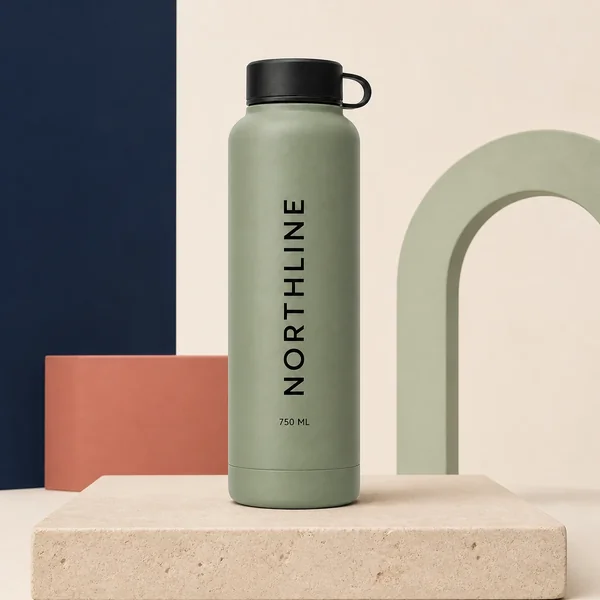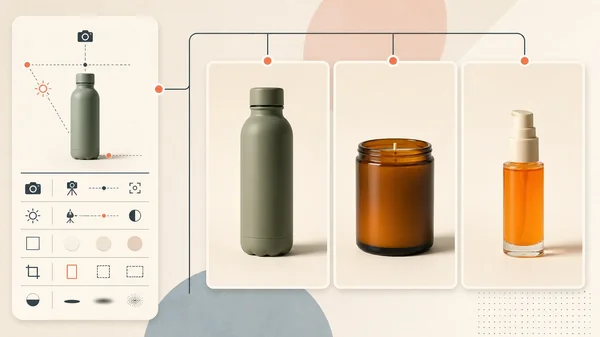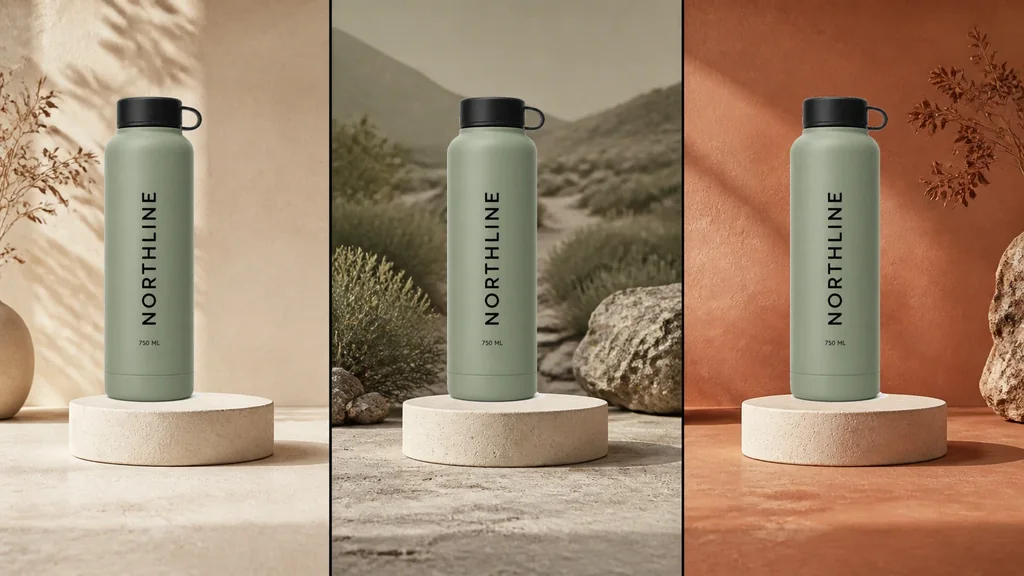
A product can belong in Core, Trail Essentials, and Summer Edit while Shopify still begins with one product-level featured image. That is often correct. One stable packshot gives the catalog a factual default.
It becomes a merchandising problem when the same card needs a genuinely different context in different collection grids: a neutral packshot in Core, an approved outdoor image in Trail Essentials, and a seasonal treatment in Summer Edit. The safe solution is not three product records and not three AI redraws. It is one product, several approved card assets, one typed collection-to-image map, and one tested fallback.
This guide supplies that system: a downloadable route manifest, an exact-product three-context visual, a metaobject design, a reference Liquid selection pattern, and a release matrix that reaches the product page, selected variant, cart, checkout, search, and feeds.
Evidence boundary: NORTHLINE is fictional. The three cover panels use one existing Sage bottle source composited at the same size and coordinates over a newly generated empty triptych. The bottle pixels were not regenerated per collection. This is a controlled visual demonstration, not a live Shopify theme test or evidence of conversion lift.
The Shopify boundary: collection banner, product card, and variant are different
Three images are easy to confuse:
- Collection image: the featured image attached to the collection itself. It can appear as a banner or collection tile, depending on the theme.
- Product featured image: Shopify's Liquid
product.featured_imageis the first image attached to the product. Themes commonly use it as the product-card default. - Variant media: a color or other variant can have assigned media. Shopify notes that filtered collections and search results can return the most relevant variant media.
Changing the collection image does not automatically change the product cards inside that collection. Shopify also says image display depends on the theme and recommends consistent aspect ratios for side-by-side collection images. Read Shopify's current product-media guidance and the Liquid product-object definition.
That produces a useful decision ladder:
| Situation | Smallest correct response |
|---|---|
| The product has no meaningful context difference | Keep one neutral factual featured image everywhere. |
| The collection is filtered to a real product variant | Use the correct assigned variant media and link to that variant state. |
| The same sold product needs a different approved card treatment by collection | Add an explicit collection → image override with a featured-image fallback. |
| The product itself, price, inventory, or offer differs | Model it as the correct sellable record; do not hide commerce differences in image logic. |
Do not duplicate a product only to change a card image before tracing the consequences for URLs, inventory, reviews, analytics, feeds, search, and merchandising. Sometimes separate products are correct. Presentation alone is not enough evidence.
Why this is a different job from bulk product photography
The bulk product-photography workflow asks whether many SKUs can meet one shared visual contract. This workflow asks whether one SKU can enter several collection contexts without losing identity or destination integrity.
That exact problem appears in current merchant discussions. A Shopify merchant asked how a unisex product could show a context-appropriate image in different audience collections without duplicating the product. Replies distinguished collection banners, filtered variant media, theme changes, and metafields. Treat the thread as qualitative intent, not a performance study. Read the collection-card discussion.
Another recent post describes a 500-photo grid with mixed aspect ratios and inconsistent product height. It promotes a specific app, so the useful evidence is the operational question—not the claimed outcome. Read the grid-consistency discussion.
The supplied non-brand Search Console export contains no exact collection-specific-image query. This article is a deliberate adjacent merchant-intent expansion with a concrete Masonry workflow, not a claim that Masonry already ranks for the term.
Build one collection-card authority map
Download the example Shopify collection-card image manifest. Replace the fictional rows with the real product handle, collection handle, approved source, override filename, variant, destination, alt text, review status, and reviewer.
The row—not the folder—is the release unit:
| Field | Release question |
|---|---|
| Product handle | Which one product record owns the card? |
| Collection handle | In which exact collection context may the override appear? |
| Override image | Which reviewed file is rendered? |
| Approved source | Which source proves the sold product? |
| Linked variant | Does the image imply a selectable color or other variant? |
| Destination URL | Does the click land on the represented state? |
| Alt text | Does the rendered card describe the visible product and context? |
| Status and reviewer | Has product, context, destination, and storefront review passed? |
Use a typed data model in Shopify rather than relying on file order or a tag such as use-second-image. A scalable example is a collection_card_override metaobject with:
collection:collection_reference;image: imagefile_reference;variant: optionalvariant_reference;alt_text:single_line_text_field;version:single_line_text_field;status: controlled text or enum in the operating system.
Attach a list of those metaobjects to the product through a list.metaobject_reference metafield. Shopify documents the reference and file types and how list metaobject references can supply dynamic values. Read the current metafield types and dynamic-source behavior.
Create the image without inventing another product
The safest production order is:
- Approve the product layer. Use the exact SKU and variant source. Record visible geometry, material, color, label, quantity, included items, and allowed crop.
- Define the collection role.
Coremight need inspectability;Trailmight need a contextual use environment;Summer Editmight need a seasonal palette. A collection name is not permission to invent a use or claim. - Generate only the scene plate when exactness matters. Leave an empty, product-sized placement with fixed camera height, light direction, horizon, and margins.
- Composite the approved product pixels. Match contact and shadow without asking the model to redraw the bottle, garment, label, or hardware.
- Normalize the card family. Use the same aspect ratio, product occupancy range, baseline, focus, and responsive crop contract across every product shown together.
- Review the isolated file and the rendered grid. A correct 1600-pixel asset can still fail after theme cropping, hover media, lazy loading, or a context-free product link.
For a generated product layer rather than a composite, apply the same-SKU fidelity test and reject any visible drift. The Shopify variant-image workflow remains the authority when the card represents a selectable option rather than only a collection context.
Reference Liquid selection pattern
Theme card interfaces differ, so this is a selection pattern—not a universal paste-in replacement. It assumes the product metafield merchandising.collection_card_overrides contains a list of collection_card_override metaobjects with collection, image, variant, and alt_text fields.
{% liquid assign card_image = product.featured_image assign card_alt = product.featured_image.alt | default: product.title assign card_url = product.url | within: collection assign overrides = product.metafields.merchandising.collection_card_overrides.value if collection != blank and overrides != blank for override in overrides assign override_collection = override.collection.value assign override_image = override.image.value if override_collection.handle == collection.handle and override_image != blank assign card_image = override_image assign card_alt = override.alt_text.value | default: card_alt if override.variant.value != blank assign card_url = override.variant.value.url endif break endif endfor endif %}
Pass card_image, card_alt, and card_url into the theme's existing product-card renderer. Preserve its responsive image_url/image_tag sizes, loading behavior, hover image, badges, price, availability, focus styles, and analytics. Some featured-collection sections do not provide a collection object; in that context, fall back deliberately instead of guessing.
Before editing a live theme, duplicate the theme, identify every card renderer, test the current theme version, and keep rollback simple. An app can own the mapping and rendering instead; the same data and QA contract still apply.
Storefront release matrix
Test the rendered store, not only the Shopify admin row:
| Surface | Required result |
|---|---|
| Direct collection page | Exact collection selects the reviewed override. |
| Filtered collection | Variant relevance and collection override do not conflict. |
| Featured collection section | Either receives explicit collection context or uses the factual fallback. |
| Search result card | Uses intentional search/variant behavior, not an accidental collection override. |
| Product destination | Product, represented variant, image, title, price, and availability agree. |
| Cart and checkout | Exact selected variant, image, quantity, price, and inventory state remain aligned. |
| Shop, Google, Meta, and marketplace feeds | Storefront-only overrides do not silently replace channel product truth. |
| Mobile grid and hover/second image | Crop, tap target, loading, focus, and alternate media remain usable. |
| Performance and accessibility | Responsive dimensions, transferred bytes, LCP/CLS, alt text, and keyboard focus do not regress. |
| Empty, deleted, or unpublished override | Falls back to the product featured image without a broken card. |
If a collection card represents Sage but the destination opens Clay, that is not an image problem. It is a route failure. Fix mapping before evaluating creative quality.
Measure revenue without claiming the image caused it
Record the rendered assignment at exposure time as: collection handle → product handle → image version → linked variant → destination.
Then report raw progression:
- eligible collection-card viewers;
- product-card clickers;
- represented-variant product-page views;
- add-to-cart people;
- completed orders and contribution after discount, media, and service cost;
- wrong-variant contacts, expectation complaints, cancellations, and matured returns.
Compare only like-for-like traffic inside the same collection. If assignment is not stable, a before/after result mixes creative with audience, assortment, inventory, season, price, and ranking changes. When traffic is adequate and one factual treatment needs a causal decision, continue to the Shopify product-image A/B-test workflow.
For crawlability, image delivery, rendered alt text, Product schema, sitemap evidence, and Search Console measurement, use the Shopify product-image SEO audit. A collection-card override can improve merchandising while remaining irrelevant—or harmful—to search if its URL, context, and product identity are unclear.
Bottom line
Use one neutral product image when it does the job. Use variant media when the collection represents a real selectable variant. Use a collection-specific override only when the same sold product needs a different approved card context.
Keep the product record singular, the collection route explicit, the product source recoverable, and the featured image as the fallback. AI can help build the scene family. It should not invent the SKU that the shopper is about to buy.
When this is not the current bottleneck, use the AI ecommerce workflow map to route the next catalog, product-page, acquisition, lifecycle, or wholesale job by its authority record and commercial finish line.