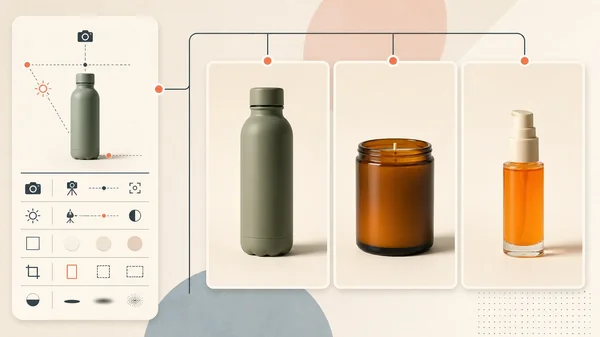
One supplier photo can become a useful ecommerce asset set, but not by asking an image model to "make more product photos" and accepting every attractive result. The safe workflow keeps the approved product as the source of truth, assigns one job to each new image, and rejects any candidate that changes what a buyer will receive.
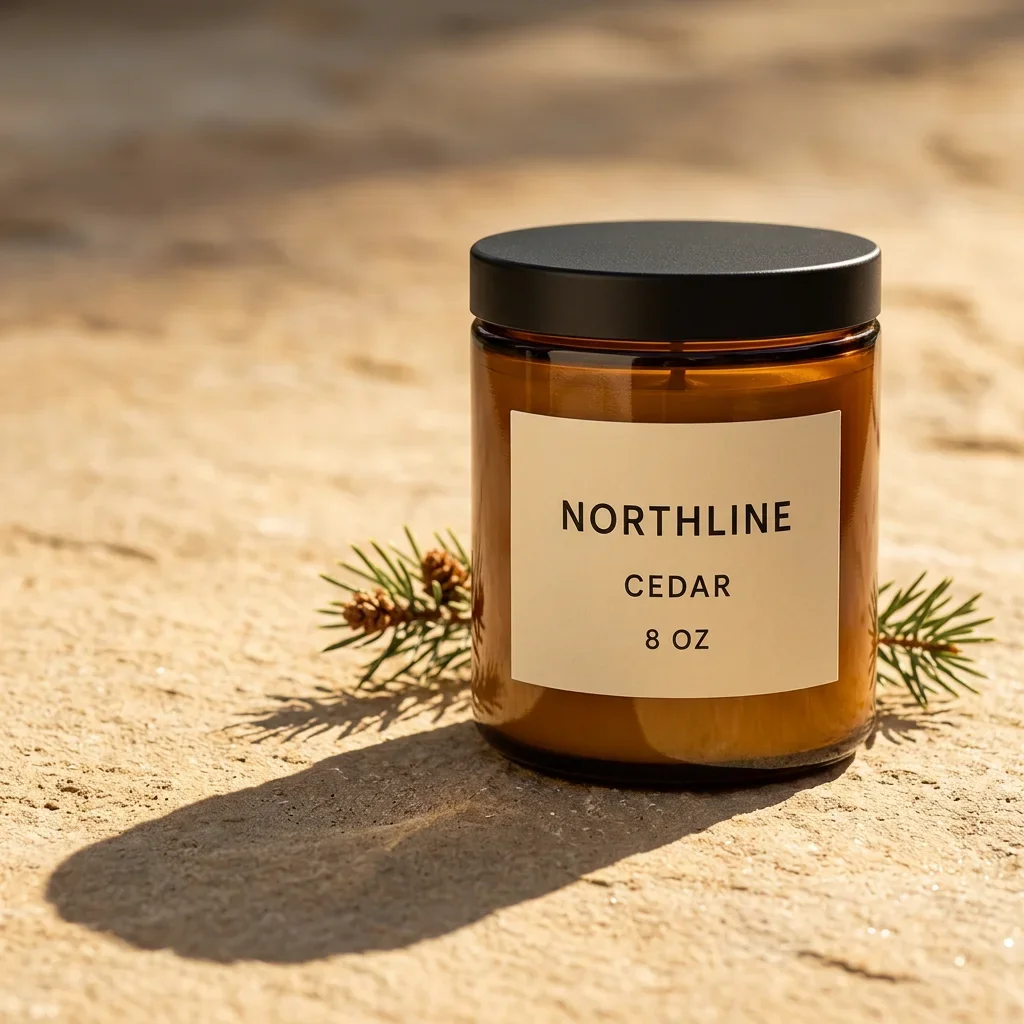
For this first-hand test, I created one fictional supplier-style candle packshot, then used it as the reference for three Masonry generations: a product detail, a square paid-social concept, and a vertical story composition. The results preserved all visible label text. They also changed the jar and label proportions enough that none should replace the factual primary image without approval or compositing.
Evidence boundary: NORTHLINE is a fictional product created for this controlled demonstration, not a merchant SKU. The source and candidates below are real files from this run. This is one candidate per brief, not a model reliability benchmark, conversion experiment, or proof that one image is enough to represent a real product.
Quick answer
- Keep the supplier photo as the factual anchor. Do not regenerate a primary listing image merely to make it look more expensive.
- Give every new asset one job. A detail image should reveal material; a lifestyle image should provide context; an ad crop should create placement-ready space.
- Generate candidates, not approved assets. Reference conditioning and "keep unchanged" instructions do not lock pixels.
- Score product truth before aesthetics. A polished image of a slightly different jar is still the wrong product.
- Use the set to reduce production work. The commercial value comes from repeatable briefs, ratios, filenames, and review rules, not one lucky hero.
Why merchants need a set, not another hero image
A product launch has several media jobs. Shopify uses product images across its sales channels, supports multiple product media types, and assigns one preview image to each variant. Additional images live in the product gallery. Shopify's current product-media guidance recommends high-resolution files and notes that square images commonly display well at 2048 by 2048 pixels. Its variant guidance explains the one-assigned-image constraint; our Shopify variant-image integrity workflow shows the source manifest and storefront QA needed when Sage and Clay must never cross.
The operational pain is visible in merchant discussions too. One ecommerce poster described preparing square lifestyle images, vertical pins, carousel angles, and horizontal PDP media for the same launch. The shoot took about 90 minutes; formatting and editing took another six hours. Treat that as qualitative intent, not a market-size estimate. Read the merchant thread.
Another merchant wanted secondary lifestyle scenes from real product photos but was explicitly worried about changed colors, labels, and small details. That is the right concern. The workflow should make drift visible and rejectable. Read the lifestyle-image thread.
The source and the production contract
The source is one synthetic supplier-style packshot: a cylindrical amber candle jar, matte black lid, warm-ivory rectangular label, and three exact lines of text: NORTHLINE, CEDAR, and 8 OZ.
Before generation, the acceptance sheet locked these visible properties:
| Property | Acceptance rule |
|---|---|
| Silhouette | One straight cylindrical jar; no taper, handle, shoulder, or second container |
| Glass | Amber color and transparent glass appearance remain recognizable |
| Lid | One matte black circular metal lid with the same apparent diameter |
| Label | One centered warm-ivory rectangle; no extra panel or decoration |
| Text | NORTHLINE, CEDAR, and 8 OZ appear exactly once and remain legible |
| Sold configuration | Closed candle only; no flame, smoke, box, hand, or additional product |
A real SKU would need more evidence: other angles, dimensions, wax and vessel specifications, label artwork, safety copy, packaging, variant data, included items, condition, and any claims. One front view cannot verify what it does not show.
What the controlled run produced
Three accepted Masonry jobs used Nano Banana 2 through the live gemini-3.1-flash-image-preview route on August 14, 2026. The API reported single-job completion times of 5.127, 5.121, and 5.108 seconds. A fourth request was rejected before generation for insufficient credits. The CLI did not return normalized cost, so this article does not estimate price per asset.
Detail candidate
This candidate helps a shopper inspect the paper, glass, and lid. It passes visible text, color family, and sold configuration. It is not a new angle captured from the physical product, and the jar-to-label proportions are not source-locked.
Square ad candidate
This is the strongest campaign candidate in the run because the new scene has a clear purpose and leaves room for deterministic copy outside the generated file. It should stay a secondary creative unless the product is composited from approved photography or the altered proportions pass merchant review.
Vertical story candidate
The vertical composition is not a crop of the square ad. It is a separate scene with a separate distribution job. That is useful production leverage, but it also creates another opportunity for product drift.
The result: useful candidates, zero source-of-truth replacements
| Check | Detail | Square ad | Vertical story |
|---|---|---|---|
| Exact visible text | Pass | Pass | Pass |
| Amber glass and black lid | Pass | Pass | Pass |
| One closed product | Pass | Pass | Pass |
| Source-matched label proportions | Review | Review | Review |
| Source-matched jar geometry | Review | Review | Review |
| Ready as secondary creative | After approval | After approval | After approval |
| Ready as factual primary image | No | No | No |
The run demonstrates a narrow strength: one reference and tightly bounded briefs can produce coherent assets for different placements. It also demonstrates the main risk: semantic consistency is not geometric identity. Every candidate says the right three things and looks like the same candle family, while still redrawing the product.
For exact listings, preserve the approved packshot and generate the empty environment, then composite the factual product into it. When both the approved cutout and destination scene already exist, Bria Embed Product adds explicit x, y, width, and height placement controls; its output still needs the same product-truth review. For campaign concepts where small visual differences are acceptable, document the review decision instead of assuming the reference locked them. The four-model same-SKU fidelity test shows how those differences appear when the source, scene brief, and output size stay fixed.
The repeatable Masonry workflow
1. Verify that you can use the source
Do not assume a supplier image is yours to republish or transform. Use photography you created, licensed, or received permission to use. Keep the original and its rights record with the SKU.
2. Write an asset manifest before prompting
Define the job, ratio, placement, and approval requirement for every output.
| Filename | Job | Ratio | Factual requirement |
|---|---|---|---|
sku-primary.webp | Primary PDP packshot | 1:1 | Approved source, not regenerated |
sku-detail-label.webp | Material and label detail | 1:1 | Exact text and source-matched proportions |
sku-ad-square.webp | Paid-social concept | 1:1 | Recognizable approved product; no generated copy |
sku-story-vertical.webp | Story or Reel placement | 9:16 | Clean upper negative space; exact product review |
This makes the output set auditable and prevents a folder of beautiful images with no defined use.
3. Generate one bounded edit at a time
The square ad command from this run follows Masonry's current asynchronous CLI contract:
masonry image "Create a premium square paid-social product image using the supplied product. Keep the product unchanged on warm stone with one restrained material cue and clean negative space. Preserve its exact silhouette, dimensions, colors, materials, hardware, logo, label, text, variant, and included items. Add no headline, price, CTA text, extra product, or unsupported claim." \ --model gemini-3.1-flash-image-preview \ --ref ./approved-product-front.png \ --aspect 1:1 masonry job wait <job-id> masonry job download <job-id> --output ./sku-ad-square.png
Run masonry models list --type image before placing a model key in a durable production script. The generation command returns a job ID; wait for completion and put the local output path on masonry job download.
Change the scene and ratio for the next asset, not the product contract. Keep one generation record per candidate: source version, prompt, model route, date, job ID, output, reviewer, rejected differences, and final disposition.
4. Review product truth at full resolution
Check geometry before mood. Compare every visible edge, material, label character, logo, quantity, variant cue, and included item. A reviewer should be able to point to the approved source for every factual decision.
If the product drifts, choose one of three dispositions:
- Reject it. Use when the changed detail affects what is sold.
- Keep only the generated environment. Composite the approved product into the scene.
- Approve it as a disclosed concept. Use only when the placement and merchant policy allow the visual difference.
5. Export deliberately for each channel
Do not generate a new product merely to get another ratio. First see whether the approved high-resolution asset can be cropped. Generate a new composition only when the placement needs different context or negative space.
Shopify accepts several image formats and currently permits product or collection images up to 5000 by 5000 pixels or 25 megapixels, under 20 MB. Themes and other channels can impose their own display behavior. Verify the actual storefront at desktop and mobile widths instead of treating an exported file as the final experience.
If an image will enter Google Merchant Center, review its current product-image rules. Google says generative images must retain the IPTC DigitalSourceType value TrainedAlgorithmicMedia; do not strip that metadata during export. Google's AI-generated image requirement is separate from the requirement that the landing page and listing represent the correct product and variant.
Measure the set by accepted output, not candidate count
Track the economics at the product and asset-job level:
- candidates generated;
- candidates accepted without correction;
- review minutes;
- compositing or retouching minutes;
- credits or external spend;
- cost per accepted asset;
- time from source receipt to publish-ready set;
- downstream click-through, purchase conversion, returns, and not-as-described contacts where the placement has enough traffic.
The numerator is publish-ready assets, not downloads. A workflow that creates ten candidates and one usable image should not report ten completed assets.
Use the AI product-photography cost calculator to turn those records into a like-for-like comparison against a conventional or hybrid route. It keeps rejected attempts in the numerator and separates production savings from any later conversion or revenue claim.
Where this workflow belongs in the content stack
Use the product-photography model comparison to choose a shortlist, the AI product-photo trust test to define release guardrails, and the platform rules hub before syndicating the set. If the next job is motion, compare the same approved still in the product-ad video model test.
The scalable unit is not "one prompt, many images." It is one approved SKU, one manifest, bounded generation briefs, a rejection sheet, and measured accepted output. Do not ask one front source to stand in for unseen product evidence: the three-view product-angle consistency test shows what changes when a model is asked to invent opposite and elevated views. When this recipe must cross several products, use the three-SKU bulk product-photography workflow to separate service success from product and set acceptance. When the next job is paid acquisition, move the approved campaign asset into a one-SKU creative testing matrix instead of changing the scene, copy, offer, and audience at the same time.
When the production brief begins with a verified post-purchase expectation gap, use the return-reasons to PDP-image workflow to preserve this source while changing only the supported quantity or included-item communication.